ZRM Community Edition 3.0 (Beta) with Parallel Logical Backup Support for MySQL

April 23rd, 2013

We are pleased to announce the release of Zmanda Recovery Manager (ZRM) Community Edition 3.0 (Beta). This release features support for parallel logical backups as an additional full backup method, which is made possible by integrating with the mydumper open source project.  This backup method represents a faster, scalable way to backup large databases.  The mysqldump (single threaded logical backup) support is still available for backing up stored procedures/routines.  ZRM Community Edition allows you to create multiple backup sets with different backup methods and policies; so, now you can do MySQL database backups with mydumper, as well as mysqldump in the same server.

We have also made many additional improvements and bug fixes since our earlier 2.2 release. We currently plan to release a final version of ZRM Community Edition 3.0 later this quarter, and in the meantime, we look forward to your feedback on the Zmanda forums.

Introducing ZCB 4.5: We continue to make it better!

March 24th, 2013

We’re excited to inform you that our latest release of Zmanda Cloud Backup – ZCB 4.5 – is now available. With many great new features and usability and performance improvements, below are some of the highlights for our customers:

Hello Hyper-V servers!

Now, you can use ZCB to protect your guest virtual machines running on a Hyper-V 2008 Server and Hyper-V 2012 Server. You can backup specific VMs or back all up in a single backup set.

Hyper V

Both “Saved State” and “Child VM Snapshot” backup mechanisms are supported. Since the latter method doesn’t cause any downtime for the guest VM, it is the preferred method of ZCB. Disabling “Saved State” Method can also be achieved by simply checking the “Backup a running VM only if its hot backup can be performed” checkbox.

In the event of a disaster, restoring your guest VM(s) is easy. You can restore a VM to the same Hyper-V server or a different one. All you need to do is open ZCB on the target Hyper-V server, select the backup you want to restore and click “Restore.” ZCB will take care of the rest.

To get started, login to your Zmanda account and download the latest 4.5 version from the Download tab!

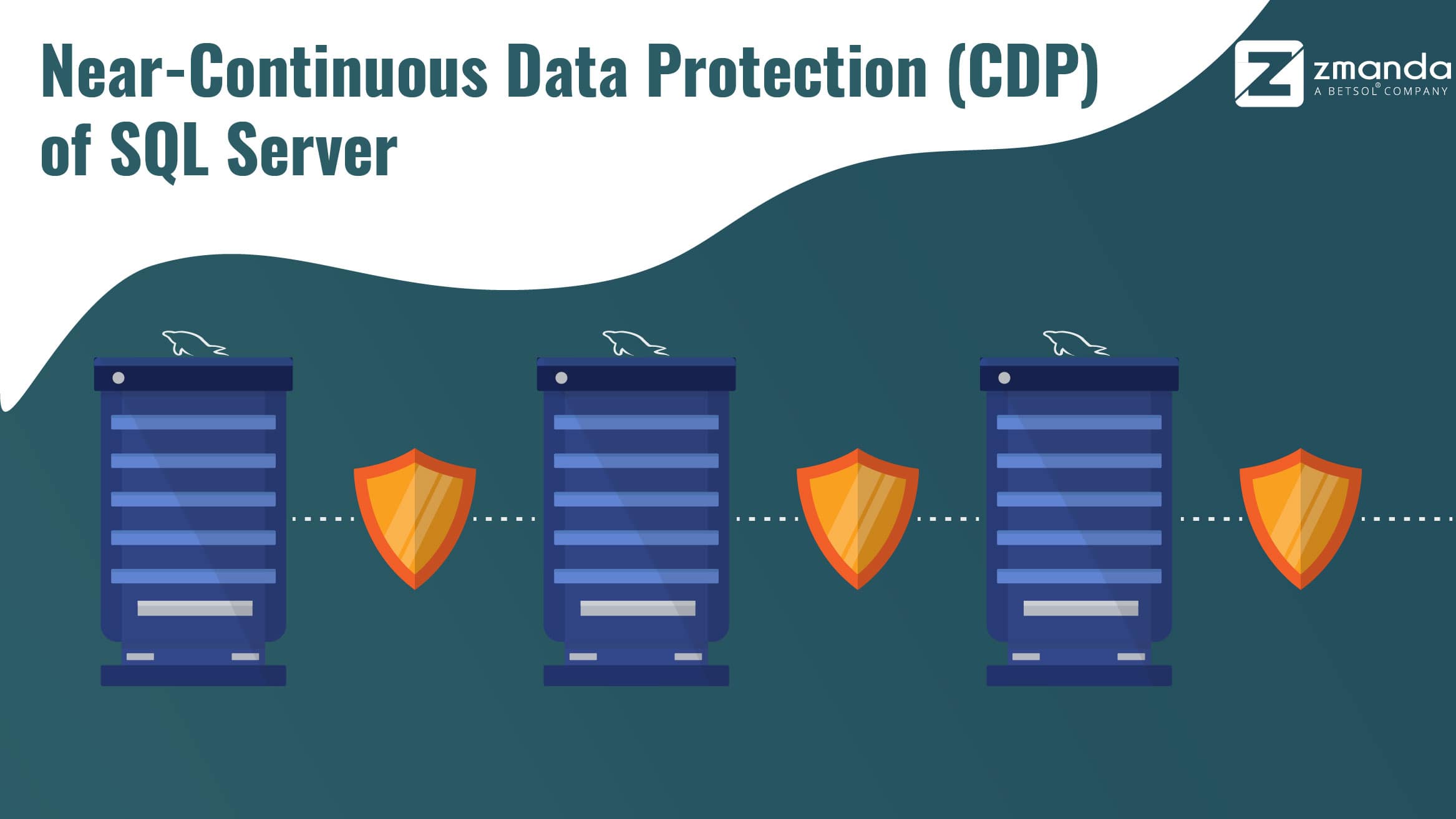
Introducing Near-Continuous Data Protection (CDP) of SQL Server

With version 4.5, ZCB now supports incremental (log-based) backups of SQL Server. This helps a great deal since log backups contain a list of all the individual changes to the database, and hence, provide an ability to restore the database to any historic timestamp, regardless of the actual backup time.

Why do we call this near-CDP and not CDP? Note that the log backups are not fired automatically upon each change event and are still “schedule based.” While this minimizes the backup overhead on your CPU/memory/bandwidth resources, it also means that you can only restore to a timestamp before a log backup has successfully taken place. That said, note that you can always choose a higher frequency for log backups (for example, “every 15 minutes”) to keep this as close to a true CDP system as you want.

Here is how one can specify any point in time for restore:

point in time for restore

While we’re discussing SQL Server backups, there is some more good news:  ZCB now performs Virtual Device Interface (VDI) based differential backups that can be significantly more compact and efficient than our earlier VSS based differential backups!

To see these improvements in action, login to your Zmanda account and download the latest 4.5 version from the Download tab!

Better performance and usability

Performance and usability are always top of mind for us when it comes to development and in ZCB 4.5, you’ll see some great enhancements, including:

Better network fault tolerance: The era of dial-up connections may be over, but the some of our customers often report temporary network outages. We have been following a “learn-fix-test-learn” approach to counter such network issues users may face, and have already added several defence mechanisms in past ZCB releases. Taking that approach further, we have now added another fail-safe mechanism to auto-detect and resume tasks that may still fail despite all these mechanisms.

Proactive validation of backup sets: New ZCB users looking to backup Exchange or SQL Server will benefit from a proactive validation mechanism in ZCB 4.5. When you create this type of backup set and go to save it, ZCB will now pop up a message if it detects a problem with your backup environment. Here is an example:

Proactive validation of backup sets

ZCB Global Dashboard improvements: Our dashboard team has been busy rolling out new features at a fast pace. Two of the most recent and powerful features are:

Delete backups from cloud

For our customers backing up to Google Cloud Storage (we’ll update customers using Amazon S3 in the nearfuture on this feature), you can now delete backups from the cloud. Whether you want to make some room in the cloud or simply want to clear old or unnecessary backups from cloud, you can quickly delete the backup runs using the dashboard from anywhere (screenshot below).

Track backup retention periods

The ability to specify the exact retention duration of cloud backups is one of the most valued features of ZCB. From a compliance or backup strategy standpoint, this control is absolutely necessary.

With ZCB 4.5, you now can monitor the retention period of all cloud backups on the dashboard. If a backup is going to be removed by ZCB in next 7 days (per your retention policy for example), it is also highlighted to get your attention.

dashboard

How are we doing?

As we continue to focus on making ZCB more useful for our customers, we really need to know how you’re using our service and how we can further improve to meet your needs. Please continue to send your comments and feature requests to zcb@zmanda.com.

Also, if you are a ZCB customer and would like to be kept up-to-date on product enhancements, please consider subscribing to this blog.

Looking forward to hearing from you soon!

-Nik

Amanda Enterprise 3.3 brings advanced backup management features

March 20th, 2013

Built on extensive research and development, combined with active feedback from a thriving open source community, Amanda Enterprise (AE) 3.3 is here! AE 3.3 has significant architecture and feature updates and is a robust, scalable and feature-rich platform that meets the backup needs of heterogeneous environments, across Linux, Windows, OS X and Solaris-based systems.

As we worked to further develop Amanda Enterprise, it was important to us that the architecture and feature updates would provide better control and management for backup administration.  Our main goal was to deliver a scalable platform which enables you to perform and manage backups your way.

Key enhancements in Amanda Enterprise include:

Advanced Cloud Backup Management: AE 3.3 now supports use of many new and popular cloud storage platforms as backup repositories. We have also added cloud backup features to give users more control over their backups for speed and data priority.

 Backup Storage Devices Supported by Amanda Enterprise 3.3


Backup Storage Devices Supported by Amanda Enterprise 3.3

Platforms supported now include Amazon S3, Google Cloud Storage, HP Cloud Storage, Japan’s IIJ GIO Storage Service, and private and public storage clouds built on OpenStack Swift. Notably, AE 3.3 supports all current Amazon S3 locations including various locations in US (including GovCloud), EU, Asia, Brazil and Australia.

Cloud Storage Locations Supported by Amanda Enterprise


Cloud Storage Locations Supported by Amanda Enterprise

In addition to new platforms, now, you can control how many parallel backup (upload) or restore (download) streams you want based on your available bandwidth. You can even throttle upload or download speeds per backup set level; for example, you can give higher priority to the backup of your more important data.

Optimized SQL Server and Exchange Backups: If you are running multiple SQL Server or Exchange databases on a Windows server, AE 3.3 allows selective backup or recovery of an individual database. This enables you to optimize the use of your backup resources by selecting only the databases you want to back up, or to improve recovery time by enabling recovery of a selected database. Of course, the ability to do an express backup and recovery of all databases on a server is still available.

Further optimizing, Zmanda Management Console (which is the GUI for Amanda Enterprise) now automatically discovers databases on a specific Windows server, allowing you to simply pick and choose those you want to backup.

Improved Virtual Tape and Physical Tape Management: Our developers have done extensive work in this area to enhance usability, including seamless management of available disk space. With extensive concurrency added to the Amanda architecture, you can eliminate using the staging disk for backup-to-disk configurations. AE 3.3 will write parallel streams of backups directly to disk without going through the staging disk. You can also choose to optionally configure staging disk for backup to tapes or clouds to improve fault tolerance and data streaming.

Better Fault Tolerance: When backing up to tapes, AE 3.3 can automatically withstand the failure of a tape drive. By simply configuring a backup set to be able to use more than one tape drive in your tape library, if any of the tape drives is not available, AE will automatically start using one of the available drives.

NDMP Management Improvements: AE 3.3 allows for selective restore of a file or a directory from a Network Data Management Protocol (NDMP) based backup. Now, you can also recover to an alternative path or an alternative filer directly from the GUI. Support for compression and encryption for NDMP based backups has also been added to the GUI. Plus, in addition to devices from NetApp and Oracle, AE now also supports NDMP enabled devices from EMC.

Scalability, Concurrency and Parallelism: Many more operations can now be executed in parallel. For example, you can run a restore operation, while active backups are in progress. Parallelism also has been added in various operations including backup to disk, cloud and tapes.

Expanded Platform Support: Our goal is to provide a backup solution which supports all of the key platforms deployed in today’s data centers. We have updated AE 3.3 to support latest versions of Windows Server, Red Hat Enterprise Linux, CentOS, Fedora, Ubuntu, Debian and OS X. With AE, you have flexibility of choosing the platforms best suited for each application in your environment – without having to worry about the backup infrastructure.

Want to Learn More?

There are many new enhancements to leverage! To help you dive in, we hosted a live demonstration of Amanda Enterprise 3.3. The session provides insights on best practices for setting up a backup configuration for a modern data center.

Zmanda Recovery Manager for MySQL - What’s New in Version 3.5

March 20th, 2013

As we continue to see MySQL being implemented in bigger and more challenging environments, we are working to ensure Zmanda Recovery Manager for MySQL (ZRM) matches this growth and provides a comprehensive, scalable backup management solution for MySQL that can easily integrate into any network backup infrastructure.

The latest release of ZRM for MySQL is a significant next step, bringing disk space and network usage optimization and enhanced backup reporting, along with simplified management to help configure backups quickly and intelligently.   Additionally, ZRM for MySQL 3.5 now supports backup of MySQL Enterprise Edition, MySQL Community Edition, SkySQL, MariaDB, and MySQL databases running on latest versions of Red Hat Enterprise Linux, CentOS, Debian, Ubuntu and Windows – giving you an open choice for your MySQL infrastructure, now and in future, with confidence that your backup solution will continue to work.

Here is a look at the key updates in ZRM:

Optimization of Disk Space: We’ve implemented streaming for various backup methods so that you don’t need to provide additional disk space on the systems running MySQL servers. This will allow you to do hot backup of your MySQL databases without having to allocate additional space on the system running MySQL. Backup data will get directly stored on the ZRM server.

Optimization of Network Usage: We have implemented client-side compression for various backup methods so you can choose to compress backup data even before it is sent to the ZRM server. Of course, you also have the choice to compress on the backup server; for example, if you don’t want to burden the MySQL server with backup compression operation.

Enhanced Backup Reporting: Backup is often where IT meets compliance. ZRM allows you to generate backup reports for all of the MySQL databases in your environment. With the latest version, now you can generate unified backup reports across backup sets too.

Simplified Management: One of the key features of ZRM is that it hides nuances of particular types of backup method for MySQL behind an easy-to-use GUI, the Zmanda Management Console (ZMC). With the new release, ZMC brings new features for applicable backup methods, such as parallelism, throttling, etc. You will also find several tool tips to help you configure your backups quickly and intelligently, without having to dig through documentation on specific backup methods.

Broad Platform Coverage: MySQL gets implemented in various shapes and forms on various operating systems. We continue to port and test all variants of MySQL on all major operating system platforms. ZRM 3.5 supports backup of MySQL Enterprise Edition, MySQL Community Edition, SkySQL and MariaDB. Backup of MySQL databases running on latest versions of Red Hat Enterprise Linux, CentOS, Debian, Ubuntu and Windows is supported.

Seamless Integration with Backup Infrastructure: ZRM is architected for the MySQL DBAs. In order for DBAs to integrate and comply with the overall backup methodology of their corporate environment, we have made sure that ZRM can integrate well into any of the network backup infrastructures being used. While ZRM is already known to work well with almost all network backup environments, we have completed specific integration and testing of ZRM 3.5 with Amanda Enterprise, Symantec NetBackup, and Tivoli Storage Manager.

If you are putting together a new MySQL based environment, or looking to add a well managed backup solution to your existing MySQL infrastructure, our MySQL backup solutions team is ready to help: zsales@zmanda.com

Quota Project: An effective way to manage the usage of your Swift-based storage cloud

January 31st, 2013

During the OpenStack Folsom Design Summit in April 2012, there was an interesting workshop discussion on Swift Quota. This topic has been actively and formally discussed in many forums (Link1, Link2) and also regarded as one of the blueprints in OpenStack Swift. Here are some of our key takeaways and insights on what this means for your storage cloud.

Swift Quota: Business Values

The business value of implementing Swift Quota is two-fold:

(1) Protect the Cluster: Cloud operators can conveniently set some effective limits, (e.g. limit on the number of objects per container), to protect the Swift cluster from many malicious behaviors, for example, creating millions of 0-byte objects to slow down the container database, or creating thousands of empty containers to overload the account database.

(2) Manage Storage Capacity: Cloud storage providers can sell their cloud storage capacity upfront, which is similar to the Amazon EC2 reserved instance price model: the provider can sell a fixed amount of storage capacity (e.g., 1TB) to a customer by setting up a capacity limit for that customer and would not be concerned with how the customer uses the storage capacity (e.g., use 100% capacity all the time, or use 50% capacity today and 95% capacity next month). The vendor will simply charge the customer based on the fixed amount of storage capacity (and possibly other resource usages, such as the number of PUT, GET and DELETE operations) and would not have to precisely track and calculate how much storage capacity is used by a customer on an on-going basis.

In summary, the reason Swift Quota is interesting to the cloud storage operators and providers is that it enables effective and robust resource (e.g. capacity) management and improves the overall usability of the Swift-based storage cloud.

Today, we would like to introduce an interesting Swift Quota project that we have been focusing on and which has been used in StackLab – a production public cloud for users to try out OpenStack for free. (Details about StackLab can be found at http://freedomhui.com/stacklab/

Swift Quota Introduction

Swift Quota is a production-ready project that is mainly used for controlling the usage of account and containers in OpenStack Swift. In the current version of Swift Quota, the users can set up the quotas on the following three items:

(1) Number of containers per account (example: an account cannot have more than 5 containers)

(2) Number of objects per container (example: a container cannot have more than 100 objects)

(3) Storage capacity per container (example: the size of a container cannot be larger than 100 GB)

Swift Quota is implemented as the middle layer in Swift, so it is simple and straightforward to integrate and merge with the mainstream Swift code. The idea of Swift Quota is not to create new separate counters to keep track of the resources usages, but to utilize the existing metadata associated with the containers and accounts. So it is very lightweight in the production environment.

Swift Quota Installation

Before we go any further, we’d like to thank AlexYuYang for his contribution to this project. The project is available at Alex’s github repository.

To install Swift Quota, you either check out the modified Swift code from the github repository above (git clone git://github.com/AlexYangYu/StackLab-swift.git) and switch to the branch called “dev-quota” (git checkout dev-quota). Then you install the modified Swift software on the cluster nodes, or you need to follow the commit history to figure out which changes are new and then merge them to your existing Swift code base.

Configuration File

To enable Swift Quota, /etc/swift/proxy-server.conf should be adjusted as following (bold words/lines highlight the new configuration settings),

[pipeline:main]
pipeline = catch_errors cache token auth quota proxy-server

[filter:quota]
use = egg:swift#quota
cache_timeout = 30
# If set precise_mode = true, the quota middleware will disable the cache.
precise_mode = true
set log_name = quota
quota = {
“container_count”: {
“default”: 5,
“L1″: 10,
“L2″: 25
},
“object_count”: {
“default”: 200000,
“L1″: 500000,
“L2″: 1000000
},
“container_usage”: {
“default”: 2147483648,
“L1″: 10737418240,
“L2″: 53687091200
}
}

From the above configuration settings, for each of the three resource quotas, there are 3 levels of limits: default, L1 and L2. Here, we want to provide a flexible and configurable interface for the cloud operator (e.g., reseller_admin) to specify quota level for each account. For example, the cloud operator can assign “L1” level quota to one account and “L2” level quota to a different account. If the quota level is not clearly specified, all accounts will strictly follow the “default” quota level. Cloud operators are free to define as many quota levels as they want for their own use cases. Next, we will show how to specify the quota level for an account.

Assigning Quota Level to an Account

We assume only the reseller_admin can modify the quota level for an account, so make sure you have a reseller_admin login in your authentication system. For example,

[filter:tempauth]
use = egg:swift#tempauth
user_system_root = testpass .admin http://your_swift_ip:8080/v1/AUTH_system
user_reseller_reseller = reseller .reseller_admin http:// your_swift_ip:8080/v1/AUTH_reseller

Then, we use this curl command to retrieve the X-Auth-Token of the reseller_admin

curl -k -v -H ‘X-Storage-User: reseller:reseller’ -H ‘X-Storage-Pass: reseller’ http://your_swift_ip:8080/auth/v1.0

Next, we use this curl command to edit the quota level of an account, called “system”. For example,

curl -v -X POST http://your_swift_ip:8080/v1/AUTH_system -H ‘X-Auth-Token: your reseller_admin token’ -H ‘X-Account-Meta-Quota: L1′

Note that, in the above curl command, ‘X-Account-Meta-Quota: L1′ is to assign L1 level quota to the account called “system”

Similarly, the following curl command will update the quota level to L2

curl -v -X POST http://your_swift_ip:8080/v1/AUTH_system -H ‘X-Auth-Token: your reseller_admin token’ -H ‘X-Account-Meta-Quota: L2′

If everything works correctly, you will receive a “204 No Content” response from the server after you issue the above curl commands.

Trade-off between Cluster Performance and Quota Accuracy

It is possible to trigger a quota check upon each PUT request to guarantee that no quota violation is allowed. However, when hardware resources are in short supply and the workload becomes very intensive, the check upon each PUT request may affect the Swift cluster performance. So, in the current design of Swift Quota, there are two parameters, called precise_mode and cache_time under [filter:quota] in /etc/swift/proxy-server.conf, that can effectively balance the cluster performance and quota accuracy.

When precise_mode is set to true, cache_time is not effective and the Swift cluster will check the quota upon each PUT request by reading the current container and account usage from the server. However, when precise_mode is set to false, the Swift cluster will only read the container and account usage that is cached in the memory. cache_time will then decide how often the cached information is updated via reading it from the server.

Closing Comments

We are happy to see that the Swift Quota has been in production in StackLab environment for almost 6 months and we believe Swift Quota is a neat and clear design that will be adopted by more Swift users.

If you are thinking of putting together a storage cloud, or thinking of introducing Quota to your Swift cluster, we would love to discuss your challenges and share our observations. Please drop us a note at swift@zmanda.com.

Backward Compatible Keystone-based OpenStack Swift

January 10th, 2013

In a previous blog, we proposed a method to enable Cyberduck to work with Keystone-based Swift, which is to upgrade java-cloudfiles API to 2.0 in Cyberduck. We received lot of feedback on it, and we appreciate hearing your feedback. Today, we move one step forward and propose a more reliable and straightforward way to make your older Swift clients, such as Cyberduck, work with Keystone-based Swift.

The high-level idea of this new method is to add v1.0 authentication middleware in Keystone, while keeping the client, in this case Cyberduck, unchanged. Thanks to AlexYangYu for providing the v1.0 enabled Keystone code base;  it’s available at:

https://github.com/AlexYangYu/StackLab-Ketystone/tree/dev-protocol-convertor

In case you still want to use your own version of Keystone, rather than removing it and using the Keystone from above location, you need to follow the steps below:

First, add the following files to your existing Keystone code base:

https://github.com/AlexYangYu/StackLab-Ketystone/commit/9e126d6716912e8822de3884c32f5b9509ef0994

Then, after incorporating the middleware to support v1.0 authentication in Keystone, you need to recompile and install the modified Keystone code base.

Next, change the keystone configuration file (/etc/keystone/keystone.conf) as follows (bold lines highlight the differences from the default keystone.conf)

[composite:main]
use = egg:Paste#urlmap
/v2.0 = public_api
/v1.0 = public_api_v1
/ = public_version_api
[pipeline:public_api_v1]
pipeline = protocol_converter token_auth admin_token_auth xml_body json_body debug  ec2_extension public_service
[filter:protocol_converter]
paste.filter_factory = keystone.contrib.protocol_converter:ProtocolConverter.factory

Finally, you need to restart the keystone service.

To do this on the client side, you follow the standard configuration procedures traditionally used with v1.0 authentication. For Cyberduck, you can follow the steps here to set the Authenticate Context Path (ch.sudo.cyberduck cf.authentication.context /auth/v1.0).

We have verified this method on both PC and Mac platforms with the latest version of Cyberduck and other v1.0 authentication based Swift clients.

If you are thinking of putting together a storage cloud, we would love to discuss your challenges and share our observations. Please drop us a note at swift@zmanda.com.

ZCB 4.4 out for download. How to say “cloud backup” in Australian?

November 28th, 2012

We kicked off the holiday season this year with our latest release - ZCB 4.4. Here is a quick overview of what’s new.

Hello Windows Server 2012 and Windows 8!

This release of ZCB fully supports Windows Server 2012 and Windows 8. All applications and system state backup are supported. So go ahead and protect your investment in your latest Windows systems!

Super-fast local backups

While ZCB’s network performance has been quite trendsetting (some of our customers have reported uploads at more than 130+ Mbps in their environments!), recently we set our sights on the performance of our local backups. This is an important area for ZCB since it supports unlimited local backups to local/external/network drives, unlike many other backup services.

I’m happy to share that our engineering team has been able to significantly improve the performance of local backups in ZCB 4.4. Here is a chart to show a comparison:

Note that to reap the full benefits of this improvement, you will need to turn off compression or the load on CPU may become the bottleneck.

User-friendly restore of AES 256 bit encrypted backups

In case you lost your encryption key after using it to backup your data, ZCB 4.4 allows you to recreate decryption keys for restore. All you need is the passphrase you used earlier. Of course, you need to at least remember that passphrase to take advantage of this feature!

Here is this option to create the decryption key on the Restore page of the ZCB user interface:

A new Amazon region - Asia Pacific (Sydney)

If you are in or near to the Australian region and would like to backup to a local data-center for compliance and performance reasons there is a good news: ZCB now supports the brand new Amazon S3 region in Sydney.

And as a welcome gesture, like always, we have made usage to this new region absolutely free until December 31, 2012! So purchase ZCB today and give it a spin!

We are excited to hear about our customers’ experience with this new version. As always, please let us know your comments and feature requests at zcb@zmanda.com.

If you are a ZCB customer and would like to see our product updates, please consider subscribing to this blog and our tweets.

Thank you!
-Nik

Zmanda - A Carbonite Company

October 31st, 2012

I am very excited to share that today Zmanda has combined forces with Carbonite - the best known brand in cloud backup. I want to take this opportunity to introduce you to Carbonite and tell you what this announcement means to the extended Zmanda family, including our employees, customers, resellers and partners.

First, we become “Zmanda - A Carbonite Company” instead of “Zmanda, Inc.” and I will continue to lead the Zmanda business operations. Carbonite will continue to focus on backing up desktops, laptops, file servers, and mobile devices. Zmanda will continue to focus on backup of servers and databases. Carbonite’s sales team will start selling Zmanda Cloud Backup directly and through its channels. Since Carbonite already has a much larger installed base of users and resellers, our growth should accelerate considerably next year which will allow us to innovate at an even higher level than before. Zmanda’s direct sales team and resellers will continue to offer the Zmanda products they respectively specialize in.

I’ve gotten to know Carbonite over the last few months and I am very impressed with their organization and am looking forward to joining the management team. One of the things that attracted me to Carbonite was its commitment to customer support. Carbonite has built a very impressive customer support center in Lewiston, Maine, about a two hour drive north of their Boston headquarters, where it now employs a little over 200 people. We’ll be training a technical team in Maine to help us support Zmanda Cloud Backup, and of course we’ll also be keeping our support teams in Silicon Valley and in Pune, India for escalations and support of Amanda Enterprise and Zmanda Recovery Manager for MySQL. Please note that at this point, all our current methods of connecting with customer support including Zmanda Network, will continue as is.

Another thing that makes Carbonite a good fit for us is its commitment to ease-of-use. Installing and operating Carbonite’s backup software is as easy as it gets. We share this goal, and we hope to learn a thing or two from the Carbonite team on this front - as we continue to build on aggressive roadmap of all our product lines.

We’ve worked hard to make Zmanda products as robust as possible. Our technologies, including our contributions to the open source Amanda backup project, have been deployed on over a million systems worldwide. Amanda has hundreds of man years of contributed engineering. We believe it is one of the most solid and mature backup systems in the world. Much of what we have done for the past five years has been to enhance the open source code and provide top notch commercial support. Carbonite, too, understands that being in the backup business requires the absolute trust of customers and I believe that every day the company works hard to earn that trust: it respects customer privacy, is fanatical about security, and has made a real commitment to high quality support.

I and the other Zmanda employees are very enthusiastic and proud to be joining forces with Carbonite. We look forward to lots of innovation in the Zmanda product lines next year and hope that you will continue to provide us with the feedback that has been so helpful in the evolution of our products.

Swift @ OpenStack Summit 2012

October 25th, 2012

We just came back from OpenStack Summit 2012 in San Diego.  Summit was full of energy and rapid progress of OpenStack project, on both technical and business fronts, was palpable.

Our participation was focused around OpenStack Swift, and here are three notable sessions (including our own!) on the topic:

(1) COSBench: A Benchmark Tool for Cloud Object Storage Service: Folks from Intel presented how they designed and implemented a Cloud Storage benchmark tool, called COSBench (Cloud Object Storage Benchmark), for OpenStack Swift. In our previous blog, we briefly introduced COSBench and our expectation of this tool becoming the de facto Swift benchmarking tool in the future. In this session, the presenter also demonstrated how to use COSBench to analyze the bottleneck of a Swift cluster when it is under certain workload. The most promising point in this session is the indication that COSBench is going to be released to the open-source community. The slides for the session are available here.

(2) Building Applications with OpenStack Swift: In this very interesting talk from SwiftStack, a primer was provided on how to build web-based application on top of OpenStack Swift. The presentation team jumped into code-level to explain how to extend and customize Swift authentication and how to develop custom Swift middleware. The goal is to seamlessly support the integration between the web applications and Swift infrastructure.  A very useful presentation for developers who are thinking of how to make applications for Swift.

(3) How swift is you Swift?: Goal of this presentation (from Zmanda) was to shed light on the provisioning problem for Swift infrastructure. We looked at almost every hardware and software component in Swift and discussed how to pick up the appropriate hardware and software settings for optimizing the upfront cost and performance. Besides, we also talked about the performance degradation when a failure (e.g. node or HDD failure) happens. Our slides are available here.

All in all the Summit was a great step forward in the evolution of Swift.

If you are thinking of putting together a storage cloud, we would love to discuss your challenges and share our observations. Please drop us a note at  swift@zmanda.com

How swift is your Swift? Benchmarking OpenStack Swift.

October 8th, 2012

The OpenStack Swift project has been developing at a tremendous pace. The version 1.6.0 was released in August followed by 1.7.4 (Folsom) just after two months!  In these two recent releases, many important features have also been implemented, for example the optimization for using SSD, object versioning, StatsD logging and much more – many of these features have significant implications for performance planning for the cloud builders and operators.

As an integral part of deploying a cloud storage platform based on OpenStack Swift, benchmarking a Swift cluster implementation is essential before the cluster is deployed for production use. Preferably the benchmark should simulate the eventual workload that the cluster will be subjected to.

In this blog, we discuss following Swift benchmarking concepts:
(1)    Benchmark Dimensions for Swift cluster: performance, scalability and degraded-mode performance (e.g. when hardware and software failures happen).
(2)    Sample workloads for Swift cluster

Benchmark Tools for Swift

There are currently two Swift benchmark tools available: swift-bench and COSBench.

swift-bench is a command-line benchmark tool that is shipped along with Swift distribution. Recently,  we improved swift-bench to allow for random object sizes and better usability.

COSBench is a fairly new web-based benchmark tool, led by the researchers at Intel. Fortunately, we obtained a trial version of COSBench. Based on our initial experience with COSBench, we believe it represents a very helpful tool, and may become the the de facto Swift benchmarking tool in the future.

Benchmark Dimensions

Dimension 1 – Performance

The performance dimension is to measure the performance of the Swift cluster when it is under a certain load. The performance metrics can be specified in many ways. In most cases, the cloud operators will be interested in the following four performance metrics:

(1)    The average throughput (number of operations per second)
(2)    The average bandwidth (MB/s)
(3)    The average response time of all requests.
(4)    Response time for a certain percentage of requests (e.g. 95 percentile).

To measure the performance, we first need to populate a Swift cluster with some data (i.e. objects) to simulate an initial stage. The size of the initially loaded objects can be controlled by the inputs of the benchmark client. Subsequently, a pre-defined workload is executed against the Swift cluster while the performance is measured.

When measuring the performance, there is one key issue we need to pay attention to:  First, we need to carefully adjust the number of threads because it determines how much workload the benchmark clients will generate against the Swift cluster. Since we want to measure the performance of the Swift cluster when it is under load or saturated, we need to increase the number of threads, until the point at which the bandwidth/throughput becomes stable and the average response time starts to increase very sharply.

As the number of threads increases, the benchmark client will get busier. We need to make sure that it has enough resources (CPU, memory, network bandwidth) to use and should not be the performance bottleneck.

While the performance of the client software (Cyberduck, Cloud Backup software etc.), that is connecting with Swift, is an important factor in the overall usability of the storage cloud, the scope of this blog is the performance of the storage cloud platform itself.

Dimension 2 – Scalability

The benchmark on scalability is to test if a Swift cluster can scale out gracefully by adding more servers and other resources. We can conduct this benchmark in the following steps:  we proportionally add more servers for each type of node in the Swift cluster. For example, we double the number of the storage nodes and proxy nodes with the same hardware and software configurations. Then, we run the same workloads to measure the performance. If a Swift cluster can scale out nicely, then its bandwidth/throughput will be increased in proportion to the number of new servers we added in. Otherwise, the cloud operators should analyze what is the bottleneck to prevent it from scaling well.

To simulate a real-world scenario, we need to test the scalability of a Swift cluster while it is running. As suggested by a blog from SwiftStack, cloud operators may consider adding new servers gradually in order to avoid the performance degradation because of the data movement between the existing and new servers. During the measurement, we want to observe: (1) if the Swift cluster operates normally (i.e. no period of service disruption) and (2) the increase on performance when the new servers are added into the Swift cluster.

Dimension 3 – Degraded Mode Performance

The cloud operators will face hardware or software failures at some points. If their objective is to ensure that their clusters will perform at a certain level (e.g. abide by the performance SLA) even in face of the failures, they should benchmark their Swift cluster appropriately upfront.

The most straightforward way to measure the availability of a Swift cluster is to intentionally shut down some nodes and measure the number of errors (e.g. failed operations) and performance degradation when the Swift is running in the degraded mode.

There are some factors that increase the complexities of benchmarking the degraded Swift cluster. For example, the failures can happen at every possible system level. For example, I/O devices, OS, Swift processes or even the entire server. The impact of failures is different when they occur at different levels. So, the failure scenarios at all system levels need to be considered. Such as, to simulate a disk failure, we may intentionally umount the disk; To simulate a Swift process failure, we need to kill some or all Swift processes on a node; To simulate an OS or entire server failure, the server could be temporarily powered off; Or a whole zone could be powered off (to simulate power failure of an entire rack of servers).

By combining the above considerations together, we notice that the total problem space for analyzing all failure scenarios may be very huge for a large-scale Swift cluster. So, it is more practical to prioritize those failure scenarios. For example, only the worst scenarios or more common scenarios are evaluated first.

In our presentation at the coming OpenStack Summit, we will present our empirical results to show how a Swift cluster performs when the hardware failures occur.

Sample Workloads

The COSBench tool allows users to define a Swift workload based on the following two aspects: (1) range of the object sizes in the workload (e.g. from 1MB to 10MB). (2) the ratio of PUT, GET and DELETE operations (e.g. 1:8:1).

The object sizes in a workload may have certain distributions. For example, uniform, Zipfan and more. At this point, based on our experiences with COSBench, it assumes the object sizes are uniformly distributed within the pre-defined range. Plus, it assumes all objects have the equal possibility to be accessed by the GET operation. It may be a good direction for COSBench to add more choices on the distribution when the users want to specify the object size and access pattern.

In the following table, we provide some sample Swift workloads in the following table.

Upload Intensive

Download Intensive

Small Objects (size range:1KB-100KB)

GET: 5%, PUT: 90%, DELETE:5%

Example: Online gaming hosting service — the game sessions are periodically saved as the small files which record the user profiles and game information in the order of the time series.

GET: 90%, PUT: 5%, DELETE:5%

Example: Website hosting service — once a new webpage is published by the owner, lots of read requests will hit on the new webpage.

Large Objects (size range:1MB – 10MB)

GET: 5%, PUT: 90%, DELETE:5%

Example: Enterprise Backup — small files are compressed into large trunk of data and backed up to cloud storage. Occasionally, the recovery and delete operations are needed.

GET: 90%, PUT: 5%, DELETE:5%

Example: Online video sharing service — once the new video clips are uploaded, lots of download traffic will be generated when people watch those new video clips.

Plus, the benchmark users are free to define their own favorite workloads based on the two inputs: range of object sizes and ratio between PUT, GET and DELETE operations.

We will discuss above dimensions and benchmarks workloads in detail in future blogs, as well as at our presentation at the OpenStack Summit in San Diego (Presentation at 4:10PM on October 18th). We hope to see you there.

If you are thinking of putting together a storage cloud, we would love to discuss your challenges and share our observations. Please drop us a note at  swift@zmanda.com