Every backup console can show a screen full of green checkmarks. None of them tells you whether the data will come back. A completed job means the software copied data somewhere. It says nothing about whether that copy is complete, readable, and fast enough to restore while the business waits. Backup and recovery testing is how you find out before an outage does.
The stakes are well documented. In Veeam’s 2025 ransomware research, only 10% of organizations hit by an attack recovered more than 90% of their data, and 57% recovered less than half of it. Having backups and being able to restore from them are two different things, and testing is the only way to know which one you have.
The most common question that comes up constantly among the people who run backups day to day, is often: how do you actually test a backup?
This guide covers what backup and recovery testing proves, why backup jobs that report success still fail to restore, what to test across files, virtual machines and databases, how often to test, and how to build a backup restore test plan your team can run again and again.
See How Zmanda Pro Keeps Backups Recoverable
What Backup and Recovery Testing Actually Proves
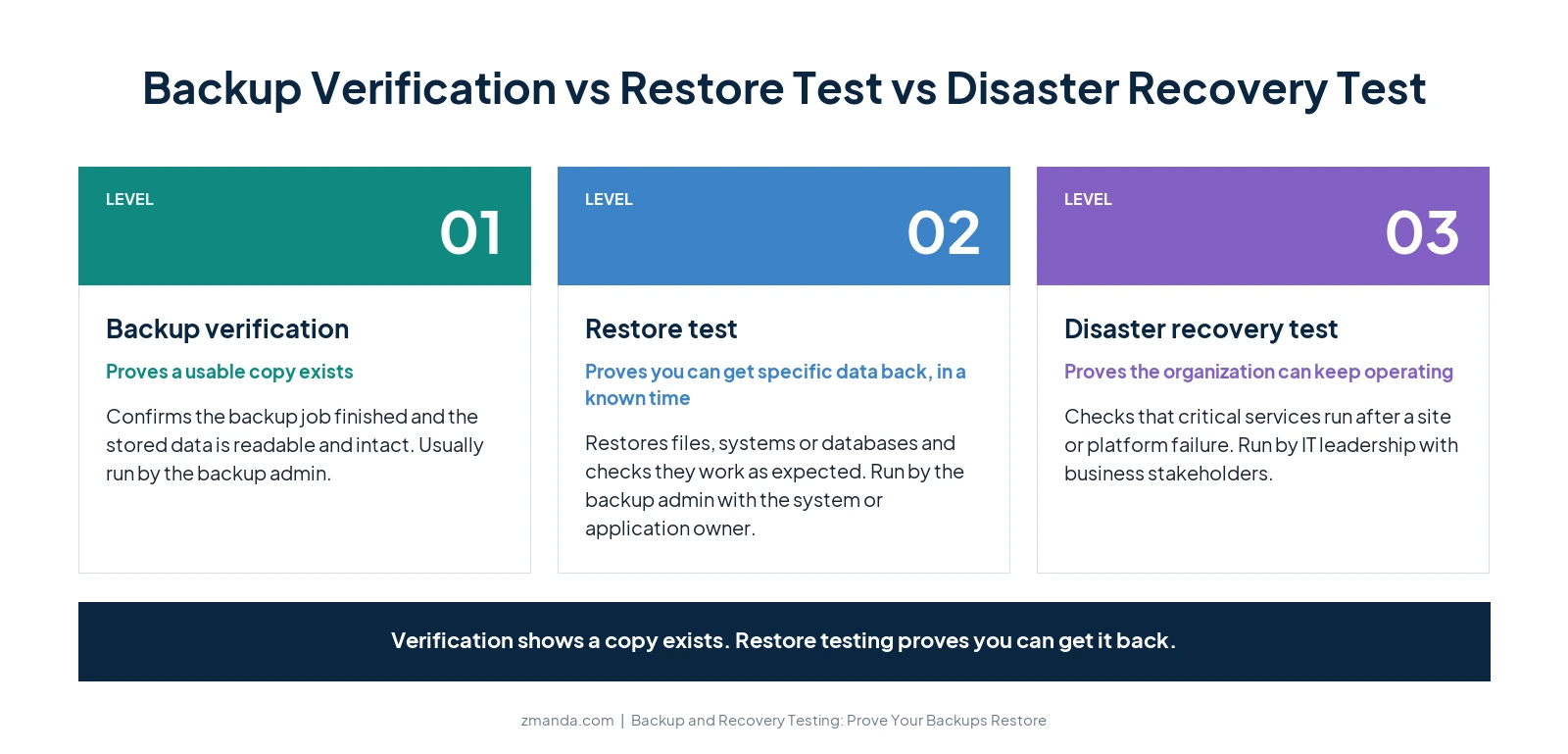
Three different checks often get called “testing your backups,” and they prove different things. Treating them as the same is how teams end up confident and unprepared at the same time.
| Check | What it checks | What it proves | Typical owner |
|---|---|---|---|
| Backup verification | The backup job finished and the stored data is readable and intact | A usable copy exists | Backup admin |
| Restore test | Data or a full system can be restored and works as expected | You can get specific data back, in a known amount of time | Backup admin with the system or application owner |
| Disaster recovery test | The business can run critical services after a site or platform failure | The organization can keep operating | IT leadership with business stakeholders |
Backup verification is the foundation, and restore testing is where proof starts. Disaster recovery testing sits on top of both and covers people, failover sites and communication. It is a bigger exercise, and our guide to disaster recovery testing fundamentals and best practices covers it in detail.
Testing is not an optional extra in the major frameworks either. The NIST Cybersecurity Framework 2.0 includes the outcome that “backups of data are created, protected, maintained, and tested” (subcategory PR.DS-11) as part of its data security category. Creating backups is only the first of those four verbs.
Why Successful Backup Jobs Still Fail to Restore
A backup job can succeed on its own terms and still leave you unable to recover. The causes are rarely exotic. They are usually small gaps that nobody notices until a restore is attempted under pressure.
- Dependencies get left behind. An application often needs configuration files, certificates, service accounts or a second database to start, and a backup scoped to “the server” or “the database” can miss them.
- Credentials and keys are missing at restore time. If the password or encryption key for a backup lives only on the system that just failed, the backup is effectively locked.
- The backup chain is broken. Incremental backups depend on earlier recovery points, so one missing or damaged point can make later ones unusable.
- Application data was captured in an inconsistent state. Databases and mail servers that were mid-write during the backup can restore to a state the application refuses to open.
- Restore time was never measured. The data comes back, but it takes far longer than the business can tolerate, which counts as a failure in practice.
Each of these surfaces in a restore test and almost never in a backup job report. We cover the wider set of causes in why backups fail and how to avoid it. The practical answer to all of them is the same: restore regularly, and check the result.
What to Test: Files, Virtual Machines, and Databases
Restore testing works best when it matches how you would actually recover. A file request from a user, a failed virtual machine and a corrupted database each need a different test, and each catches different problems.
File-level restore test
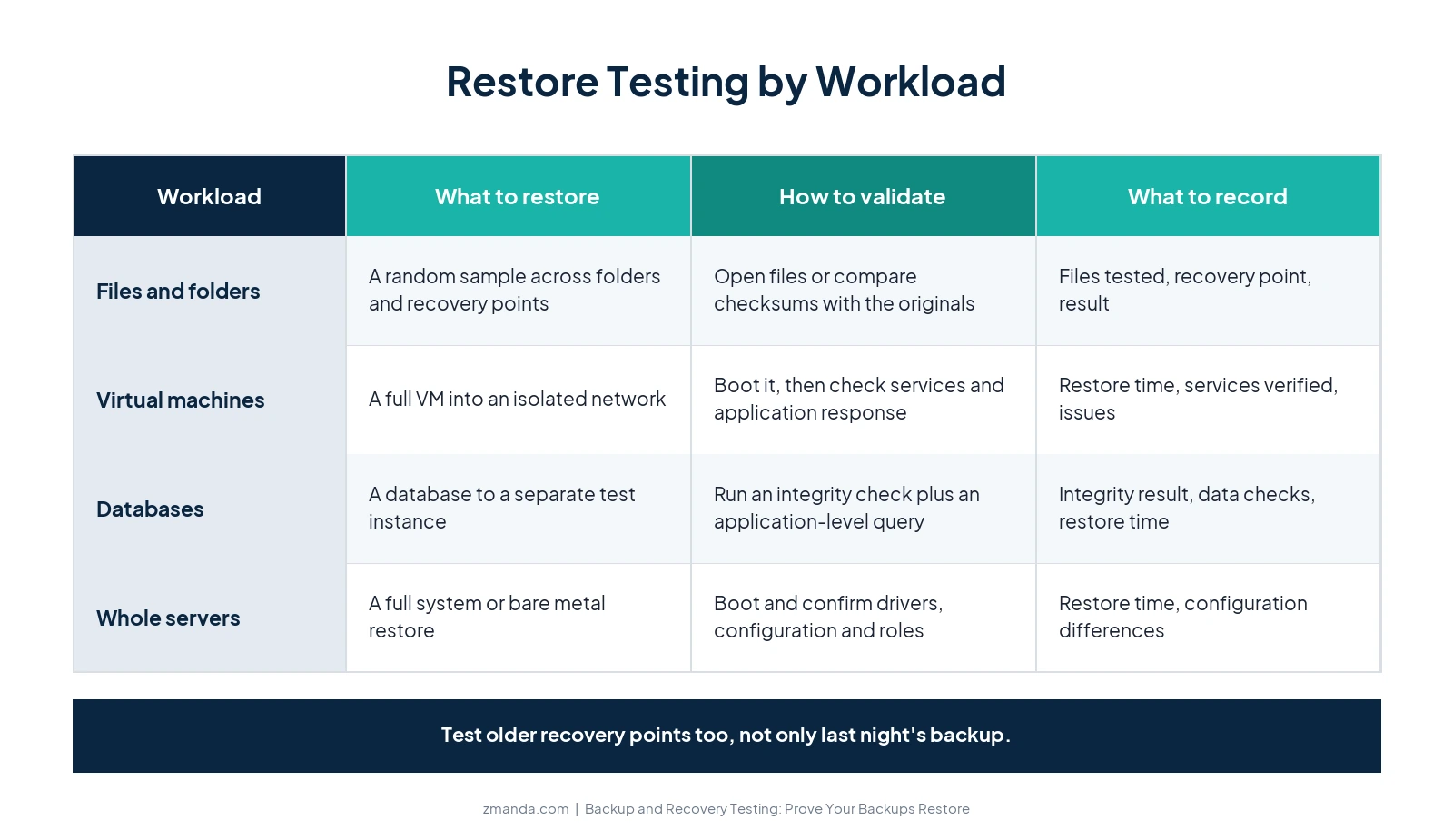
Pick a random sample of files from different folders, owners and ages rather than the same test file every time. Restore them to an alternate location, then open them or compare checksums against the originals. Include files from older recovery points, not only last night’s backup, because retention problems only show up when you reach back in time.
Full VM restore test
Restore a complete virtual machine into an isolated network so it cannot conflict with production. Boot it, confirm the operating system and services start, and check that the application responds. Time the whole process from “start restore” to “service available,” because that number is what you will compare against your recovery time objective.
Database restore and data validation
A database that restores is not the same as a database that is correct. For a SQL Server database, restore to a separate test instance, then run DBCC CHECKDB to check logical and physical integrity. Follow it with an application-level check, such as row counts on key tables or a query the business relies on, so you know the data is usable and not just structurally sound.
For whole servers, a periodic full system restore is worth adding, since it tests drivers, boot configuration and the operating system together. Our look at bare metal recovery explains when that level of restore matters.
How Often to Test Your Backups
There is no single schedule that suits every system, and any blanket rule ignores the fact that a payroll database and a shared drive of old marketing files carry very different risk. Three factors decide how often a system needs a restore test: how fast its data changes, how critical it is to running the business, and what your compliance obligations require.
Official guidance is clear on the principle. CISA’s StopRansomware Guide recommends regularly testing the availability and integrity of backups as part of its first ransomware best practice. The frequency is yours to set, which is why tying it to measurable recovery targets matters. If you have not defined them yet, our guide to RTO and RPO and how they differ is a good place to start.
| Trigger | Test to run |
|---|---|
| A recurring schedule set by system criticality | File and VM restore samples, run more often for your most critical systems |
| After a significant change (new application, OS upgrade, storage move) | A targeted restore test of the systems the change touched |
| After changing backup software, settings or storage destinations | A restore test from the new configuration before you rely on it |
| Before an audit, renewal or business-critical period | A documented restore test of the systems in scope |
Not sure your last backup would actually restore?
Book a 30-minute session with our experts and walk through a restore test plan for your systems.
How to Build a Backup Restore Test Plan
A backup restore test plan turns testing from a heroic one-off into a routine your team can repeat. It does not need to be long. It needs to be specific enough that someone other than its author could run it.

- Define scope and success criteria. List the systems in scope and, for each one, the recovery time and recovery point the business expects, so every test has a pass or fail line.
- Choose an isolated restore target. Restore into a sandbox network, a test instance or an alternate location, so testing never risks production.
- Run the restore and time it. Record the start and finish times, because restore speed is a result in its own right.
- Validate the data. Use the checks from the workload table above, from file comparisons to database integrity checks.
- Record the results. Write down what passed, what failed and how long each step took, so you can show the evidence to leadership or auditors.
- Fix and retest. Treat every failure as a finding, fix the cause, and run the test again until it passes.
| Field | Why it matters |
|---|---|
| System and owner | Makes one person accountable for each result |
| Recovery point tested | Shows you tested older backups, not only the latest |
| Restore target | Confirms the test ran in isolation |
| Restore time vs target RTO | Turns “it worked” into “it worked fast enough” |
| Validation result | Proves the data was usable, not only present |
| Issues found and fixes | Builds a record of improvements over time |
| Next test date | Keeps testing on the calendar |
This is a test runbook: it describes how to prove a restore works on a normal working day. Recovering after a real incident follows a different sequence, which we cover in [INTERNAL LINK: ransomware recovery plan → /blog/ransomware-recovery-plan/ once published]. [HUMAN DECISION NEEDED: offer the gated Backup and Recovery Testing Checklist here, or point to the existing DR plan template]
Automating Backup Verification
Manual restore tests do not scale across hundreds of systems, so the repeatable parts are worth automating. Alerts on failed or missed backup jobs, scheduled restores into a sandbox, scripted integrity checks such as checksums or database consistency checks, and an automatic report of the results can all run without someone remembering to start them.
Automation has a limit, though. It can confirm that data restored and passed technical checks. It cannot tell you whether an application behaves the way the business expects, so periodic hands-on restore tests with system owners still belong in the plan.
Where Zmanda Pro Fits
Testing is only practical when restores are fast and the copies you test from can be trusted. That is where the design of your backup software makes a real difference.
Zmanda Pro restores using chunk-level indexing, pulling only the chunks a restore needs, and the oldest and newest backups restore at the same speed. That means testing a recovery point from months ago is as practical as testing last night’s, which is exactly where retention problems hide. With support for recovery point objectives under one hour, the recovery points you test are also close to the moment of failure.
The copies you test from stay protected. Zmanda Pro supports Object Lock immutability on AWS S3 and Wasabi, and in Compliance Mode even admin credentials cannot override the lock, so a test restore proves recovery from a copy that could not have been altered. Our guide to immutable backups explains how that protection works.
Zmanda Pro also makes it easy to keep copies in more than one place. You can send backups to Zmanda Cloud Storage, S3-compatible cloud storage, local disk or NAS, and apply multiple schedules to one protected item, which supports a 3-2-1 backup strategy. The final “0” in the 3-2-1-1-0 backup rule stands for zero errors after verification, and that is exactly what a backup restore test plan sets out to prove. Email reporting on backup jobs keeps failed or missed jobs from going unnoticed between tests.
Start Proving Your Backups Today
A backup that has never been restored is still an open question. Backup and recovery testing answers it with evidence: you know which systems restore, how long they take, and what to fix before an outage forces the question. Start small with one file test, one VM and one database, record the results, and build the routine from there. For the bigger picture of how testing fits alongside protection and recovery, see our guide to building a backup and recovery plan.
Prove your backups restore before you need them
Book a free 30-minute assessment and see how fast your critical systems could be restored.
Frequently Asked Questions
How often should you test backups?
It depends on how fast the data changes, how critical the system is and what your compliance obligations require. Critical systems should be tested on a regular schedule and after any significant change, such as a new application, an upgrade or a move to new storage. CISA recommends regularly testing the availability and integrity of backups.
What is the difference between backup verification and restore testing?
Backup verification confirms that a backup job finished and the stored data is readable and intact. Restore testing goes further by actually restoring files, systems or databases and checking that they work, and how long the restore takes. Verification shows a copy exists; restore testing proves you can get the data back.
What should a backup restore test plan include?
A backup restore test plan should list the systems in scope, the recovery time and recovery point each one needs, an isolated restore target, how the restored data will be validated and who owns each test. It should also record the recovery point tested, the restore time, the result, any issues found and the next test date.
How do you test a SQL Server backup restore?
Restore the database to a separate test instance so production is never at risk. Run DBCC CHECKDB to check logical and physical integrity, then run application-level checks such as row counts on key tables or a query the business relies on. Record how long the restore took and compare it with your recovery time objective.
Does a successful backup job mean the data can be restored?
No. A successful job means data was copied, not that it can be restored completely and quickly. Missing dependencies, lost credentials or encryption keys, broken incremental chains and inconsistent application data can all cause a restore to fail even when every backup job reported success.
What does the 0 in the 3-2-1-1-0 backup rule mean?
The 0 stands for zero errors after backup verification and recovery testing. The rule keeps three copies of data on two types of media with one offsite and one offline or immutable, then requires proof through testing that those copies restore without errors.