Mac backup

Enterprise MacOS backup
software & recovery

Protect your Mac workstations and servers with automated backups, intelligent
scheduling, and enterprise-grade reliability
Start your free trial     Book demo & consultation Group Image

Why Apple’s Time Machine isn’t enough to backup your organization

Your enterprise Mac fleet requires more than Time Machine for reliable macOS backup. Managing hundreds of Mac systems demands professional-grade backup software for Mac with centralized control, compliance reporting, and cross-platform integration.

Time Machine lacks centralized management and
reporting

Time Machine offers no native cross-platform backup coordination

Consumer tools can't meet compliance requirements with Time Machine

How Zmanda Pro protects your MacOS backup data

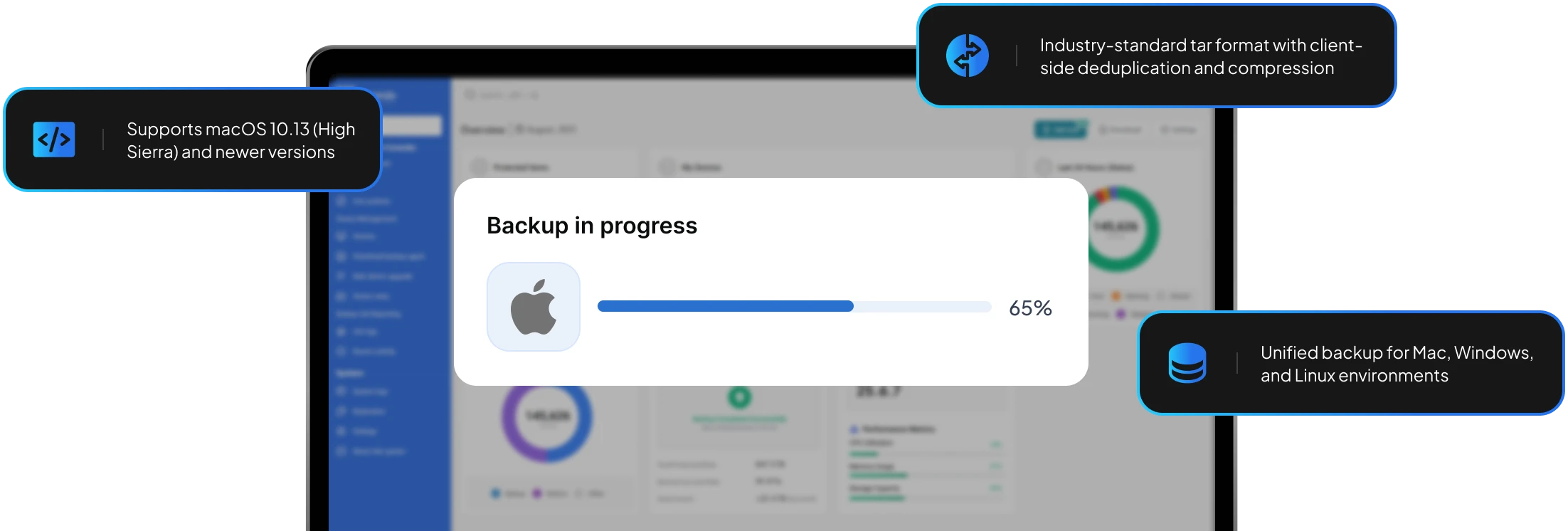
Industry-standard format - our MacOS backup software uses industry-standard tar format for Mac backups with built-in encryption, compression, and client-side deduplication and compression, ensuring optimized storage while maintaining data recoverability.

Forever incremental technology - after the initial full backup, capture only changes, significantly reducing backup windows and network impact.

Cross-platform management - manage Mac, Windows, Linux, and virtual machine backups from a single unified console with consistent policies across your infrastructure.

Flexible storage options - direct-to-storage architecture ensures data flows directly to your chosen destination - disk, NAS, or cloud storage (AWS, Azure, GCP)

Advanced Mac backup capabilities

Comprehensive data protection

Our macOS backup solution protects system files, user directories, application data, and creative assets. Maintains macOS file permissions, APFS features, resource forks, and extended attributes during backup and recovery.

Flexible scheduling

Automated policies for remote workers. Customizable backup windows to avoid business hours.

Enterprise security

AES-256 encryption in transit and at rest. Customer-managed encryption keys with immutable backup options for ransomware protection.

Register Mac devices in bulk

Bulk register 1,000+ Mac devices via CSV files. Automate deployment with silent installation scripts for both Intel and Apple Silicon architectures.

You choose the location, we provide the protection

What our clients say

“46% cost reduction
with Zmanda”

No more surprise costs. Zmanda's pricing is transparent - we know exactly what we'll pay next year. Plus, no mandatory training, no overhead!

Sr. DB Advisory

Financial Services

Big cost reduction
with Zmanda”

No more surprise costs. Zmanda's pricing is transparent - we know exactly what we'll pay next year. Plus, no overhead!

Sr. Manager

Data center solutions

“Helps me be
efficient in my role”

Zmanda's monitoring alerts, reporting, and third-party integrations have boosted my efficiency. The support team is responsive and reliable, ensuring our security and compliance needs are met.

Sr. DB Advisory

Financial Services

“Zmanda’s software
and customer support
has been great

Zmanda has spent time helping with any bugs, explaining errors, and adding necessary features so we can continue to transition from our old backup software to Zmanda Enterprise.

Their effort has helped to keep our backups rolling!

Systems Programmer

Researchgate

“Good software,
impeccable support
experience”

Zmanda’s support is outstanding and the software is incredibly easy to use. It works reliably with exceptional flexibility. We’re able to use it across all our different setups.

Chief Executive Officer

Computer & Network Security

Talk to a backup expert

Our specialists will walk you through best practices, compliance requirements, and the most effective way to safeguard your Mac environment.

FAQs

Zmanda Pro supports macOS 10.13 (High Sierra) and newer versions.

We use industry-standard tar format with client-side deduplication achieving compression. Forever Incremental Technology captures only changes after the initial full backup, reducing storage.

Yes, our Zmanda Management Console (ZMC) provides unified management for Mac, Windows, Linux, and virtual machine backups from a single interface.

Zmanda Pro supports multiple destinations including local disk, NAS (via SMB/NFS), cloud storage (AWS, Azure, GCP), and tape libraries.

Our per-workload pricing model is designed to be cost-effective. You pay for protected workloads, not data volume, which provides significant savings compared to per-device pricing models.

Yes, Zmanda Pro includes native Apple Silicon support for M1, M2, and M3 processors with dedicated packages for optimal performance.

All backups use AES-256 encryption in transit and at rest, with customer-managed keys and immutable backup options for ransomware protection. We maintain SOC 2, ISO, and HIPAA compliance.

ZPAT (Zmanda Pro Automation Tool) enables bulk registration of 1,000+ devices via CSV files, with automated device onboarding, silent installation scripts, and Ansible playbook integration for enterprise deployments.

Got a question that you need an answer to asap?

At Zmanda, we offer 24 x 7 service across all our offerings. There's no waiting time, we're just a call away.

Call Us

Write to Us

💬