Every business needs disaster recovery and data backup solutions to protect critical information from cyber threats, power outages, and other adverse events. While Acronis offers many features and capabilities for addressing these needs, this solution may not be the right fit for every business. Whether you’re looking for a custom solution, need to address scalability concerns, or want to find a more cost-effective way to protect your assets, finding the right replacement is key.
Thankfully, there are several noteworthy Acronis alternatives on the market to address these concerns, empowering you to overcome pain points and find a long-lasting means for protecting data and streamlining workflows.
What to Look for in an Acronis Alternative
Acronis cyber backup enables users to implement disaster recovery and deliver integrated backups while streamlining business operations across cloud-based, virtual, and physical environments. However, many organizations are exploring top acronis alternatives that offer flexible recovery options and reliable backups for their specific requirements. Whether you’re looking for a more cost-effective solution, need a free version to test capabilities, or want to find a scalable solution to grow with your business, it’s important to evaluate the foundational elements of each alternative. Ensure your replacement provides these capabilities and any others to enhance your operations.
Your Acronis replacement should offer robust:
- Backup and disaster recovery: One of Acronis’ most advantageous capabilities is continuous data protection. Acronis can back up your listed applications to prevent recent changes from becoming lost. Acronis also offers machine patching to avoid malware reinfection. Look for replacement solutions that provide these core capabilities and ensure they are scalable for your operations. The ideal backup solution should offer continuous data protection, incremental backups, bare metal recovery capabilities, fast recovery options, and protection against accidental deletion scenarios.”
- Cybersecurity: Acronis leverages AI-powered solutions such as email security, endpoint detection and response, and antimalware to ensure strong cybersecurity from threats. Determine each solution’s cybersecurity measures, review compliance information, and evaluate integration capabilities to ensure end-to-end protection.
- Integrations: Your replacement solution should offer seamless integration with existing workflows and applications across all platforms, including Windows, Mac OS, and Linux environments. Cyber solutions are most effective when they create a community and provide comprehensive protection for all your critical information. Determine the ease of integrating a new solution and the process for adding new applications to your ecosystem in the future.
- Automation: Automation simplifies workflows and drives data-informed decisions. Features like automatic invoice creation, patch management, or data recovery deliver peace of mind and streamline operations. Your replacement solution should offer automation for your critical functions and offer flexibility for simplifying other workflows as necessary.
- Transparency: Many backup solutions operate on a consumption-based model where users pay based on their usage. However, this model often leads to inconsistency and unpredictability in pricing. A transparent pricing model gives organizations more control over their spending.
Top Acronis Alternatives to Consider

There are many solutions on the market to suit businesses of various sizes. Some offer flexibility and scalability for large operations, while others offer more focused efforts for smaller entities. Consider the following solutions as your substitute for Acronis:
- Zmanda Pro
- Veeam Data Platform
- Dell Data Protection Suite
- Rubrik Security Cloud
- NinjaOne
- MSP360 Managed Backup
- Cove Data Protection
- Druva
- Baracuda Backup
- BackupAssist
1. Zmanda Pro
Zmanda Pro is a scalable, secure acronis alternative suitable for businesses of all sizes. This solution comes with flexible deployment, end-to-end ransomware protection, data transfer capabilities, and more. Zmanda prevents data loss, enables early threat detection, and empowers quick response and data restoration.
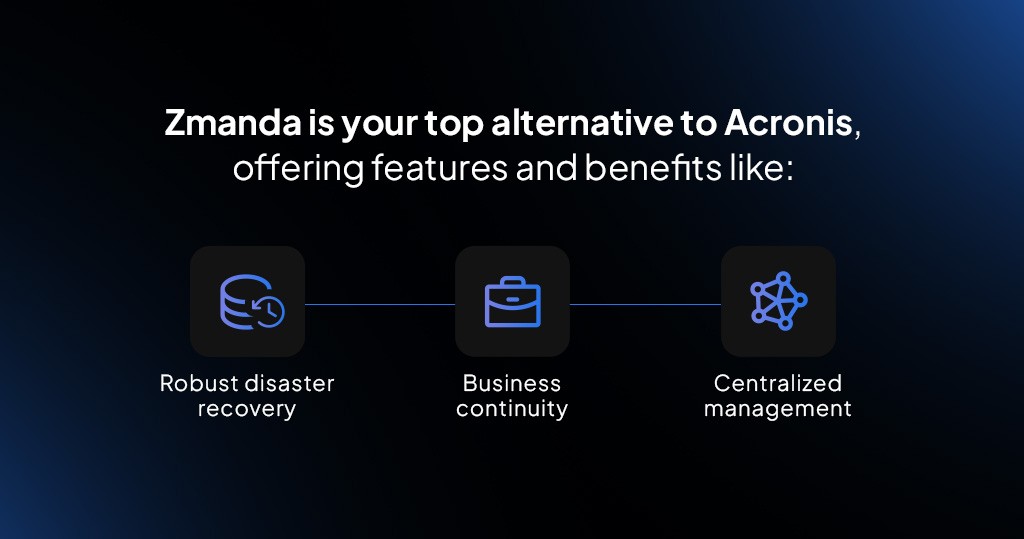
Zmanda is your top alternative to Acronis, offering features and benefits like:
- Robust disaster recovery: Zmanda provides robust disaster recovery to protect your assets from events like cyberattacks, natural disasters, or hardware failures. Backup solutions safeguard information across platforms, including cloud environments and virtual machines. Businesses of all sizes can scale recovery to meet operational demand for enhanced peace of mind.
- Business continuity: Along with robust disaster recovery, Zmanda empowers users to develop a comprehensive business continuity strategy to resume and maintain service delivery during power outages, natural disasters, and other unforeseen events. Zmanda ensures uninterrupted data access to eliminate downtime and bolster resilience.
- Centralized management: This solution enables environment visualization by centralizing backup management and automation. Identify potential threats, monitor workflows, and evaluate key metrics at a glance for informed decision-making and streamlined operations.
Businesses can also gain more control over solution spending with Zmanda’s pricing tiers — our Business and Business Plus plans start at a few dollars a month per device and can scale to meet your needs.
For larger organizations or companies in complex environments, a tailored solution with the Enterprise plan provides access to advanced deployment options and custom automation scripts and usage tiers. Enjoy broad compatibility at a 50% lower cost of ownership.
2. Veeam Data Platform
Veeam is another comparable replacement for Acronis. This powerful data management platform promises to deliver seamless data recovery, reliable information protection, and robust data management. Here’s how it compares to Acronis:
- Data portability: Veeam embraces data portability. This solution offers support for cloud-based, physical, and virtual environments and promotes solutions for unstructured data, applications, and containers.
- End-to-end ransomware protection: You can accelerate end-to-end ransomware recovery and reduce risks with Veeam. This solution allows you to recover assets from anywhere and access incident reports for informed decision-making. Veeam offers secure access, backup verification, and immutability to provide a relentless security approach.
- Data resiliency: Veeam ensures reliable data resilience across your hybrid estate. With the Premium plan, you can unlock proactive threat assessments and craft robust recovery strategies to ensure service readiness and meet compliance.
This solution offers three plans based on a flat rate per terabyte (TB). The Foundation plan offers baseline protection and backup and recovery options. The Veeam Advanced Plan builds on the Foundation plan and includes monitoring and analytics capabilities. The most comprehensive plan, Premium, offers protection at every stage of a cyber incident while building on the capabilities of the previous two plans.
3. Dell Data Protection Suite
The Dell Data Protection Suite is a software bundle that offers flexibility and security. This solution can protect multi-cloud and on-premises environments to enhance confidence and peace of mind. The software bundle includes:
- PowerProtect Data Manager: This software enables self-service for backup and ensures automated file systems, virtual machines, and database protection. PowerProtect Cyber Recovery provides ransomware protection through air gapping, vault retention, and retention locks.
- NetWorker: You can ensure comprehensive backup across IT ecosystems with NetWorker. This software is scalable to suit small and large organizations. A key advantage is optimizing cloud investments with effective backups to object storage.
- Avamar: Avamar empowers efficient environment protection and management, whether cloud-based, physical, or virtual. This software offers flexible deployment options and enables seamless protection and recovery.
- RecoverPoint for Virtual Machines: Reduce backup time, enable quick recovery, and utilize automated integration for direct management with this software. This solution allows you to recover virtual machines at any point in time for continuous data protection.
- Data Protection Advisor: The final piece of the protection suite allows you to gain visibility and engage in proactive alerting. This software quickly identifies anomalies and aids in quick response.
You can request a demo of the Dell Data Protection Suite to determine whether this solution works for your business in real time. Dell promotes flexible payment options, allowing you to choose between usage-based pay or pay-over-time options to manage your budget.
4. Rubrik Security Cloud
Rubrik highlights simplicity, compliance, and security. Many enterprises enjoy Rubrik because it’s a cloud-native solution with automated recovery, workload backups, and end-to-end ransomware protection. Top features to note are:
- Zero-trust security: Rubrik leverages a zero-trust architecture, preventing users or applications from gaining default trust. This model protects information from malicious attacks or internal threats.
- Automation: This solution leverages automation in several ways. For example, policy-driven automation guides backup scheduling, data recovery, and retention. Admins can create specific rules to allow the solution to manage retention and protection autonomously. Automation also simplifies disaster recovery. Rubrik ensures minimal operational disruptions by automating workload failbacks and failovers.
- Compliance: Another advantage of Rubrik is compliance. assurance. If you adhere to HIPAA, PCI DSS, or GDPR regulations, Rubrik can simplify data handling processes while maintaining compliance. You can also leverage detailed audit logs for verifying and tracking your processes.
This long-term solution can be great for organizations looking for built-in disaster recovery and simplified backup management. However, Rubrik charges a subscription based on usage, which may make it less suitable for some businesses.
5. NinjaOne
NinjaOne allows organizations to take control of complex IT environments. This software is an endpoint management solution that grants complete visibility into IT infrastructure. Promising full automation and easy patch functions, NinjaOne aims to enhance end-user experiences and improve productivity. Here’s what you should know:
- Security and compliance: NinjaOne protects information with various security features. This solution allows you to monitor devices and endpoints, automate security updates, and receive real-time alerts for comprehensive visibility. NinjaOne also works to align your IT environment with industry regulations and standards to reduce data breaches.
- Scalability: This solution promises to scale with your business needs. Users can manage thousands of endpoints and integrate new technologies as businesses grow. This feature ensures you can adapt to changing needs without sacrificing security or control.
- Automated patch management: NinjaOne deploys automatic software updates and patches to keep devices secure and up to date. Unified endpoint management allows you to manage windows devices and other endpoints across your organization and reduce vulnerabilities with real-time monitoring. NinjaOne also automates endpoint protection by allowing you to configure antivirus runs on devices.
You can try NinjaOne for free with a product demo. A management trail allows you full access to the solution for 14 days with no contract obligations. Pricing follows a monthly or annual plan based on the number of devices.
6. MSP360 Managed Backup
This solution is another great option for an Acronis alternative. MSP360 leverages a prevention-first approach to create a multilayered strategy for threat detection and prevention. MSP360 Managed Backup offers:
- Endpoint threat prevention: This software utilizes deep-learning technology to enable proactive threat detection. Users must activate a Deep Instinct license to enable this feature.
- Centralized management: Managed Backup also promises flexible, automated, and centralized management. Users can save storage space with Forever Forward Incremental backup. This software also provides consistency checks and restores verification features to maintain data integrity.
- Backup capabilities: MSP360 allows users to back up data from Google Workspace, Linux, Microsoft 365, MacOS, Windows, and VMware/Hyper-V. This solution allows you to back up data to Google, Azure, Wasabi, B2, AWS, and local storage locations. MSP 360 also offers backup immutability and incremental backups to optimize storage while offering ransomware protection.
You can choose between Free Backup, On-Premise Backup, and Managed Backup plans. The Free plan is suitable for personal backup storage, while On-Premise Backup is suitable for up to five devices. Larger organizations can use the Managed Backup plan for five or more devices. Pricing differs based on the endpoint, host, or user.
7. Cove Data Protection
N-able created Cove Data Protection, a cloud-based solution for data backups across virtual and physical servers. This solution takes security, storage, and patching tasks out of your hands. Cover Data Protection offers simplicity and leverages robust features to empower faster backup and recovery. Features include:
- Real-time scanning: Users can leverage Cove Data Protection to identify any changes that occur on protected workloads. Real-time scanning eliminates resource-intensive scanning and offers a timely strategy for identifying threats or vulnerabilities.
- Data exclusion: This solution automatically excludes temporary internet files, unnecessary data, browser cache, and similar information from backups. Users can also manually choose to exclude other information types to maximize storage and maintain organization.
- Direct-to-cloud backups: Cove Data Protection enables backups to occur as often as every 15 minutes. Users can perform frequent backups from even the largest devices to improve service levels. This feature empowers faster restores while reducing time-out errors.
- Ransomware protection: Cove Data Protection leverages a cloud-first architecture and offers backup immutability to combat ransomware threats. Additional features like multi-factor authentication and encryption further strengthen security.
Users can request a free trial of this solution. Specific pricing varies depending on the number of workstations or servers and Microsoft 365 accounts.
8. Druva
Druva eliminates hardware needs by operating entirely through the cloud, making it a great solution for those looking to cut infrastructure costs. Businesses can leverage cloud storage for recovery operations while embracing automatic updates, end-to-end protection and long-term retention. Key features to note include:
- Cyber response and recovery: This solution promises to ensure critical data safety and accessibility with air-gapped backups and automated end-to-end ransomware incident responses. Druva promotes cyber resiliency by empowering teams to identify weak points and enhance recovery capabilities.
- Data protection: Druva utilizes always-on protection with immense scalability to handle growing data needs. The cloud-native design reduces risks of failure while ensuring backups are always available. Druva can protect data across many environments, including hybrid setups.
- Zero-trust infrastructure: This solution protects information from unauthorized access by leveraging encryption, built-in air gap, and immutability. Druva also offers security reporting to quicken threat monitoring and response actions.
You can choose from several pricing plans to meet your data needs. This consumption-based pricing allows you to control costs and offers flexibility, but it may not be as cost-effective as some other solutions. Druva also offers multi-year, enterprise, and volume discounts for users who meet certain conditions.
9. Barracuda Backup

Another Acronis comparable substitute is Barracuda Backup. This solution is an off-site and local solution for data backup and recovery. Suitable for virtual machines, applications, databases, and servers, Barracuda Backup aims to prevent data loss and minimize downtime.
Top benefits to note include:
- Scalability: You can leverage virtual and digital backup options with local storage, cloud storage, and appliances. Barracuda Backup allows you to scale operations while only purchasing and using the storage space you need. This strategy reduces the need for data migrations and hardware updates.
- End-to-end ransomware protection: Barracuda Backup provides a secure end-to-end ransomware protection feature that leverages end-to-end encryption, multifactor authentication, and role-based access controls. Users can also implement immutable backups and forgo network-sharing protocols.
- Flexibility: This solution empowers users to backup and recover data from virtual and physical environments to overcome challenges related to natural disasters, malicious deletion, cyberattacks, or user error. Users can replicate data to an off-site location to simplify the recovery process and ensure businesses can bounce back quickly.
Barracuda Backup pricing varies by organization and is based on the amount of data you need to protect. This solution is customizable, allowing you to build the solution that will most impact your operations. The Barracuda Backup team can create a price estimate for a customized configuration proposal.
10. BackupAssist
A final Acronis replacement to consider is BackupAssist. This solution is ideal for small to medium organizations operating with no more than 500 staff members. This business-grade data protection and backup software works for Office 365 and Microsoft Windows environments. Key elements to note include:
- Flexible storage options: BackupAssist enables cloud-based and on-premise storage, giving IT departments flexibility. Single instance store functionality also allows teams to save storage space.
- Cybersecurity enhancements: Teams can choose from several security add-ons to create a personalized cybersecurity solution. Enhancements include restore and recovery options, application file backups, and additional features.
- Cyber-resilience focus: Choosing BakupAssist can be a great option for those looking to focus on cyber resilience. With several packages, product types, and optional add-ons, teams can dedicate resources to where they need them most. BackupAssist leverages ransomware-specific security safeguards. CryptoSafeGuard protects backup integrity, offers enhanced shielding, and sends alerts regarding anomaly detection for quick response.
BackupAssist offers a 30-day free trial and transparent flat monthly fees for purchased solutions.
Switch From Acronis to Zmanda
Finding an Acronis substitute can be a strategic way to cut costs and find more tailored solutions for your business. A solution like Zmanda that offers transparent, straightforward pricing allows your organization to plan for the future.
If you’re ready to strengthen your cybersecurity, simplify IT workflows, and protect your most critical assets, talk to a Zmanda expert about customizable solutions or get started with a Zmanda Pro free trial today.