When Colonial Pipeline’s backup systems were compromised before their production environment, they faced a $4.4 million ransom despite having extensive backup infrastructure.
The critical vulnerability? Their backups lacked immutable data.
For organizations evaluating advanced data protection solutions, immutable data represents the most effective defense against sophisticated attacks. Especially the ones that compromise administrative credentials.
By implementing immutable data through Zmanda Pro, you establish recovery points that remain intact regardless of credential compromise or privilege escalation attempts. This guide explores how to effectively implement and manage immutable data backups across your environment using Zmanda Pro’s multi-layered protection capabilities.
What is Immutable Data?
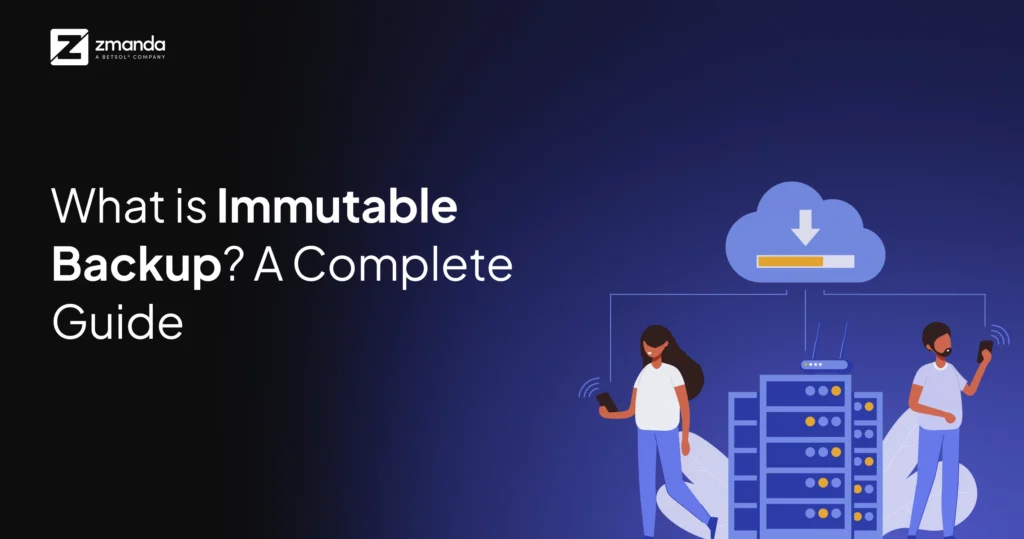
Immutable data means creating data copies that cannot be altered, deleted, or encrypted once written. Think of it as placing your backups in a digital vault with a time-based lock that even administrators cannot override.
The concept is straightforward: once data is written to immutable storage, it becomes read-only for a predetermined retention period. During this period, no one—not malicious actors, not privileged users, not even system administrators—can modify or delete these backups.
Why does Immutable Data Matter?
The statistics speak for themselves:
- 93% of successful ransomware attacks now target backup repositories first
- 76% of organizations that paid ransoms experienced repeat attacks
- Organizations with immutable data backups are 62% less likely to pay ransoms
Immutable data addresses several critical challenges:
- Ransomware Protection: Immutable backups remain unaffected by encryption attempts, providing guaranteed recovery points.
- Insider Threat Mitigation: Even users with administrative privileges cannot alter immutable data backups, protecting against both malicious actions and accidental deletions.
- Compliance Requirements: Many regulations (GDPR, HIPAA, SOX) now require tamper-proof data storage capabilities.
- Guaranteed Recovery: By ensuring backups remain intact, immutability establishes reliable recovery points regardless of the threat vector.
3 Ways to Implement Immutable Data Backup with Zmanda Pro
Zmanda Pro offers multiple approaches to implement immutability, providing flexibility based on your infrastructure and compliance requirements.
1. Local Immutable Data Storage with ZFS
2. Cloud Immutable Data Storage with Object Lock
3. Hybrid Immutable Data Approach

1. Local Immutable Storage with ZFS
ZFS file systems provide native immutability through snapshot functionality and retention locks. ZFS plays a crucial role in data resiliency by offering:
- Copy-on-write functionality that preserves original data blocks when changes occur.
- Dataset immutability through the
zfs holdcommand, preventing snapshot deletion until the retention period expires. - Protection against tampering through checksums and integrity verification.
Implementation steps:
- Configure your ZFS storage pool with appropriate RAID levels for redundancy.
- Harden your ZFS NAS configuration following our recommended security practices.
- Configure Zmanda Pro to use this storage destination with immutability enabled.
- Set appropriate retention policies that align with your recovery point objectives.
Case Study: Regional Healthcare Provider Implements ZFS Local Immutable Storage
A regional healthcare provider with 15 facilities and over 8,000 employees implemented Zmanda Pro’s local immutable storage solution using ZFS after experiencing a ransomware attack that compromised their traditional backup infrastructure.
Challenge: The organization had previously relied on standard backup systems that maintained normal file permissions, leaving them vulnerable when attackers compromised administrator credentials and encrypted both production and backup environments.
Implementation: Working with Zmanda’s professional services team, they:
- Deployed a dedicated ZFS storage array isolated from their primary network
- Implemented air-gapped snapshots with immutable retention policies of 30, 60, and 90 days
- Created a tiered recovery process with role-based access requiring dual authorization for critical data recovery operations
Results: Six months after implementation, the organization detected another ransomware attempt. However, their immutable ZFS snapshots remained completely unaffected, allowing them to recover all systems within 24 hours with zero data loss or ransom payment.
“The immutable ZFS implementation through Zmanda Pro was the difference between a minor disruption and what could have been a catastrophic data loss,” noted their CISO. “The attackers specifically targeted our backup infrastructure first, but our immutable snapshots remained completely secure.”
A properly configured ZFS-based immutable backup system can withstand both logical corruption and ransomware attacks while maintaining performance.
2. Cloud Immutable Storage with Object Lock
For organizations leveraging cloud infrastructure, Zmanda Pro seamlessly integrates with S3-compatible storage that supports Object Lock functionality:
- Zmanda Cloud Storage (Wasabi): Our native cloud storage solution includes preconfigured Object Lock capabilities.
- Third-party S3 providers: Zmanda Pro supports any S3-compatible storage with Object Lock functionality.
Object Lock provides two retention modes:
Governance Mode: Requires special permissions to override retention settings, suitable for standard compliance requirements.
Compliance Mode: Cannot be overridden by any user, including the root account, meeting the strictest regulatory standards.
Implementation steps:
- Navigate to the Storage Configuration section in Zmanda Pro.
- Select your S3-compatible storage provider.
- Enable Object Lock and configure retention periods.
- Set versioning to ensure multiple recovery points.
Case Study: Financial Services Firm Implements Cloud Immutable Storage
A mid-sized financial services firm managing over $4 billion in assets needed a solution that would meet strict compliance requirements while protecting against sophisticated threats.
Challenge: The firm needed to ensure FINRA compliance while protecting highly sensitive client financial data. Their existing backup solution couldn’t provide the immutability certifications required by their auditors.
Implementation: The firm implemented Zmanda Pro with:
- S3-compatible cloud storage using Compliance Mode Object Lock with a 7-year retention policy for financial records
- Automated encryption of all data, both in transit and at rest
- Regular integrity verification workflows that document the chain of custody
- Comprehensive audit logging of all access attempts to immutable storage
Results: During their next regulatory examination, auditors specifically highlighted their immutable backup infrastructure as exceeding industry standards. Additionally, when a configuration error in their primary storage led to data corruption, they were able to recover from their immutable cloud backups with complete integrity verification.
“What impressed us most was how Zmanda Pro maintained immutability while still making the recovery process straightforward when we legitimately needed our data,” said their VP of IT. “The immutable backups gave us confidence that our data couldn’t be compromised, while the Zmanda interface made restoration efficient when needed.”
3. Hybrid Immutability Approach
For maximum protection, we recommend implementing the 3-2-1-1 backup strategy:
- 3 copies of your data
- 2 different storage media types
- 1 copy stored offsite
- 1 copy stored as immutable
Zmanda Pro’s policy engine allows you to automatically direct backups to both local ZFS storage and cloud immutable storage, providing defense-in-depth against sophisticated attacks.
Case Study: Manufacturing Company Implements Hybrid Immutability Approach
A global manufacturing company with operations in 12 countries implemented Zmanda Pro’s hybrid immutability approach to protect its intellectual property and operational data.
Challenge: With distributed operations and varying local regulations, the company needed a flexible approach that could maintain immutability across diverse environments while ensuring rapid recovery capabilities at each location.
Implementation: Their solution included:
- Local ZFS immutable storage at each major manufacturing facility
- Centralized cloud immutable storage for aggregated corporate data
- Automated policy enforcement ensures critical designs and formulations are maintained at least three immutable data copies in geographically dispersed locations
- Isolated authentication systems for immutable storage access
Results: When one facility experienced a sophisticated attack that compromised domain controllers and local backup systems, the isolated, immutable data backups remained secure. The facility restored operations within 48 hours, while competitors who experienced similar attacks averaged 17 days of downtime.
“The layered approach to immutability gave us defense in depth that made all the difference,” their Director of Global IT Security explained. “Having both local and cloud immutable data backups meant we always had a secure recovery option regardless of the attack vector.”
Best Practices for Immutable Data Management
Implementing immutability requires careful planning:
- Tiered Retention Policies: Balance storage costs with recovery needs by implementing graduated retention periods.
- Automated Verification: Configure Zmanda Pro’s verification jobs to regularly test the integrity of immutable data backups.
- Security Isolation: Ensure your immutable storage authentication credentials are segregated from primary systems.
- Regular Testing: Conduct quarterly recovery exercises from immutable storage to validate your recovery procedures.
- Documentation: Maintain clear processes for accessing immutable backups during actual recovery scenarios.
Ready to Make Your Organization’s Data Immutable?
Immutability isn’t just another backup feature—it’s a fundamental security layer that ensures business continuity in an increasingly hostile digital environment. Zmanda Pro provides enterprise-grade immutability options that adapt to your infrastructure while maintaining operational simplicity.
The question isn’t whether you need immutable backups, but rather how quickly you can implement this essential protection. With Zmanda Pro, the answer is: starting today.
Want to learn more about hardening your backup infrastructure? Book a consultation with a Zmanda backup expert today!