If you’re using Datto and evaluating your options, this guide is for you.
Whether you’re looking to lower costs, move away from appliances, gain more storage flexibility, or compare backup and recovery features, we’ve done the research. In this article, we compare five Datto alternatives for MSPs and IT teams: Zmanda Pro, Axcient x360Recover, Acronis Cyber Platform, Veeam Data Platform, and N-able Cove.
You’ll see how each product stacks up against Datto on deployment, storage, security, workload coverage, recovery capabilities, and pricing. We’ll also explain where Datto still stands out, what to consider before switching, and how to move to a new platform without losing backup history.
Datto alternatives at a glance
The table below compares the five Datto alternatives with Datto.
| Zmanda Pro | Axcient x360Recover | Acronis Cyber Platform | Veeam Data Platform | N-able Cove | |
|---|---|---|---|---|---|
| Best for | Teams that want to own their backup and storage | MSPs that want a setup closest to Datto’s | Backup and security in one console | The broadest workload and storage coverage | Cloud-first backup with storage included |
| Deployment | SaaS or self-hosted, including fully offline | Appliance, your own hardware, or direct-to-cloud | Cloud console or local management server | Self-hosted software or hardened software appliance | SaaS |
| Appliance needed | No | Optional | No | No | No |
| Where backups are stored | Your choice of S3, Azure, Google Cloud, Wasabi, Backblaze B2, NAS or local disk, or Zmanda Cloud Storage | Axcient Cloud, a partner’s private cloud, or a local cache | Local, Acronis cloud, partner-hosted, Amazon S3 or Azure | Your choice of disk, NAS, object storage or tape | N-able cloud (included), plus an optional local copy |
| Microsoft 365 | Included, priced per user | Separate product | Included | Separate product | Included |
| Proxmox VE | Yes, agentless | Not stated | Yes, agentless | Yes | Not stated |
| Encryption | AES-256 on the client; Zmanda servers cannot decrypt | AES-256 at rest, TLS 1.2 in transit | AES-256 with a user-set password | AES-256, encrypted before transfer | AES-256 in transit and at rest |
| Immutability | Object Lock on S3 and Wasabi; ZFS for local storage | AirGap (mechanism not published) | Governance and compliance modes | Hardened Linux repository; S3 Object Lock | Immutable copies |
| Pricing model | Per workload | Flat fee with pooled storage | Per workload or per GB | Per workload | Flat rate per device, storage included |
| Public prices | Yes, from $5.99 per workload per month [Ashok sign-off] | No | No | No | No |
| Free trial | Available | Available | Available | Available | Available |

The 5 best Datto alternatives compared in depth
Each of the Datto alternatives below is covered the same way: who it suits, where it’s stronger than Datto, how to move across, and how it’s priced
1. Zmanda Pro vs Datto
Best for: IT teams that want to own their backup and choose their own storage, and MSPs that want backup software without an appliance.
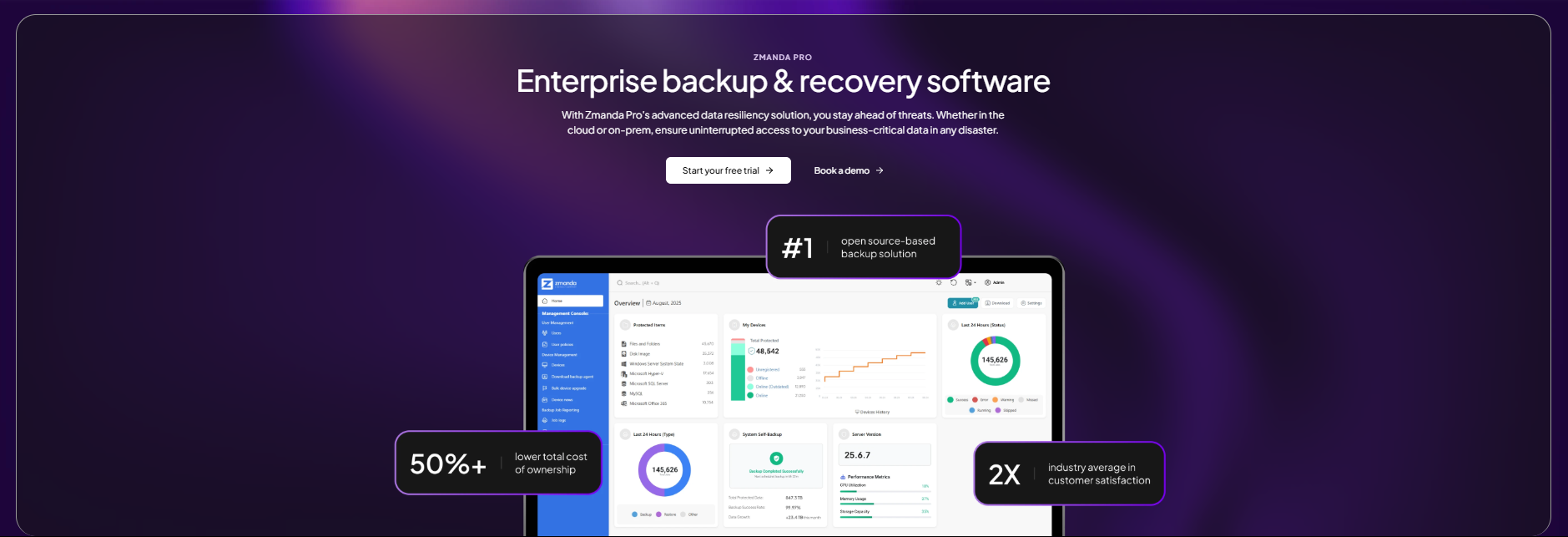
Zmanda Pro and Datto take different approaches to the same job. Datto SIRIS pairs backup software with an appliance and the Datto Cloud. Zmanda Pro is software only: it runs as SaaS, as a self-hosted server, or as a fully offline, air-gapped deployment, and it deploys in about 15 minutes. Backup data travels from each protected machine straight to the storage you choose and never passes through Zmanda’s servers.
Where Zmanda Pro is stronger than Datto: Storage choice is the biggest difference. You can back up to Amazon S3, Azure Blob, Google Cloud Storage, Wasabi, Backblaze B2, any S3-compatible storage, a NAS, SFTP or local disk, or use Zmanda Cloud Storage. Data is encrypted on the client with AES-256 before it leaves the machine, and Zmanda’s servers cannot decrypt it. Forever-incremental backups with client-side deduplication reduce storage by up to 90%. Object Lock on S3 and Wasabi, plus ZFS immutability for local storage, keeps backups from being changed or deleted.
Coverage spans Windows, Linux and macOS, VMware, Hyper-V and agentless Proxmox VE backup that can restore to Proxmox, Hyper-V or VMware. It also covers SQL Server, MySQL, MariaDB, PostgreSQL, MongoDB and Oracle, plus Microsoft 365 in the same console. Access control includes single sign-on through OpenID Connect, multi-factor authentication and role-based access. Zmanda Pro holds SOC 2 Type II and ISO 27001 certifications, and its scale has been proven in a Fortune 50 certification with more than 100,000 workloads.
Moving from Datto: Because Zmanda Pro needs no hardware, you can run it alongside Datto during the transition. Start backing up to your chosen storage, test restores, and keep Datto recovery points available until their retention period ends.
Pricing model: Zmanda Pro publishes its prices. Plans start at $5.99 per workload per month on Business.
2. Axcient x360Recover vs Datto
Best for: MSPs that want a Datto replacement that works the same way: an appliance on site, plus copies in the vendor’s cloud

In an Axcient vs Datto comparison, the first thing to notice is how similar the two models are. It runs on an Axcient appliance, on your own hardware, or as a direct-to-cloud agent with no appliance at all. Backups go to the Axcient Cloud, or to a private cloud vault in a partner’s own datacenter. Axcient is now part of ConnectWise, which announced the acquisition in September 2024.
Where Axcient is stronger than Datto: The appliance is optional, so you can choose between local hardware and direct-to-cloud backup for each client or site. Partners can keep backups in their own private cloud vault, according to Axcient’s supported configurations. Axcient charges a flat fee with pooled storage, and offers a 14-day trial with no credit card required.
On security, Axcient encrypts appliance and vault storage with AES-256, with keys held in its cloud key management service, and uses TLS 1.2 in transit. Its AirGap feature separates deletion requests from the deletion itself, though Axcient doesn’t publish how the mechanism works.
Moving from Datto: Because the two models are similar, the move is mostly a matter of redeploying agents and appliances. Keep Datto recovery points accessible until your retention obligations are met.
Pricing model: Flat fee per device with pooled storage. Axcient doesn’t publish its prices.
3. Acronis Cyber Platform vs Datto
Best for: teams and MSPs that want backup and security in one console.

Acronis Cyber Platform, formerly Acronis Cyber Protect Cloud, combines backup with endpoint security in one multi-tenant console. It runs from a cloud console, or from a local management server for sites that must stay offline. There is no appliance to buy.
Where Acronis is stronger than Datto: Storage choice is broad: local storage, the Acronis cloud, partner-hosted storage, Amazon S3 or Azure. Workload coverage includes Windows, macOS and Linux, VMware, Hyper-V, Nutanix AHV, agentless Proxmox VE backup for versions 8.2 to 9.0, Microsoft 365 and Google Workspace. Immutable storage offers a governance mode and a compliance mode that, according to Acronis, cannot be disabled by anyone, including Acronis support.
Backups are encrypted with AES-256 using a password you set, and Acronis says it does not store that password. Each license includes a storage allowance, according to the Acronis MSP pricing page: 3 TB per server, 2 TB per virtual machine, 300 GB per desktop and unlimited storage for Microsoft 365.
Where Datto may be the better fit: If you want backup and disaster recovery delivered as one appliance-based service, with local virtualization on hardware the vendor supplies, Datto’s model is closer to that.
Pricing model: Per workload or per GB of protected data, with a minimum monthly commitment and volume tiers. Acronis doesn’t publish prices; it offers a price calculator.
4. Veeam Data Platform vs Datto
Best for: teams that want the broadest workload and storage coverage, and have the skills to run their own backup infrastructure.
Veeam Data Platform is self-hosted software, deployed on Windows or as a hardened software appliance. Unlike Datto, it doesn’t come with hardware or a bundled cloud: you choose and run the backup servers and the storage behind them. MSPs manage clients through the Veeam Service Provider Console. If you’re weighing the two, our guide to Veeam alternatives covers Veeam in more detail.
Where Veeam is stronger than Datto: Coverage is the widest in this comparison. Veeam supports VMware, Hyper-V, Nutanix AHV and Proxmox VE versions 8.2 to 9.2, Windows, Linux and macOS agents, and application-aware backup for SQL Server, Oracle, Exchange, SharePoint and PostgreSQL, according to Veeam’s help center. Storage options include disk, NAS, Amazon S3 and S3-compatible storage, Azure, Google Cloud, Wasabi and tape from LTO3 to LTO10.
Immutability comes from a hardened Linux repository or S3 Object Lock. Data is encrypted with AES-256 before it is transferred. Veeam offers a 30-day trial and a free Community Edition for up to 10 workloads.
Moving from Datto: Plan the Veeam infrastructure first: backup server, proxies and repositories. Then protect workloads in parallel with Datto and test restores before you switch over.
Pricing model: Per workload through the Veeam Universal License, sold as subscription or perpetual licenses. Veeam doesn’t publish list prices.
5. N-able Cove vs Datto
Best for: cloud-first MSPs and IT teams that want storage included in one per-device price.
N-able Cove is a SaaS backup service with no appliance. The primary backup copy lives in N-able’s cloud, and storage is included in the price. An optional LocalSpeedVault keeps a local copy on a network share, NAS or USB drive for faster restores.
Where Cove is stronger than Datto: There is no hardware to size, buy or replace. N-able charges one flat rate per server or workstation and one per user for Microsoft 365, with cloud storage included. Servers, workstations and Microsoft 365 are managed from one multi-tenant dashboard. Coverage includes Windows, Linux, macOS, VMware and Hyper-V, with application support for Exchange, MySQL, Oracle and SharePoint.
Backups are encrypted with AES-256 in transit and at rest, and N-able says backups are isolated by default with immutable copies.
Moving from Datto: Because Cove needs no hardware, you can start backing up to N-able’s cloud right away and run both services until your Datto retention requirements are met.
Pricing model: Flat rate per device, plus a per-user rate for Microsoft 365, with storage included. N-able doesn’t publish prices.
How is Datto priced, and what should you compare?
Datto backup pricing isn’t published. That makes a direct price comparison harder, so compare total cost rather than the headline rate. Ask every vendor on your shortlist the same five questions:
- Licence unit. Are you paying per workload, per device, per GB or per appliance?
- Storage. Is cloud storage included, metered, or yours to supply?
- Hardware. Is an appliance required, and who pays to replace or upgrade it?
- Term. What is the minimum contract term, and can you scale down mid-term?
- DR testing. Are restore tests and cloud failover included, or charged separately?
Among the Datto alternatives in this guide, only Zmanda Pro publishes its prices, which makes it a useful baseline when quotes from other vendors come in.
How do you move off Datto without losing backup history?
Whichever of these Datto alternatives you choose, switching doesn’t have to put your recovery points at risk. A careful move keeps old backups accessible while new ones build up, and it gives you time to prove the new tool works before you rely on it.
- List workloads and retention obligations. Note every server, VM, database, endpoint and Microsoft 365 tenant, along with how long each one’s backups must be kept.
- Check your contract. Find your Datto renewal date and notice period before you commit to a new vendor.
- Decide how to keep old recovery points. Either keep Datto running in a reduced state until retention expires, or export what you are required to keep.
- Run the new tool in parallel. Protect the same workloads with both products for at least one full backup cycle, and test file-level and full-server restores.
- Cut over and decommission. Switch daily backups to the new tool, then retire Datto agents and appliances once your obligations are covered.
The 3-2-1 backup rule is a useful check during the move: at least three copies of your data, on two types of storage, with one copy off site.
Final thoughts: Which Datto alternative fits your team?
All five Datto alternatives can replace Datto for the right team. The best choice depends on which of the seven criteria matter most to you.

If owning your storage, keeping your encryption keys and seeing your price up front matter most, Zmanda Pro is worth a trial. Read more about Zmanda Pro’s immutable backup and air-gapped backup options, or explore the Zmanda Pro platform.
FAQs