The top Veeam alternatives in 2026 are Zmanda Pro, Acronis Cyber Protect, Rubrik, Cohesity, Druva, Unitrends, IDrive, Bacula Enterprise, Carbonite, and Nakivo Backup & Replication. Zmanda Pro leads this list for teams moving off Veeam to control costs, offering up to 50% lower total cost of ownership than Veeam, transparent per-workload pricing starting at $5.99/workload/month, and no renewal-cycle price spikes.
Below, we compare all 10 on pricing, hybrid cloud support, deployment time, and ease of use so you can find the right fit for your environment.
Why Consider a Veeam Alternative?
As an IT manager, you know that choosing the right backup and disaster recovery solution is critical. While popular in the data protection space, Veeam may not always be the best fit for every organization. Maybe you’re managing budgets, scaling rapidly, or searching for a tool that’s just right for your specific infrastructure.
Whatever the reason, you’re not alone in considering a Veeam alternative for your business.
Switching backup solutions isn’t just about cost savings. It’s about finding a tool that aligns with your unique needs, whether that’s stronger support for hybrid environments, improved ease of use, or simply reducing complexity in managing large data volumes. The good news? Several great alternatives provide robust data protection without some of the common pain points that come with Veeam.
Key Factors to Consider When Choosing a Veeam Alternative
Before we dive into the alternatives, let’s talk about what IT decision-makers like you need to keep top of mind when evaluating backup and recovery solutions.
1. Cost-Effectiveness
For many organizations, Veeam’s pricing is a major factor when considering alternatives. Although it offers a range of features, its licensing costs can quickly add up, especially for growing businesses. Several reviews on platforms like G2 highlight that while Veeam is feature-rich, its cost isn’t always justified, particularly for smaller businesses or those looking to scale without a significant jump in expenses that offer flexible, pay-as-you-go pricing or simpler licensing models may be more attractive for businesses that want predictable and manageable costs.
2. Scalability
As your business grows, so do your data protection needs. One common critique of Veeam is that its scalability, while effective, often comes with increased complexity. If your organization relies heavily on hybrid or multi-cloud environments, some Veeam alternatives may offer more seamless scalability options without added complexity.
3. Ease of Use
Another common complaint is that Veeam’s feature-rich platform can feel overly complex, particularly for small to mid-sized teams. If you have limited resources, you may be looking for a simpler alternative that doesn’t require extensive training or a dedicated team to manage it.
4. Customer Support & Service
If you look through customer reviews, support is a major point of contention for Veeam users. Some report slow response times or difficulties resolving complex issues. If support is a critical factor for your business, finding an alternative with a strong service reputation should be at the top of your list.
5. Hybrid Cloud & Compliance
With more businesses adopting hybrid cloud environments, having a solution that integrates seamlessly across on-premises and cloud platforms is critical. If your organization needs to maintain compliance with strict industry standards (think HIPAA, GDPR, or PCI DSS), look for solutions that prioritize this out of the box.
Now let’s dive into the top Veeam alternatives, with a focus on solutions that offer better pricing, improved scalability, or feature sets tailored to modern IT environments.
The Top 10 Veeam Alternatives to Consider in 2026

#1 Zmanda Pro
Zmanda Pro is a reliable alternative to Veeam for businesses of all sizes, from small to enterprise-level that need a cost-effective, scalable solution without sacrificing powerful features. With a strong focus on data resilience and flexible disaster recovery options, Zmanda Pro is built to support hybrid cloud environments, making it ideal for organizations operating with a mix of on-premise and cloud infrastructure.
Check out Zmanda Pro vs. Veeam for a full detailed comparison.
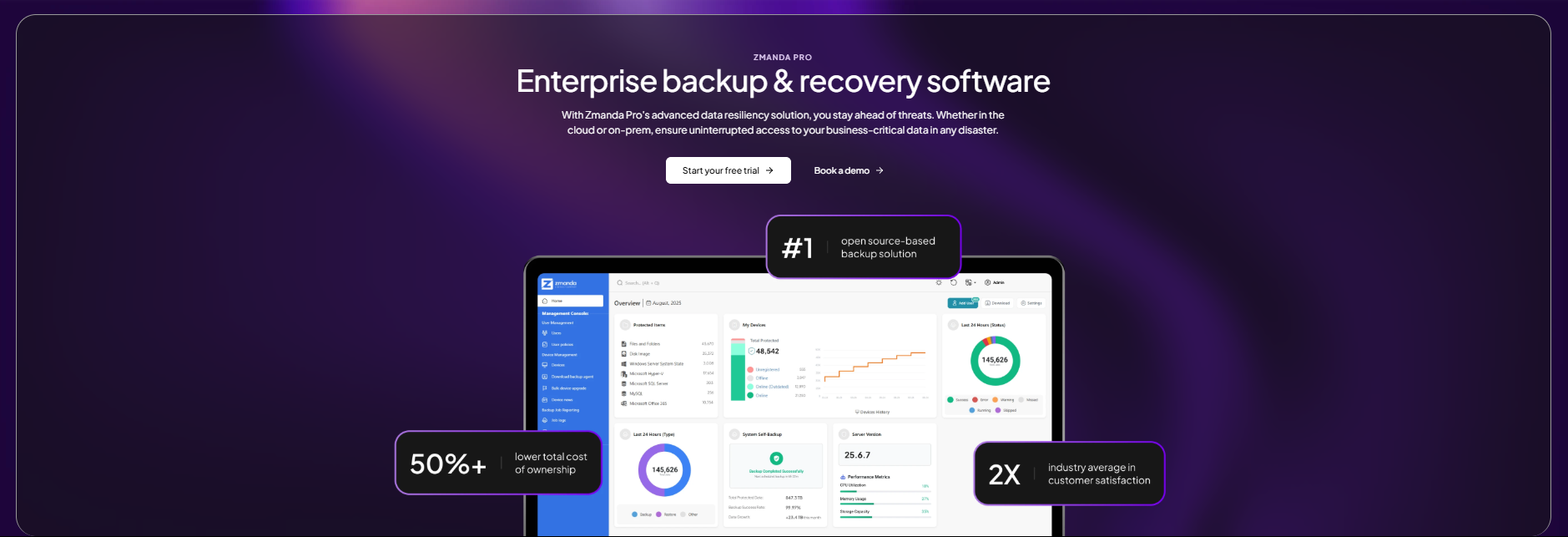
Why Zmanda Pro is the Top Veeam Alternative:
- 50% Lower Total Cost of Ownership (TCO):
One of the key reasons businesses switch from Veeam to Zmanda Pro is its affordable pricing model. Zmanda Pro offers up to 50% savings in TCO, without hidden fees or unexpected costs as your business scales. - Ease of Use:
While Veeam users often report complexity in navigating its platform, Zmanda Pro is designed for ease of use with an intuitive interface. The platform also supports simplified automation tools, allowing IT admins to easily configure backup policies, deploy agents, and manage multiple environments. - Ransomware Protection:
Helping you achieve 3-2-1-1-0 backup in 2 clicks, Zmanda Pro emphasizes security, offering air-gapped backups, immutable storage, and integration with SIEM platforms to detect anomalies early. These features make it a strong alternative for businesses prioritizing advanced cybersecurity measures. - Reliable Support:
Zmanda’s customer support is highly rated, with users reporting fast response times and personalized service; it has 2x the average NPS. This stands in contrast to some negative feedback Veeam users have shared regarding slow or inconsistent support.
Key Features:
- Hybrid cloud and on-premise backup support
- 3-2-1-1-0 backup compliance in two clicks
- Real-time disaster recovery drills
- Air-gapped and immutable backups
- SSO and Zero-Trust Security
- Centralized management console
- Extensive documentation
Starting at $6.99/workload/month, Zmanda is a solid choice for organizations that want to optimize their backup infrastructure without breaking the bank. Check Zmanda pricing to compare plans.
#2 Acronis CyberProtect
Acronis Cyber Backup is another strong Veeam alternative, particularly for organizations looking for a blend of cybersecurity and data protection. Acronis offers not only backup and recovery but also anti-ransomware protection and AI-powered defenses. It is particularly useful for organizations with compliance needs and high-security environments.

Why IT Teams Choose Acronis as a Veeam Alternative:
- Comprehensive Cybersecurity:
Acronis integrates AI-based threat detection to guard against ransomware and malware attacks. For businesses that want an all-in-one solution covering data backup and cybersecurity, Acronis stands out. - Flexible Storage Options:
With Acronis, you get flexible storage options across hybrid, on-premise, and multi-cloud environments, similar to Veeam, but at a potentially lower price point. - User-Friendly Interface:
Acronis is often praised for its simple, user-friendly interface that makes managing backups and recovery easy, even for smaller teams with fewer IT resources. In contrast, many Veeam users report a steep learning curve for some of its advanced features. - Backup Speed:
Acronis offers fast backup and recovery speeds, a critical feature for businesses handling large amounts of data that cannot afford prolonged downtime.
Key Features:
- Built-in anti-ransomware AI protection.
- Supports multiple storage types: local, cloud, and hybrid.
- Easy-to-use interface with comprehensive backup scheduling.
- Fast recovery times with minimal data loss.
Starting at $85/year/workload, Acronis is another choice for organizations that want an all-in-one data protection and security solution.
#3 Druva
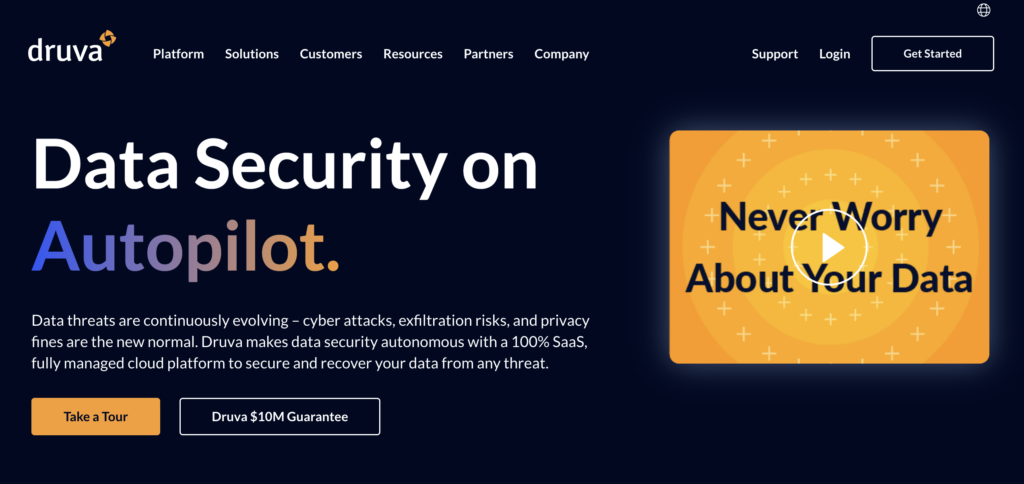
Druva is a cloud-native backup and disaster recovery solution that specializes in simplifying data protection across various cloud, SaaS, and hybrid environments. It operates entirely in the cloud, eliminating the need for hardware, while providing end-to-end data protection, ransomware recovery, and long-term retention options. Druva’s focus on ease of use and cloud scalability makes it a powerful alternative to Veeam, especially for organizations looking to reduce infrastructure costs and improve efficiency through the cloud.
Why IT Admins Choose Druva as a Veeam Alternative:
- 100% Cloud-Native: Druva’s entirely cloud-based architecture eliminates the need for hardware, unlike Veeam, which often requires on-premise infrastructure. Druva offers a simple, scalable, and cost-effective solution by leveraging cloud storage for all backup and recovery operations.
- No Infrastructure Management Required: With Druva, businesses don’t need to manage or maintain backup hardware or storage, reducing operational overhead. This makes it an attractive alternative for businesses looking to reduce the complexity of managing backups and focus on their core operations.
- Fast Deployment and Automatic Updates: Druva allows for rapid deployment, and since it’s cloud-based, updates and patches are automatically applied without manual intervention. This contrasts with Veeam, which may require more effort in updating and maintaining its software across distributed environments.
- Ransomware Recovery: Druva offers immutable backups and ransomware recovery, ensuring that critical data remains secure and recoverable in case of an attack. The solution supports rapid recovery of data from the cloud, providing additional peace of mind.
- SaaS Protection: Druva provides comprehensive data protection for SaaS applications like Microsoft 365, Salesforce, and Google Workspace. Veeam also offers SaaS backup capabilities, but Druva’s cloud-native design ensures seamless integration and management.
Key Features:
- 100% cloud-native data protection solution
- Ransomware recovery with immutable backups
- Automatic updates with no infrastructure management needed
- Scalable protection for cloud, SaaS, and hybrid environments
- Fast, policy-driven backups and restores
Druva’s pricing follows a consumption-based model, offering flexibility depending on the data stored and protected. Though not as affordable as Zmanda, this model makes it an attractive option for businesses of all sizes, particularly those looking to scale rapidly without significant upfront costs. For specific pricing, users can contact Druva for tailored solutions.
#4 Rubrik
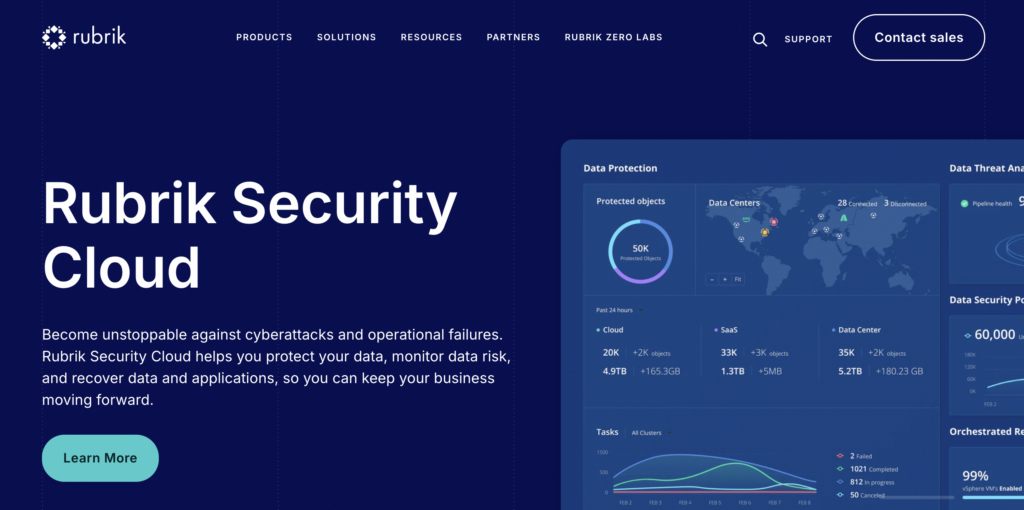
Rubrik is a popular choice among enterprises for its focus on security, compliance, and simplicity. As a cloud-native data management solution, Rubrik offers advanced ransomware protection, automated recovery, and secure backups for a range of workloads. The platform is known for its zero-trust architecture, making it another Veeam alternative for businesses that prioritize security without compromising on performance.
Why Choose Rubrik as a Veeam Alternative:
- Policy-Driven Automation: Rubrik uses policy-based automation to simplify the scheduling of backups, retention, and data recovery. IT admins can set rules for backups based on business needs, allowing the platform to manage protection and retention policies autonomously.
- Ransomware Protection: Rubrik’s integrated ransomware detection automatically identifies suspicious behavior in backup data. Using machine learning, Rubrik detects, alerts, and provides a path to recovery, ensuring that organizations can restore uncorrupted data and avoid ransom payments.
- Zero-Trust Data Security: Rubrik adheres to a zero-trust architecture, where no user or application is trusted by default. With immutable backups and end-to-end encryption, businesses can rest assured that their data is protected against malicious actors and internal threats.
- Automated Disaster Recovery: Rubrik simplifies the disaster recovery process with automated orchestration. The solution automates the failover and failback of workloads, ensuring minimal disruption to business operations in the event of a disaster.
- Unified Management Console: Rubrik’s centralized dashboard allows users to manage all their backup and recovery tasks from a single interface. This streamlines the management of hybrid and multi-cloud environments, providing visibility and control from one place.
- Compliance and Auditing: Rubrik ensures compliance with a wide range of regulations, including GDPR, HIPAA, and PCI DSS. The platform offers detailed audit logs, making it easy for businesses to track and verify their data handling practices.
- Cloud-Native and On-Prem Support: Whether your data is on-prem, in the cloud, or spread across multiple environments, Rubrik provides a unified solution for backup, recovery, and data management. Its cloud-native architecture ensures seamless integration with leading cloud providers like AWS, Azure, and Google Cloud.
Starting at $3,000/year, Rubrik’s a solid long-term solution for businesses that want reliable backup management with built-in disaster recovery and cybersecurity features.
#5 Unitrends
Unitrends is a comprehensive backup and disaster recovery solution that provides both on-premise and cloud options. Known for its affordability and easy management, Unitrends can be a popular Veeam alternative for organizations looking for a straightforward, cost-effective solution. It offers a broad range of data protection capabilities, making it suitable for businesses of all sizes.

Why Choose Unitrends as a Veeam Alternative:
- All-Inclusive Pricing Model:
Unitrends is known for its transparent pricing, with an all-inclusive model that covers backup, disaster recovery, and cloud archiving under one subscription. This simplifies budgeting for IT teams and removes the need for additional licensing, something that Veeam often requires for full functionality. - Effortless Cloud Backup and Archiving:
Unitrends provides built-in cloud backup and archiving options that are easy to set up, making it ideal for companies with limited IT staff. Many users feel that Veeam’s cloud integration requires more manual configuration, whereas Unitrends simplifies this process significantly. - Ransomware Detection & Automated Testing:
Unitrends comes with integrated ransomware detection and automated disaster recovery testing, allowing IT teams to be more proactive in identifying vulnerabilities. Veeam’s automated testing features often require separate add-ons, which makes Unitrends a more convenient and cost-effective alternative. - Centralized Management for Multiple Sites:
Unitrends offers centralized management for multi-site businesses, allowing IT admins to manage backups across multiple locations from a single dashboard, something that can be more complex in Veeam’s environment without additional setups.
Key Features:
- Ransomware detection with automated testing
- Transparent, all-inclusive pricing model
- Centralized backup management for multi-site organizations
- Simplified cloud integration and archiving
Starting at $829/year, Unitrends is an option for SMBs and mid-sized enterprises that need scalable, all-in-one backup appliances. It’s particularly suited for businesses looking for long-term data retention and disaster recovery solutions.
#6 IDrive
IDrive is a cloud-based backup solution known for its affordability, scalability, and ease of use, particularly for SMBs. IDrive’s straightforward pricing and features make it a great Veeam alternative for organizations looking for a more affordable, user-friendly backup solution that can scale with their business.

Why Choose IDrive as a Veeam Alternative:
- Cost-Effective for SMBs:
IDrive offers competitively priced plans, making it especially attractive for small and medium-sized businesses that need reliable backup solutions without the enterprise-level price tag that comes with Veeam. - Cross-Platform Backup Capabilities:
IDrive supports backups across a wide range of platforms, including Windows, macOS, Linux, and mobile devices, allowing businesses to easily back up all their devices with a single solution. Veeam, while robust for enterprise environments, often requires separate solutions for different platforms. - Simple and Scalable:
IDrive’s intuitive platform allows for simple setup and deployment, and its cloud-based architecture makes scaling up a breeze. Many IT admins report that Veeam’s setup and scaling can be more complex, particularly for SMBs with limited IT staff. - Secure Cloud Storage:
IDrive offers secure cloud storage with 256-bit AES encryption, both during transfer and at rest, ensuring that critical data is always protected. For businesses that don’t require Veeam’s extensive feature set but still need robust data security, IDrive is a strong option.
Key Features:
- Affordable pricing plans for SMBs
- Cross-platform backup for diverse environments
- Simple, scalable cloud backup
- Secure data protection with AES-256 encryption
IDrive pricing starts at $69.65/year for the Business Plan, which includes 250GB of storage for unlimited users and multiple devices like servers, computers, and mobile devices. It’s a flexible option that scales up to 50TB or more for larger businesses.
#7 Cohesity
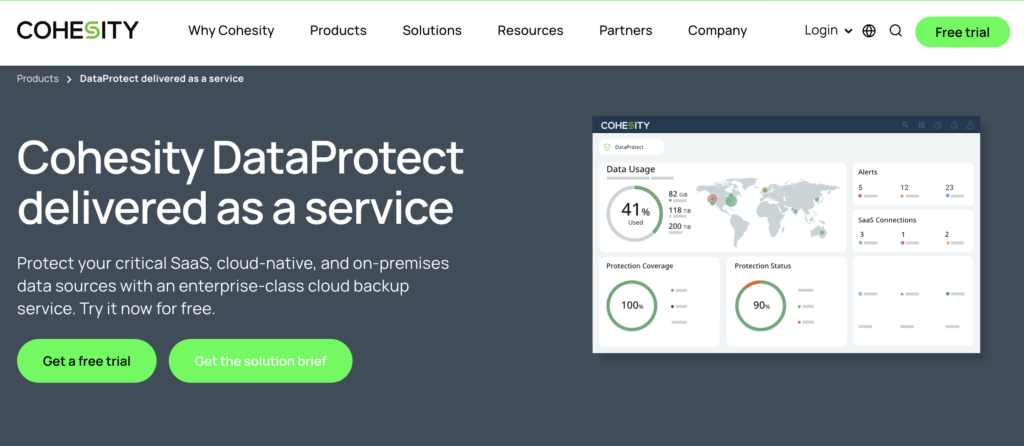
Cohesity is an all-in-one data management and backup solution that focuses on simplifying backup and recovery across cloud, on-prem, and hybrid environments. It offers seamless data protection, ransomware defense, and data recovery for modern enterprises with distributed workloads. Cohesity’s ability to consolidate data silos and manage backups from a single platform makes it an excellent alternative to Veeam, particularly for organizations that need scalability and multi-cloud support.
Why Choose Cohesity as a Veeam Alternative:
- Unified Platform for Data Management: Cohesity consolidates backup, disaster recovery, file services, and analytics into one platform, simplifying data management and reducing operational complexity. This unified approach makes it easier to manage and recover data, unlike Veeam, which primarily focuses on backups.
- Seamless Cloud and Multi-Cloud Support: Cohesity provides seamless integration with all major cloud providers like AWS, Google Cloud, and Azure. For businesses looking for flexibility in hybrid cloud or multi-cloud deployments, Cohesity is often seen as a more versatile solution than Veeam.
- Ransomware Protection: Cohesity’s immutable snapshots and zero-trust architecture ensure that data is protected from ransomware attacks. By preventing unauthorized changes to backup data, Cohesity minimizes the risk of cyber threats compromising critical business data.
- Cost Efficiency at Scale: Cohesity offers a pay-as-you-grow model, which makes it scalable for organizations of all sizes. As a result, it becomes a more cost-effective alternative to Veeam for businesses with large data sets or rapidly growing data protection needs.
Key Features:
- Unified data management platform for backup, file services, and recovery
- Ransomware protection with immutable backups and zero-trust security
- Multi-cloud and hybrid cloud backup capabilities
- Built-in analytics for data insights
- Policy-driven automation to streamline operations
Cohesity’s pricing is based on a consumption model, making it scalable and customizable based on an organization’s specific data protection requirements. Contact Cohesity for a tailored quote based on storage needs and workloads.
#8 Bacula Enterprise
Overview
Bacula Enterprise is a highly scalable and customizable backup solution built for large organizations and data centers. Known for its open-source foundation, Bacula is an attractive Veeam alternative, especially for businesses that prioritize customization, scalability, and open-source flexibility. It supports a wide range of workloads, including physical, virtual, cloud, and hybrid environments.
Why Choose Bacula as a Veeam Alternative:
- Open-Source Flexibility:
Bacula’s open-source architecture allows businesses to customize the solution to meet their specific backup and recovery needs. This is particularly appealing for organizations that require more control over their backup configurations, which Veeam’s proprietary platform doesn’t provide. - Cost Efficiency:
Bacula’s licensing model is based on the number of backup jobs rather than the data size or devices, which can result in significant cost savings for businesses with large data sets. - Scalability for Large Infrastructures:
Bacula is designed for enterprise-level scalability, making it a good option for businesses with vast data environments, such as data centers or organizations with hybrid cloud infrastructures. - Wide Workload Support:
Bacula supports physical, virtual, cloud, and hybrid environments, providing businesses with flexibility across different platforms. Veeam, though comprehensive, might not offer the same level of adaptability when it comes to hybrid infrastructures.
Key Features:
- Open-source architecture for customizability
- Scalable for large enterprises and data centers
- Licensing is based on backup jobs, not data size
- Supports a wide range of environments
Bacula Enterprise pricing is based on an annual subscription model and offers plans that start at $1,500/year for smaller environments, such as the Small Business Edition. This edition is ideal for businesses needing cost-effective, scalable backup solutions that grow with their data needs. Bacula Enterprise is particularly well-suited for mid-sized to large enterprises
#9 Carbonite by OpenText
Overview
Carbonite is a cloud-based backup solution designed to provide simple, automated backup and disaster recovery for businesses of all sizes. Known for its ease of use and affordability, Carbonite is a strong Veeam alternative for SMBs that need straightforward backup capabilities without the complexities of enterprise-level solutions.
Why Choose Carbonite as a Veeam Alternative:
- Ease of Use:
Carbonite’s user-friendly interface and simple setup process make it a popular choice for small and medium-sized businesses with limited IT staff. In contrast, Veeam is often perceived as more complex and better suited for larger enterprises. - Affordable Cloud Backup:
Carbonite offers a cost-effective cloud backup solution, making it ideal for businesses that want reliable offsite storage without the high costs associated with some enterprise-grade solutions like Veeam. - Automated Backup:
With Carbonite, businesses can automate their backups, ensuring that their critical data is continuously protected. This feature is particularly beneficial for organizations that lack the resources for manual backup management. - Comprehensive Data Protection:
Carbonite provides end-to-end encryption and backup for a wide range of files, from documents to databases. This ensures that businesses, regardless of their size, have the essential tools to protect their data in the cloud.
Key Features:
- Simple, user-friendly interface
- Automated cloud backups
- Affordable pricing for SMBs
- End-to-end encryption for secure backups
Carbonite offers pricing starting at $24/month (or $287.99/year) for their Carbonite Safe Pro plan, which provides 250GB of cloud backup for businesses. This solution is ideal for small to medium-sized businesses looking for reliable, automated backups for multiple computers and servers, with options to scale as data needs grow.
#10 Nakivo Backup & Replication
Overview
Nakivo Backup & Replication offers a cost-effective alternative to Veeam, providing robust backup solutions tailored for virtualized environments like VMware, Hyper-V, and Nutanix AHV. Designed for businesses looking to simplify their data protection strategy, Nakivo is a lightweight yet powerful platform with high performance and ease of use.

Why Choose Nakivo as a Veeam Alternative:
- Cost-Effective:
One of the primary reasons businesses switch to Nakivo is its cost-efficiency. Nakivo is known for offering competitive pricing, making it particularly appealing to SMBs that don’t want to sacrifice features for affordability. - VM-Centric Approach:
Nakivo excels in virtual machine (VM) backup and replication, making it a solid choice for organizations running VMware or Hyper-V environments. Many IT professionals feel Veeam, while strong in VM backups, often comes with additional complexities that aren’t necessary for simpler environments. - Simplicity and Ease of Deployment:
Nakivo’s platform is praised for its straightforward installation and intuitive interface, allowing businesses to get their backup processes up and running with minimal setup time. Compared to Veeam, which is sometimes criticized for being too feature-heavy, Nakivo focuses on providing the core functionalities without unnecessary complications. - Advanced Features for Virtualized Environments:
Nakivo offers advanced backup features tailored specifically to virtualized environments, including automated VM recovery and seamless replication. These features make it easier for IT admins to ensure business continuity in case of a disaster.
Key Features:
- Built for VMware, Hyper-V, and Nutanix environments
- An affordable pricing model for SMBs
- Instant VM recovery and VM replication
- Application-aware backup for databases
Starting at $1.95/workload/month, Nakivo is another choice for organizations that are looking for a fast and affordable backup solution.
Finding the Right Fit for Your Business
Switching to a Veeam alternative can be a strategic move for many organizations looking to reduce costs, simplify operations, or find a solution better suited to their specific needs. As we’ve discussed, there are a variety of options available, each offering its own unique benefits. Whether you prioritize affordability, ease of use, or specific security features, the key is to find a solution that aligns with your business goals.
By evaluating critical factors such as cost efficiency, scalability, data storage flexibility, and security, you can confidently choose a Veeam alternative that will serve your organization well in the long run. Remember, the goal is not just to find a backup solution but to find one that optimizes your data protection strategy while also simplifying management and reducing costs. With the right Veeam alternative, your organization can maintain robust data resilience without the overhead and complexity of Veeam.
FAQs