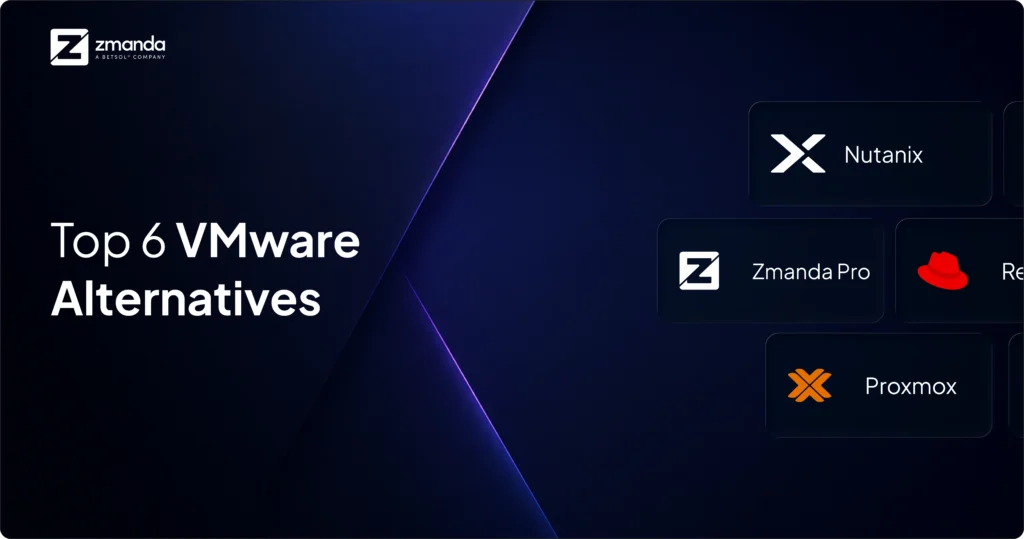
As businesses tackle the significant changes following Broadcom’s acquisition of VMware, many find themselves at a critical decision: stay or migrate from VMware. If you’re among the 74% of companies evaluating or testing VMware alternatives, this comprehensive VMware migration guide provides a structured step-by-step approach to evaluating and executing a successful migration from VMware to VMware alternative solutions.
But first, let’s understand…
Why Customers are Considering the VMware Migration
VMware’s acquisition by Broadcom for $69 billion represents a transformative shift in the data center virtualization landscape, creating unprecedented challenges for over 300,000 VMware customers worldwide. The transition has fundamentally altered VMware’s operational model, product strategy, and partner ecosystem, particularly affecting mid-market enterprises that must now navigate significant changes to their IT infrastructure strategies. The sweeping changes to VMware’s pricing model, product portfolio, and partner ecosystem have created immediate operational challenges for organizations dependent on VMware’s virtualization infrastructure.
The impact spans multiple critical areas:
- License costs have increased significantly for most enterprise customers under Broadcom’s new subscription-based model.
- Discontinuation of VMware partner program and shift towards Broadcom Advantage Partner Program.
- Discontinuation of licensing options, forcing customers into subscription arrangements,
- Removal of key products like VMware Horizon and Workspace ONE from the portfolio through divestitures.

The market response has been notably cautious and increasingly focused on alternative solutions. Civo’s comprehensive 2024 survey reveals:
- 47% of VMware customers are actively evaluating alternatives.
- While 27% have already initiated proof-of-concept testing with competing solutions.
- Only 17% of surveyed customers express firm commitment to maintaining their VMware infrastructure long-term, indicating a significant shift in market confidence.
This trend is particularly pronounced among mid-sized enterprises, where budget constraints and support changes have created immediate operational challenges.
Given these sweeping changes and the complexity of virtualization infrastructure, organizations need a comprehensive migration framework more than ever. The lack of clear migration pathways, combined with the technical intricacies of moving away from deeply embedded VMware solutions, has created a critical need for a structured approach to evaluation and migration.
This VMware migration guide addresses this pressing need by providing enterprises with a systematic methodology for assessing their current VMware footprint, evaluating alternatives, and executing a successful migration while minimizing operational disruption and managing risks effectively.
Navigating VMware Migration: A Step-by-Step Approach
Before diving into the migration details, it’s essential to establish a clear roadmap. This guide is designed to take you step-by-step through the process of migrating from VMware, ensuring a smooth and successful transition:
- Pre-VMware Migration Assessment: We start by analyzing your current VMware environment. This foundational step identifies critical components, dependencies, and potential risks, providing a clear baseline for your migration strategy.
- Key Features to Evaluate in Alternatives: We outline key features that VMware currently provides to prioritize alternative solutions. This framework helps you assess and choose platforms like Hyper-V, Proxmox, or others that align with your operational goals.
- Stakeholder Alignment: A successful VMware migration relies on effective collaboration. To ensure seamless coordination across teams, we’ll highlight the roles of key stakeholders and define their contributions.
- Zmanda’s Expertise: From initial analysis to implementation and ongoing support, Zmanda offers the tools and expertise needed to confidently navigate this transition.
This VMware Migration guide blends strategic insights with actionable steps, equipping you to make informed decisions and execute a migration plan that aligns with your business objectives.
Step 1: Pre-VMware Migration Assessment
A comprehensive pre-migration assessment is the cornerstone of successfully transitioning from your VMware environment. As Broadcom’s acquisition drives significant changes in VMware’s ecosystem, understanding your current infrastructure and selecting the right VMware migration tool becomes more critical than ever.
1. Infrastructure Inventory and VMware Footprint
- Begin by documenting your complete VMware infrastructure stack.
- This includes cataloging all VMware vSphere environments, ESXi hosts, virtual machines, and their specifications.
- Take special note of VMware-specific features in use, such as vMotion, DRS, or Site Recovery Manager, as these will need equivalent solutions in your target platform.
- Document your vCenter Server deployments, including custom configurations, roles, and permissions that have been established over time.
- Pay particular attention to any customized VMware tools, scripts, or automation that your organization has developed.
2. Application and Service Dependencies
VMware environments often form the backbone of complex enterprise architectures. Map out how your applications interact with VMware components, identifying dependencies on specific VMware features or APIs. This includes documenting:
- vSphere-integrated applications, backup solutions using VADP (vSphere APIs for Data Protection).
- Monitoring tools leveraging VMware’s performance metrics.
- For organizations using VMware NSX for network virtualization or VMware vSAN for storage, special attention must be paid to these advanced features and their current configurations.
3. Performance Baseline and Resource Utilization
- Establish clear performance metrics using vCenter’s performance monitoring tools and any third-party monitoring solutions.
- Gather historical data on resource utilization patterns, including CPU, memory, storage I/O, and network performance across your VMware infrastructure. This data will be crucial for right-sizing your target environment and ensuring comparable or better performance post-VMware migration.
- Document specific VMware configurations that affect performance, such as resource pools, shares, and reservations.
4. Cost Analysis and Licensing Review
With Broadcom’s new licensing models significantly impacting costs –
- Conduct a detailed analysis of your current VMware licensing structure.
- Include all VMware products in use, from core vSphere licenses to additional components like vSAN, NSX, or Horizon.
- This analysis should also include indirect costs such as training, certifications, and specialized VMware expertise required.
5. Compliance and Security Framework
Review how your current VMware infrastructure supports compliance requirements.
- Document specific VMware security features in use, such as vSphere security policies, encryption configurations, and role-based access control (RBAC) settings.
- For regulated industries, map out how VMware components factor into your compliance certifications, including any specific configurations or features required for maintaining compliance, like CSA, C5, FedRAMP, and SOC3 to name a few.
6. Operational Processes and Procedures
Examine your current VMware operational procedures, including:
- Backup strategies using solutions like vSphere Data Protection or third-party tools
- Disaster recovery processes potentially using Site Recovery Manager.
- Change management procedures built around vSphere capabilities.
- Document automated workflows in vRealize Automation or similar tools, as these will need to be recreated or adapted in the new environment.
7. Skills Assessment and Training Requirements
Evaluate your team’s current VMware expertise and certifications. With many organizations heavily invested in VMware-specific skills, assess:
- Additional training that might be required for alternative platforms.
- The impact on your operations team, who may be deeply familiar with vSphere Client and VMware’s management tools, and plan for appropriate training and transition time.
8. Risk Analysis and Mitigation Planning
Develop a comprehensive risk assessment focusing on critical workloads running on VMware infrastructure. Identify business-critical applications with specific dependencies on VMware features and determine potential risks during VMware migration. Consider the impact of moving away from VMware-specific high availability and disaster recovery configurations.
9. Documentation and Knowledge Base Review
Catalog all VMware-related documentation, including standard operating procedures, runbooks, and disaster recovery plans. This includes reviewing any custom scripts or tools developed for VMware environment management, as well as integration documentation with other enterprise systems.
This thorough assessment serves as the foundation for your VMware migration strategy, ensuring all aspects of your VMware environment are considered in planning your transition to alternative solutions. The insights gained will be crucial for selecting appropriate replacement technologies and planning a VMware migration that minimizes disruption to your business operations.
Step 2: Key Features to Evaluate in Alternatives
Understanding the technical considerations helps identify what to look for in alternative solutions. Let’s examine the essential features and capabilities that should be on your evaluation checklist when assessing potential VMware alternatives.
1. Compatibility and Workload Portability
- VM Format Conversion: VMware uses VMDK and OVF/OVA formats. Ensure the target platform can import these formats or provide tools to convert them. Open-source options like
qemu-imgcan assist with VMDK-to-raw or QCOW2 conversion for KVM. - Application Dependencies: Map dependencies between VMs, applications, and databases. This reduces the risks of compatibility issues post-migration.
- Driver and Feature Support: Investigate how the target hypervisor supports VMware-specific features, such as advanced memory sharing or virtual hardware versions.
2. High Availability (HA) and Disaster Recovery (DR)
- Evaluate if the new platform has HA mechanisms equivalent to VMware vSphere HA or Site Recovery Manager (SRM). For instance:
- Proxmox offers HA clustering.
- Hyper-V uses Cluster Shared Volumes (CSV) and Failover Clustering for HA.
- Investigate backup and recovery compatibility with third-party backup vendors.
3. Live Migration and Portability:
- Check if the new platform supports live migration of VMs between hosts or data centers.
- Examples:
- Hyper-V supports “Live Migration” and “Storage Migration.”
- Proxmox supports live migrations within clusters.
- Examples:
- Advanced Migration Tools: VMware offers Advanced Cross vCenter vMotion to migrate virtual machines (VMs) between on-premises data centers or to hybrid cloud environments with minimal downtime. HCX (Hybrid Cloud Extension) further supports large-scale, seamless migrations across different VMware environments and even from non-vSphere platforms such as KVM or Hyper-V.
- Portability and standards: Strong OVA/OVF support ensures workload portability. VMware’s formats have become de facto standards for VM packaging and distribution.
4. Management and Automation:
- Centralized Management: Compare VMware’s vCenter with alternatives (e.g., Microsoft System Center, Proxmox VE GUI).
- API-Driven Automation: Leverage APIs or CLI tools provided by the target platform to programmatically manage resources. For example, Proxmox’s PVE API allows for comprehensive cluster and VM management, while OpenStack’s Nova and Cinder APIs handle computing and storage. These APIs are essential for enabling automation frameworks and creating scalable IaaS solutions.
- Self-Service Portals: A well-designed self-service portal enhances user autonomy, letting teams provision and manage resources with minimal administrative overhead. Platforms like OpenStack Horizon or a Terraform-based portal can streamline operations and improve efficiency.
- Terraform Bulk Automation: Leverage Terraform providers and CLI tools to automate resource management effectively on the new virtualization platform. Providers such as the Proxmox Terraform Provider or Libvirt Provider for KVM enable declarative management of VMs and other resources. Combining Terraform’s declarative power with native CLI flexibility ensures seamless bulk provisioning and management of infrastructure.
5. Performance and Resource Optimization:
- Test VM performance under the new hypervisor to ensure comparable CPU, memory, and I/O efficiency.
- Consider virtualization features like NUMA affinity, GPU passthrough, or SR-IOV for advanced workloads.
6. Security and Compliance:
- Audit the target platform for equivalent or superior security features (e.g., encrypted VM storage, role-based access control, and isolation mechanisms).
- Review compliance with relevant standards, such as GDPR or HIPAA, post-migration.
7. Cost and Licensing:
- Assess potential savings or increases in operational expenses, including licensing costs, training, and required support contracts.
- Open-source platforms like KVM/Proxmox may reduce costs but might need additional effort for enterprise-grade support.
8. Community and Ecosystem:
- Check for ecosystem maturity and community support. Open-source platforms like Proxmox and KVM have active forums and extensive documentation, though commercial alternatives may have stronger SLAs and support networks.
9. Hybrid and Multi-Cloud Support:
- VMware Cloud Foundation enables a unified infrastructure for hybrid cloud, simplifying workload migration to private or public clouds. HCX also supports “any-to-any mobility,” allowing seamless movement of workloads across cloud providers like AWS, Azure, and Google Cloud while preserving application performance.
These features were mapped through detailed consultations with our Infrastructure Operations teams, VMware administrators, and Site Reliability Architecture leads. The evaluation framework prioritizes critical operational capabilities, from cluster high availability to automation tools, ensuring any alternative platform can maintain our current operational standards while supporting our infrastructure modernization goals.
Step 3: Stakeholder Alignment
While having the right technical solution is crucial, successful migrations require a coordinated effort from multiple stakeholders across your organization. Let’s identify the key players who should be involved in your VMware migration journey.
Migrating away from VMware to alternatives like Hyper-V, Proxmox, or other competitors requires identifying key stakeholders who can assess VMware components and plan their transition. This process involves mapping VMware-specific tools, configurations, and dependencies to equivalent functionalities in the chosen platform. Strategic coordination ensures the migration avoids disruptions, adheres to timelines, and meets technical and business goals.
Key Stakeholders and Their Responsibilities
1. Technical Leadership Team
The technical leadership team plays a pivotal role in analyzing VMware-specific components and mapping them to the target platform.
- SRE/DevOps: SRE/DevOps teams assess critical VMware elements like ESXi hypervisors and their associated compute storage, and networking configurations. They map these to equivalent functionalities in alternatives like Hyper-V Hypervisor or Proxmox VE. They also analyze and replicate automation workflows, such as infrastructure-as-code (IaC) templates, and ensure CI/CD pipelines are adapted to the new environment.
- Networking: Networking teams evaluate VMware NSX components (firewall rules, load balancers, virtual switches) and reconfigure them for compatibility with the target solution. For example, they may map VMware’s vDS (Distributed Switch) to Hyper-V’s Virtual Switch or Proxmox’s network bridge configurations. They also ensure bandwidth and security controls during data transfers.
- IT Operations: IT operations teams identify and migrate VMware features like resource pools, VM templates, and cluster configurations. They adapt these for use in the new platform, such as Hyper-V’s Failover Clustering or Proxmox’s high-availability (HA) clusters. They also address dependencies on VMware storage solutions (e.g., vSAN) by transitioning to alternatives.
- Security: Security teams analyze VMware-specific access controls, such as vSphere RBAC configurations, and implement equivalent policies in the target solution. They assess how the new environment addresses security hardening and compliance requirements while migrating firewall policies and encryption standards.
- Backup/DR: Backup/DR teams transition from VMware-specific tools like vSphere Replication or VDP (vSphere Data Protection) to alternatives compatible with the chosen platform. They test backup and recovery solutions in the new environment to ensure adherence to recovery point objectives (RPOs) and recovery time objectives (RTOs).
2. Business Leadership Team
Business leaders ensure strategic alignment between the migration and organizational objectives while supporting technical teams in transitioning VMware dependencies.
- CIO/CTO Office: The CIO/CTO ensures that the VMware migration aligns with organizational goals, such as cost reduction or increased scalability. They evaluate platform alternatives, considering licensing structures (e.g., VMware’s subscription-based model vs. open-source options like KVMs) and organizational needs.
- Finance: Finance teams calculate the total cost of ownership (TCO) for transitioning away from VMware, including license savings, hardware requirements, and operational costs in the new platform. They identify opportunities for cost optimization, especially when moving to open-source or hybrid solutions.
3. Application Owner
Application stakeholders ensure workloads dependent on VMware are smoothly transitioned and remain functional on the new platform.
- Application Owners: Application owners evaluate workloads relying on VMware features such as vApps or VMware Tools integrations. They define VMware migration priorities and ensure critical applications are compatible with the target environment (e.g., adapting applications for Hyper-V’s integration services).
- Development Teams: Development teams refactor applications reliant on VMware-specific APIs (e.g., vSphere API) to work with equivalent APIs or tools in the target platform. They ensure application performance and integration testing in the new environment.
- End-User Representatives: End users test VMware-dependent applications in the new setup, providing feedback on performance, usability, and any potential issues. For instance, they validate compatibility with Hyper-V guest tools or Proxmox’s VM options.
- QA Teams: QA teams validate that applications and workloads migrated from VMware perform as expected in the new environment. They design test plans to identify discrepancies in performance or functionality between platforms.
4. External Partners
External collaborators bring specialized expertise to transition VMware components to the target solution.
- Third-Party Vendors: Vendors assess the compatibility of existing tools, such as monitoring and management platforms (e.g., vRealize Operations), and ensure smooth integration with alternatives like Hyper-V or Proxmox management systems.
- Backup Solution Providers: Backup providers facilitate the shift from VMware-native backup tools to platform-agnostic or alternative solutions. For example, Zmanda Pro supports backups for both VMware and Hyper-V environments, ensuring seamless data protection during the transition. Additionally, an upcoming feature in Zmanda Pro will enable organizations to back up VMs from VMware and restore them directly to Hyper-V, streamlining cross-platform recovery and migration processes.
Step 4: VMware Migration with Zmanda: Next Steps Guide
With a clear understanding of the technical requirements and organizational stakeholders, the next step is ensuring you have the right partner to support your VMware migration journey. And, Zmanda VMware Migration Services offers just that. Infrastructure transitions demand robust data protection strategies that safeguard business continuity. Zmanda, the enterprise backup solution is specifically engineered to support complex migration scenarios, providing the security and flexibility organizations need during platform transitions.
Our solution offers a unique combination of technology and expertise to ensure your VMware migration success.
1. Zmanda Pro: Data Resilience & Seamless Infrastructure Transitions
Leading organizations plan for change from day one. A proactive data resiliency approach to future requirements can reduce adaptation costs by up to 40%. The cross-platform backup capabilities of Zmanda Pro make it uniquely suited for VMware migration scenarios:
- Seamless protection of both VMware and target platform workloads
- Incremental forever backup strategy minimizing migration window impacts
- Point-in-time recovery ensuring business continuity during transitions
- Flexible recovery options supporting cross-platform restoration
2. Migration Professional Services
Zmanda VMware Migration Services comes with specialists having extensive experience in supporting 500+ enterprise transitions. We’ve helped organizations successfully navigate complex infrastructure changes while ensuring zero data loss.
Our migration support includes:
- Infrastructure assessment and backup strategy development.
- Migration pathway planning and risk mitigation.
- End-to-end technical implementation guidance.
- Design backup schedules and retention policies that align with your migration timeline.
- Maintain compliance with your business continuity requirements.
- Post-migration optimization support.
Ready to explore how Zmanda can support your migration journey? Book a 30-minute consultation with our migration specialists today.