Offsite data backup storage and disaster recovery are closely connected, but planning them effectively means looking beyond just where your data is stored.
Offsite storage has evolved from a passive backup location to an active driver of recovery speed and reliability. As recovery expectations grow across teams, workloads, and compliance frameworks, it now shapes how data moves between environments, what recovery speeds are possible, and whether your strategy holds up under pressure.
This guide explores how offsite storage architecture shapes your disaster recovery strategy. From storage types and transfer models to recovery objectives and testing, it’s a practical walkthrough for teams building resilience into every layer.
But first, let’s establish what truly makes storage ‘offsite’ beyond simple geographic separation.
What Is Offsite Data Backup Storage?
Offsite data backup storage refers to storing backup copies in a physically and logically separate location from your primary infrastructure. This could include cloud services, remote data centers, or secure third-party facilities.
To be effective, offsite storage requires complete separation across three critical dimensions. Geographic separation alone is not enough—true offsite protection demands isolation that safeguards against regional disasters, cyberattacks, and insider threats.
Essential Requirements for Offsite Storage
Meeting these three requirements differentiates genuine offsite data backup storage and disaster recovery from proximity backup that fails when you need it most. Each addresses a specific threat vector that has caused real-world recovery failures.
Physical Separation: Maintain minimum 100-mile distance between primary and backup locations, ensuring different power grids and network infrastructure. Regional disaster patterns dictate specific requirements—hurricane zones require crossing state boundaries, while earthquake regions need geological diversity.
Network Isolation: Implement complete network segmentation preventing any pathway between production and offsite backups. Air-gapped storage or separate cloud accounts with no network connectivity ensure ransomware cannot traverse from compromised primary systems to backup repositories.
Administrative Separation: Enforce distinct access controls and credentials for offsite systems. Production domain administrators should have no permissions on backup infrastructure, preventing insider threats or compromised accounts from destroying all data copies simultaneously.
Proven Offsite Architectures
An effective offsite data backup storage and disaster recovery solution includes cloud storage in geographically distant regions with isolated accounts, tape media in professional vault facilities with dual-custody controls, and replication to colocation facilities on separate network carriers.
The fundamental principle: offsite backups must remain accessible and intact when primary infrastructure—including facilities, networks, and personnel—becomes completely unavailable. Whether using cloud, offsite backup tape storage, or hybrid approaches, the architecture must guarantee complete independence from production systems.
With a clear understanding of what makes storage truly “offsite,” let’s examine the available options and their real-world costs.
Types of Offsite Storage
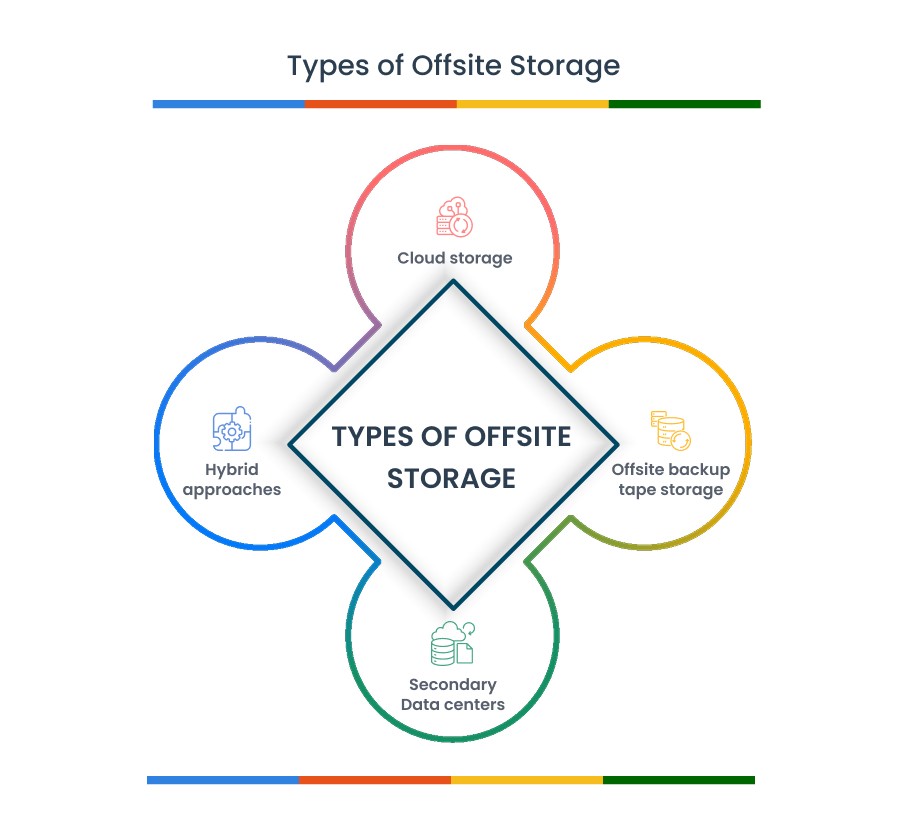
Modern disaster recovery demands storage solutions that balance speed, cost, and reliability. Each offsite data backup storage and disaster recovery option serves specific recovery scenarios—understanding their strengths and limitations helps you architect the right mix for your requirements. From traditional tape storage to cloud-native platforms, the key is matching technology to your recovery objectives.
Cloud Storage
Cloud-based backup platforms now offer features like immutable backups, regional replication, and granular retention policies. These capabilities ensure that your backup data remains secure, highly durable, and rapidly recoverable—even in the event of ransomware or large-scale outages. While cloud storage can offer low upfront costs and high durability, restoration of large volumes may incur transfer fees and extended timelines depending on your provider’s policies.
Offsite Backup Tape Storage
Tape remains a viable and cost-effective solution for long-term retention and true air-gapped protection. Modern tape formats can store large volumes of data securely, with long shelf life and write-once-read-many (WORM) capabilities that support regulatory compliance. Though recovery from tape may take longer due to physical retrieval, it’s well-suited for archiving critical data and meeting retention mandates.
Hybrid Approaches
A hybrid environment combines the strengths of multiple storage tiers. For example, frequently accessed backups can be stored on local disk for fast recovery, while secondary copies are replicated to offsite or cloud storage for disaster protection. Long-term archives can be moved to offline storage for compliance. This layered strategy balances performance, cost-efficiency, and resilience across your backup lifecycle.
Secondary Data Centers
Some organizations maintain dedicated offsite infrastructure in geographically separated data centers. These facilities replicate primary environments and offer rapid failover for mission-critical systems. While secondary data centers provide rapid recovery, many organizations complement them with offsite backup tape storage for long-term archival needs and additional air-gap protection. To be effective, secondary sites must be fully independent—using different power sources, networks, and access controls—to ensure continuity even if the primary site is completely compromised.
Cost and Performance Comparison
The following matrix compares real-world costs and recovery capabilities across offsite storage options. Use these metrics as a baseline—your specific requirements may shift the economics significantly.
If you’re evaluating options, you can also explore Zmanda’s pricing to see how enterprise-grade backup fits your budget.
| Storage Type | Initial Cost | Monthly Cost | Recovery Time | Best For |
|---|---|---|---|---|
| Cloud Storage | Low ($500) | $0.023-0.09/GB | 1-4 hours | Rapid scaling, automated DR |
| Offsite Tape | Medium ($5K) | $0.001/GB | 24-72 hours | Long-term archives, air gap |
| Hybrid Setup | High ($15K) | $0.01-0.03/GB | 15min-24hr | Balanced RTO/cost |
| Secondary DC | Very High ($50K+) | $0.03-0.05/GB | 5-30 minutes | Mission-critical systems |
Note: Costs include storage only. Add bandwidth, egress fees, and management overhead for total TCO.
Storage technology is only half the equation—understanding how disaster recovery actually works determines whether your offsite backups deliver when catastrophe strikes.

Understanding Disaster Recovery
Disaster recovery extends beyond data backup to ensure business continuity during system failures. While backup protects data, disaster recovery maintains operations. The distinction is critical—downtime costs average $300,000 per hour for mid-size enterprises when core systems are unavailable.
Key Metrics That Define DR Strategy
Recovery Time Objective (RTO) defines the maximum acceptable downtime before business impact becomes critical. Recovery Point Objective (RPO) specifies the maximum tolerable data loss measured in time. These metrics drive architecture decisions: email systems may tolerate 4-hour RTOs, while e-commerce platforms require 30-minute RTOs. Similarly, financial transactions might demand 5-minute RPOs while development systems accept 24-hour RPOs.
Common Disaster Scenarios
Organizations face four primary disaster types, each requiring specific recovery approaches through offsite data backup storage and disaster recovery:
- Ransomware attacks (37% of incidents): Require immutable offsite backups and isolated recovery environments
- Infrastructure failures (28% of incidents): Demand rapid failover to alternate systems or cloud resources
- Natural disasters (18% of incidents): Necessitate geographically dispersed offsite data backup storage and disaster recovery capabilities
- Human error/insider threats (17% of incidents): Need granular recovery capabilities and access controls for offsite backup tape storage
Your offsite backup architecture must address each scenario with appropriate recovery mechanisms. A comprehensive disaster recovery plan combines the right storage technologies, recovery procedures, and regular testing to ensure business resilience.
With disaster recovery concepts clear, implementing the right offsite backup architecture becomes your next critical step.
Implementing Offsite Backup for DR
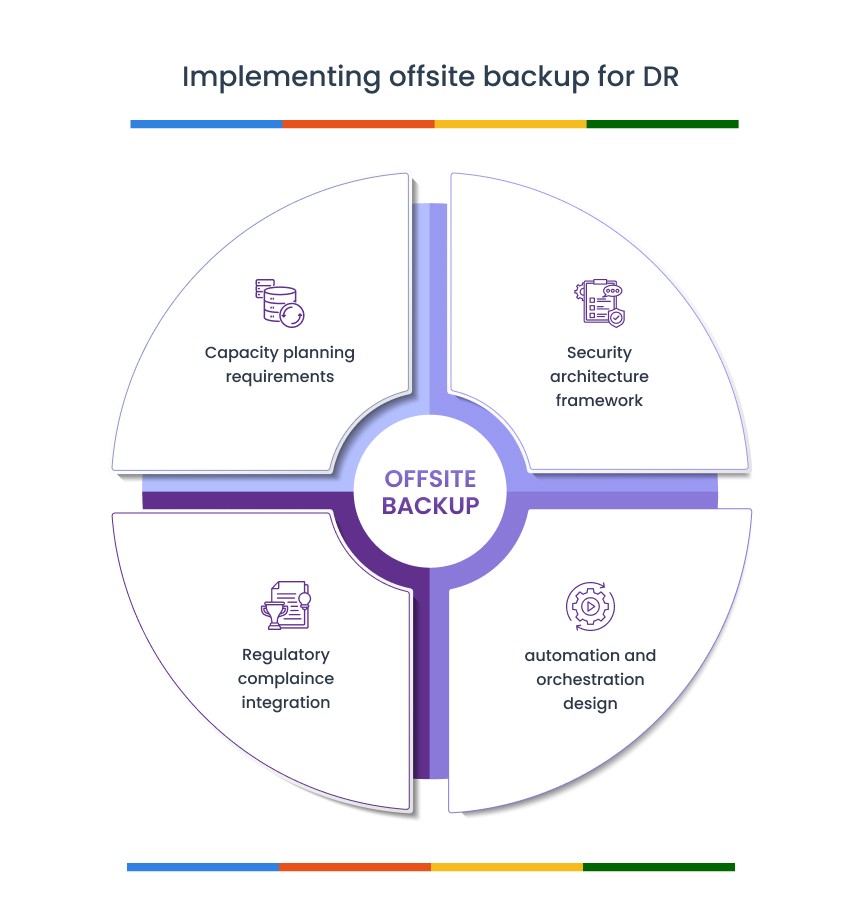
Successful implementation requires balancing technical requirements with business constraints. The following framework addresses capacity, security, compliance, and automation—the four pillars of effective offsite data backup storage.
Capacity Planning Requirements
Calculate offsite data backup storage and disaster recovery by multiplying current data volume by projected growth rate and retention period. A 10TB environment with 40% annual growth requires 60TB of offsite data backup storage for 30-day retention after deduplication (assuming 5:1 ratio). Bandwidth requirements follow the formula: Required Mbps = (Data Volume in GB × 8) ÷ (RTO in seconds × 0.7 efficiency factor). Meeting a 4-hour RTO for 5TB requires 3Gbps sustained throughput. Add 30% capacity buffer for unexpected growth and peak load handling.
Security Architecture Framework
Implement defense-in-depth security for off-site data backup storage. Configure immutable storage using object locking or equivalent features, preventing deletion for defined retention periods. Establish separate cloud accounts or storage domains for backup data with cross-account access policies that activate only during disaster recovery procedures. For off-site backup tape storage, enforce dual-custody controls requiring two authorized personnel for vault access. Apply AES-256 encryption at rest and TLS 1.3 for data in transit.
Regulatory Compliance Integration
Align offsite backup architecture with regulatory requirements. HIPAA mandates encrypted storage with comprehensive audit trails for protected health information access. SOX requires 7-year retention for financial records with proven data integrity throughout the retention period. GDPR introduces complexity with data deletion requirements—implement automated retention policies that remove data after compliance periods while maintaining immutability during active retention. Select offsite storage providers with relevant compliance certifications (SOC 2, HIPAA, PCI DSS) and integrated audit logging capabilities.
Automation and Orchestration Design
Deploy AI-powered workflows and policy-based automation to eliminate manual intervention in backup operations. Configure backup software for tiered protection: 15-minute intervals for critical systems, hourly for production servers, and daily for development environments. Implement storage lifecycle management with automated tiering—7 days in performance tier, 23 days in standard tier, then archive tier for long-term retention. For off-site backup tape storage, schedule automated media rotation with predetermined vault transfer schedules. Monitor all automated processes with alerting for failures or anomalies, especially for off-site backup tape storage rotation schedules where delays can impact compliance.
Implementation means nothing without validation—rigorous testing separates theoretical protection from proven recovery capability.
Testing Your Offsite DR
Regular testing transforms theoretical offsite data backup storage and disaster recovery into proven recovery capability. Focus testing efforts on these critical areas to validate your offsite data backup storage and disaster recovery procedures.
Comprehensive Recovery Testing
- Schedule quarterly full-recovery drills using only offsite data backup storage
- Create isolated test networks with no production routes to prevent conflicts
- Time each phase: backup identification, retrieval, restoration, and validation
- Test oldest backup media annually to verify readability before degradation
Tape Storage Validation
- Request specific tapes from offsite storage quarterly, not random samples
- Verify LTO drive compatibility (LTO-9 drives read LTO-7/8/9 media)
- Test restore procedures after encryption key rotations
- Document tape retrieval times from vault services for accurate RTO planning
Success Metrics and Documentation
- Compare actual recovery times against published RTOs for each application tier
- Validate data integrity through application-level checks, not just file restoration
- Maintain compliance audit trails showing successful recovery capabilities
- Create heat maps highlighting bottlenecks in the recovery process
Vendor Support Validation
- Test vendor response times during off-hours before signing contracts
- Verify support teams understand your specific architecture
- Include vendor escalation paths in all runbooks
Testing inevitably reveals common implementation mistakes—learning from others’ expensive lessons helps you avoid repeating them.

Common Offsite Backup Mistakes and How to Avoid Them
Learning from others’ failures costs less than experiencing them yourself. These five critical mistakes destroy more disaster recovery plans than any technical failure.
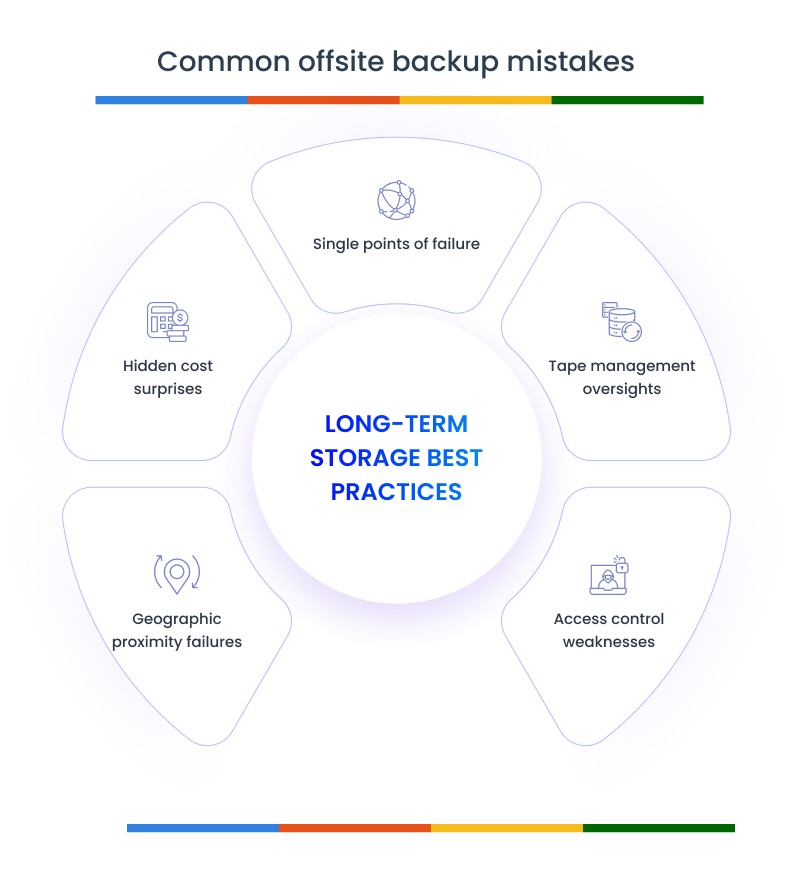
Geographic Proximity Failures
The most expensive lesson in offsite data backup storage and disaster recovery comes from assuming distance equals protection. Physical separation without infrastructure independence provides false security.
- Mistake: Storing backups in the same flood zone, power grid, or network segment
- Impact: Texas freeze knocked out “diverse” data centers on the same grid
- Solution: Map infrastructure dependencies beyond just distance; verify separate power sources, network providers, and geographic risk zones
Hidden Cost Surprises
Budget overruns during disaster recovery often stem from overlooked operational expenses rather than storage costs. Understanding total recovery economics prevents financial disasters following technical ones.
- Mistake: Impact: $20,000 surprise bill for recovering 200TB from a major cloud provider
- Solution: Calculate full recovery costs upfront; consider platforms with predictable or zero egress fees for frequently tested data; negotiate enterprise egress waivers
Single Points of Failure
Vendor diversity is insurance against systemic failures. Homogeneous environments create cascading vulnerabilities that compromise all protection layers simultaneously.
- Mistake: Using same vendor for backup software and storage infrastructure
- Impact: One software bug or ransomware variant compromises all copies
- Solution: Diversify vendors, storage technologies, and access methods; maintain vendor-agnostic recovery procedures
Tape Management Oversights
Physical media requires active management despite its passive storage nature. Magnetic degradation is predictable but often ignored until recovery fails.
- Mistake: No media refresh cycles for offsite backup tape storage
- Impact: Magnetic degradation makes 5-year-old tapes unreadable
- Solution: Implement 5-year tape migration schedules; test oldest media quarterly; maintain multiple generations of LTO drives
Access Control Weaknesses
Human factors remain the weakest link in disaster recovery chains. Consolidated access creates opportunities for both accidental and malicious data loss.
- Mistake: Single administrator controls all backup and recovery operations
- Impact: Insider threats or account compromise destroys all backups
- Solution: Implement role separation, dual-custody for tape access, and time-based access controls for disaster scenarios
Avoiding these pitfalls positions you to build a comprehensive offsite backup strategy that actually protects your business.
Your 90-Day Offsite Backup Transformation
Week 1-2: Audit what you’re protecting. List every system, its criticality, and current backup status. You’ll find surprises—critical databases with no backups, test systems with expensive protection. This audit reveals which systems truly need offsite data backup storage and disaster recovery versus basic local protection. Calculate real RTOs by asking “how long can this be down before we lose customers?” Document which systems need offsite data backup storage and disaster recovery versus simple local backups.
Week 3-4: Use cloud-based backups for systems that demand fast recovery, offsite backup tape storage for long-term compliance data, and ensure each layer is fully isolated from production. Evaluate your current storage costs and compare them to more efficient alternatives—many organizations find that with the right backup platform, reliable offsite protection doesn’t need to break the budget. Architect your network so that any compromise to production systems can’t reach your offsite storage infrastructure.
Week 5-8: Start with your most critical system.
Configure immutable cloud backups using a solution like Zmanda Pro, which supports air-gapped storage, multi-location replication, and automated disaster recovery workflows. Test your recovery process and document the results. Then expand—protect one system at a time, adjusting based on lessons learned. By week 8, your most critical workloads should be protected by a tested and resilient offsite backup strategy.
Week 9-12:Expand, automate, and validate.
Scale protection across all workloads, automate policy-based backup schedules, and run a full disaster recovery test. Simulate an outage, perform a complete offsite recovery, and document every step. Solutions like Zmanda Pro support hybrid environments and centralized control, making it easier to manage and test both cloud and tape-based offsite storage strategies with minimal overhead.
Three immediate wins: implement immutable backups for one critical system today, calculate your true bandwidth needs for recovery, and schedule a tabletop exercise for next week. Your offsite data backup storage and disaster recovery journey starts with these simple steps. Whether you’re ready or not, disasters don’t wait—but with proper offsite data backup storage and disaster recovery, they don’t have to mean business failure.
Start now. Your future self will thank you when disaster strikes and recovery actually works.
Bringing It All Together
Effective offsite data backup storage and disaster recovery requires three essentials: complete infrastructure separation, storage matched to your recovery objectives, and regular testing.
Geographic distance alone isn’t enough—you need different power grids, networks, and access controls. Choose cloud for speed, tape for air gaps, or hybrid for balance, but always maintain true independence from production systems.
Follow the 90-day plan: audit, implement, test. Solutions like Zmanda Pro simplify this journey with built-in immutability, multi-location replication, and automated DR workflows—helping you validate your offsite data backup storage and disaster recovery strategy before disaster strikes.

Frequently Asked Questions
Q1: What is the difference between backup and disaster recovery in practical terms?
A: Backup involves copying data for safekeeping, while disaster recovery focuses on restoring full systems and operations after a disruption. In the context of offsite data backup storage and disaster recovery, backups provide the raw data, and disaster recovery ensures your business can quickly bounce back using that data from secure, isolated environments.
Q2: How long should I retain offsite backups?
A: Retention policies depend on data type and compliance requirements. When planning offsite data backup storage and disaster recovery, many businesses retain daily backups for 30 days, monthly for a year, and annual copies indefinitely to meet both operational and regulatory needs.
Q3: Can I use the same storage system for both local and offsite backups?
A: No. To maintain true resilience in your offsite data backup storage and disaster recovery plan, backups must be stored on separate infrastructure. This ensures protection from local failures, cyberattacks, and accidental deletions.
Q4: How do I validate that my offsite backups are not silently failing?
A: A strong offsite data backup storage and disaster recovery strategy includes regular test restores, checksum validations, and monitoring alerts.