Air-gapped vs. cloud backup isn’t a theoretical debate—it’s an architectural decision with direct consequences for your organization’s security posture, compliance obligations, and recovery capabilities. With ransomware attacks costing enterprises an average of $4.45 million per incident according to IBM’s Cost of a Data Breach report, the backup model you choose can determine whether a breach becomes a minor disruption or a catastrophic event.
IT Directors increasingly face a critical choice: embrace the flexibility and accessibility of cloud backup, or accept the operational complexity of air-gapped deployments in exchange for absolute data isolation. This analysis breaks down both models across the dimensions that matter—security, cost, compliance, and recovery performance—so you can make an informed architectural decision.
Air-Gapped vs. Cloud Backup: Key Differences at a Glance
| Factor | Air-Gapped Backup | Cloud Backup |
|---|---|---|
| Network Exposure | None (physically isolated) | Continuous (internet-connected) |
| Ransomware Resilience | High (unreachable by network attacks) | Moderate (depends on immutability controls) |
| Recovery Speed | Slower (physical access required) | Faster (on-demand retrieval) |
| Compliance Fit | CMMC, FISMA, ITAR, NERC CIP | HIPAA, SOC 2, PCI DSS, GDPR |
| Upfront Cost | Higher (hardware investment) | Lower (OpEx model) |
| Operational Complexity | Higher (update management, testing) | Lower (vendor-managed infrastructure) |
| Data Sovereignty | Complete control | Vendor-dependent |
What Is Air-Gapped Backup?
An air-gapped backup system maintains physical and logical separation from any network—including your internal corporate network. Data is written to isolated storage (on-premises servers, tape, or dedicated hardware) with no active network interface connecting backup infrastructure to the outside world. When attackers compromise your network, they simply cannot reach what isn’t connected.
How Air-Gapped Backup Works
In practice, air-gapped deployments operate through scheduled data transfer windows where backup data is moved to isolated storage, then the connection is severed. Some organizations implement this through physical media rotation—writing backups to tapes or removable drives stored offline. Others use network-isolated servers that are only temporarily connected during backup jobs. The critical feature is that no persistent network path exists between the backup repository and any potentially compromised endpoint.
Typical Air-Gapped Use Cases
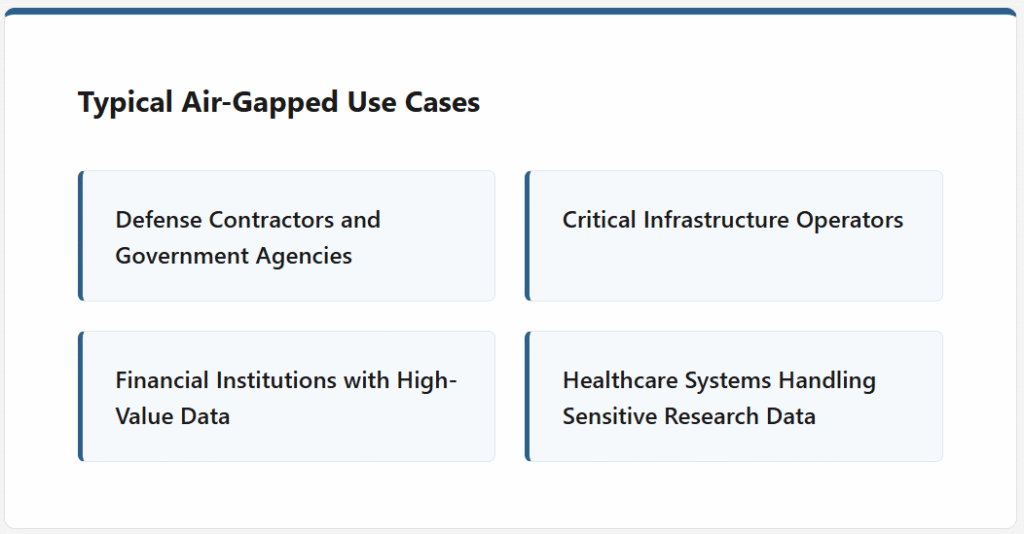
- Defense contractors and government agencies: Environments subject to CMMC 2.0, FISMA, or ITAR requirements frequently mandate air-gapped backup to prevent unauthorized data exfiltration or tampering.
- Critical infrastructure operators: Utilities, energy companies, and industrial control system environments running OT networks that cannot tolerate any external connectivity.
- Financial institutions with high-value data: Organizations where the cost of data compromise far exceeds the operational overhead of managing isolated infrastructure.
- Healthcare systems handling sensitive research data: Facilities managing clinical trial data, genomic research, or other highly sensitive datasets where breach consequences are severe.
What Is Cloud Backup?
Cloud backup transmits data to remote storage infrastructure managed by a third-party provider—AWS S3, Azure Blob Storage, Google Cloud Storage, or purpose-built backup platforms. Data is encrypted in transit and at rest, and modern cloud backup solutions like Zmanda Pro offer immutable storage options (object lock, WORM policies) that prevent modification or deletion for defined retention periods.
How Cloud Backup Works
Backup agents installed on protected endpoints transmit data to cloud storage over encrypted connections. The backup server coordinates schedules, deduplication, compression, and retention policies. Recovery is on-demand—IT teams can restore individual files, databases, or entire systems directly from the cloud without physical media handling. The provider manages hardware, availability, and geographic redundancy.
Typical Cloud Backup Use Cases
- Distributed enterprises with remote offices: Cloud backup eliminates the need to deploy backup hardware at every location, centralizing management while protecting geographically dispersed endpoints.
- SaaS companies and tech-first organizations: Organizations that already operate cloud-native infrastructure benefit from native integration with their existing cloud environments and APIs.
- SMBs with limited IT staff: The managed-infrastructure model reduces operational burden on small IT teams who cannot dedicate resources to maintaining physical backup hardware.
- Organizations prioritizing RTO above all else: When fast recovery is the primary concern and data isolation requirements don’t mandate air-gapping, cloud backup delivers significantly faster restoration workflows.
Air-Gapped vs. Cloud Backup: Head-to-Head Analysis
1. Security and Data Isolation
When evaluating air-gapped vs. cloud backup on security, air-gapped wins on absolute isolation.. A ransomware payload that encrypts your production environment cannot reach storage it has no network path to. Cloud backup, by contrast, maintains a persistent connection—even with immutable storage enabled, backup server credentials can be targeted. The 2023 Veeam Ransomware Trends Report found that in 93% of ransomware attacks, attackers explicitly targeted backup repositories, making the zero-network-exposure guarantee of air-gapping a substantive security advantage rather than theoretical paranoia.
Modern cloud backup platforms have significantly hardened their security postures with object lock policies, multi-factor authentication, and immutable retention windows. The question isn’t whether cloud backup can be secured—it can—but whether that level of security meets your organization’s specific threat model and regulatory requirements. For environments involving classified data or government compliance mandates, air-gapped backup is often the only acceptable architecture. Zmanda’s air gap backup solution is purpose-built for these isolation requirements.
2. Cost and Total Cost of Ownership
Cloud backup carries lower upfront costs—no servers, drives, or physical infrastructure to purchase. But the OpEx model accumulates over time, particularly as data volumes grow. Cloud egress fees, storage tiering charges, and retrieval costs for large-scale recovery operations make cloud backup more expensive than initial estimates suggest. Air-gapped backup requires significant upfront capital investment in hardware, but per-GB storage costs are lower at scale and there are no ongoing egress fees to model.
A realistic 3-year TCO analysis for a 50TB backup environment typically shows cloud backup costing 15–25% more than an equivalent software-only air-gapped deployment—before accounting for the labor premium required to manage physical infrastructure. Organizations also evaluating data sovereignty requirements alongside air-gapped backup should factor compliance cost avoidance into this equation, since non-compliance penalties routinely dwarf infrastructure costs.
3. Compliance Requirements
Compliance frameworks are increasingly specific about backup isolation. CMMC 2.0 Level 2 requires controlled access to CUI (Controlled Unclassified Information) with explicit requirements for backup protection. FISMA mandates data integrity and availability controls that align directly with air-gapped architectures. ITAR prohibits storing controlled technical data on systems accessible to non-US persons—a requirement that eliminates most multi-tenant cloud solutions from consideration.
Cloud backup can satisfy many compliance requirements, particularly HIPAA, SOC 2, PCI DSS, and GDPR—assuming the provider holds appropriate certifications and retention policies are configured correctly. However, for government, defense, and critical infrastructure verticals, air-gapped backup isn’t just preferred—it’s frequently mandated with no cloud alternative permitted.
4. Recovery Speed and Operational Flexibility
Cloud backup delivers superior recovery performance in most scenarios. Granular file restoration, bare-metal recovery, and database-level recovery can all be initiated remotely and completed without physical media handling. In a large-scale incident affecting multiple systems, cloud backup’s on-demand architecture lets IT teams recover in parallel across dozens of systems simultaneously, compressing recovery timelines significantly.
Air-gapped backup introduces friction into the recovery process by design—the same isolation that protects backups from ransomware also requires physical access to initiate recovery. For organizations with documented RTO requirements under two hours for critical systems, this constraint deserves serious evaluation. Air-gapped environments should compensate with rigorous recovery testing protocols, pre-staged recovery procedures, and clear runbooks that minimize time-to-recovery when incidents occur.
How to Choose the Right Backup Model for Your Organization
The decision between air-gapped vs. cloud backup ultimately comes down to three variables: regulatory requirements, threat model, and operational capacity. Most enterprise organizations don’t need to make a binary choice—a hybrid approach using cloud backup for operational recovery and air-gapped backup for compliance and worst-case resilience is increasingly common. Zmanda’s flexible backup deployment models support both self-hosted and air-gapped configurations within a single management platform.
- Choose air-gapped backup if: Your organization operates in defense, government, or critical infrastructure; you’re subject to CMMC, FISMA, ITAR, or NERC CIP requirements; or your threat model assumes a sophisticated adversary capable of compromising connected backup repositories.
- Choose cloud backup if: Your primary concern is operational recovery speed; your regulatory framework permits cloud storage with appropriate controls; or your IT team lacks the capacity to maintain physical backup infrastructure effectively.
- Consider a hybrid approach if: You need both fast operational recovery and compliance-grade isolation; your organization spans both regulated and unregulated workloads; or you want redundancy across fundamentally different attack surfaces.
Making the Right Architecture Decision
Air-gapped backup and cloud backup aren’t competing philosophies—they’re tools optimized for different threat environments and operational requirements. The organizations that get this decision wrong typically do so by underweighting their actual compliance obligations or overestimating their IT team’s capacity to manage isolated infrastructure without purpose-built tooling.
Audit your regulatory requirements first, then evaluate your threat model, and finally assess operational capacity. If compliance mandates air-gapping, no amount of cloud security hardening changes that calculus. If your organization operates without those constraints, cloud backup’s operational advantages are real and shouldn’t be dismissed in favor of theoretical security maximalism.
Zmanda Pro supports both deployment models—a software-only air-gapped solution that eliminates proprietary appliance lock-in, alongside cloud-integrated backup for organizations that need flexible, fast recovery. To evaluate which architecture fits your specific security requirements, request a consultation with our team for a tailored assessment.