Windows Server environments present specific backup challenges that generic backup tools are not designed to address. SQL Server databases require transaction-consistent backups. Exchange Server needs mailbox-level recovery. Active Directory demands authoritative restores. Finding the right Windows Server backup software means matching the platform’s capabilities to the specific workloads running in your environment, not just checking off a feature list.
This guide compares 10 leading Windows Server backup solutions across the criteria that matter most for production environments: application-aware recovery, ransomware protection, storage flexibility, licensing cost, and scalability.
Let’s dive in.
What to Look for in Windows Server Backup Software Solutions
Before diving into our top 10 list, let’s establish the critical features every Windows Server backup solution should offer:
- Application-Aware Backups: Support for SQL Server, Exchange, SharePoint, and Active Directory
- Flexible Recovery Options: Granular file recovery, bare metal restores, and instant VM recovery
- Security: AES-256 encryption, ransomware protection, and immutable backups
- Automation: Scheduled backups, policy-based retention, and automated verification
- Storage Flexibility: Support for on-premises, cloud, and hybrid storage options
- Scalability: Ability to grow with your infrastructure
- Compliance: Meeting industry-specific regulatory requirements
Compare the Top Windows Server Backup Solutions
The table below compares all 10 solutions across ransomware protection approach, verified starting price, and primary use case. Use this to narrow your shortlist before reading the detailed reviews.
| Solution | Ransomware Protection | Starting Price | Best For |
|---|---|---|---|
| Zmanda Pro | Immutable backups, encryption, air-gapped | $5.99/month per device | Small to large organizations needing hybrid flexibility |
| Acronis Cyber Protect | Anti-ransomware, antivirus, blockchain checks | $69/year per device | Enterprise teams needing integrated backup and endpoint security |
| Veeam | Immutability, anomaly detection | From $200/month (10-pack VUL) | Enterprises with complex physical and virtual infrastructure |
| N-able Cove | Automated recovery testing, TrueDelta tech | Varies (per device, MSP pricing) | MSPs managing multi-client environments |
| Rubrik | Immutable backups, Live Mount recovery | $3,000/year | Enterprises seeking SLA-driven cloud-native backup |
| AOMEI Backupper | Basic encryption, event-triggered backups | $169.99 (lifetime license) | Small businesses with minimal infrastructure |
| Cohesity | AI-driven anomaly detection, immutable snapshots | From ~$1,961 per TB (Core Ed.) | Enterprises needing instant mass recovery and unified data management |
| Vembu BDR Suite | Compression, encryption, automated verification | From $18/month per VM | SMBs needing fast VM and server recovery |
| Arcserve UDP | Immutable snapshots, global deduplication | 1 TB subscription license (1 year): $1,811.99 | Enterprises needing unified backup and DR across hybrid environments |
| Datto BCDR | Instant virtualization, ransomware detection | $6,800/year | SMBs and MSPs needing local + cloud disaster recovery |
Note: Prices are approximate and may vary based on number of servers, features, or licensing models (subscription vs perpetual).
1. Zmanda Pro
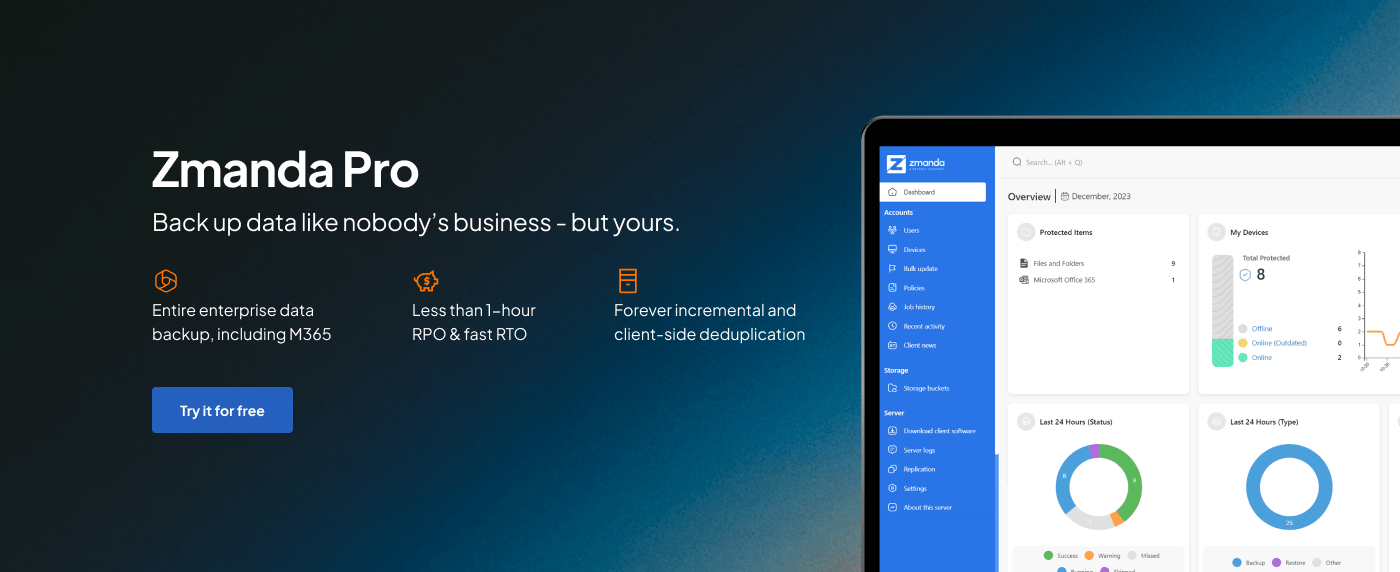
Zmanda Pro delivers comprehensive Windows Server backup with native support for critical Microsoft applications and services. The solution provides application-aware backups for SQL Server databases, Exchange Server, SharePoint, and Active Directory, ensuring consistent point-in-time recovery without data corruption.
Key Features:
- Full and incremental backups for Windows Server
- Ransomware protection with immutable backups
- Native support for cloud, on-prem, and hybrid deployments
- Fast recovery with compression and encryption options
- Implementation of the 3-2-1-1-0 backup strategy
2. Acronis Cyber Protect
Acronis Cyber Protect integrates backup and cybersecurity in a single platform, using unified agents for both data protection and security functions. The solution offers image-based backups with sector-level disk imaging and universal restore for bare metal recovery to dissimilar hardware with automatic driver injection.
Key Features:
- AI-based ransomware detection and anti-malware protection
- Blockchain-based backup verification
- Universal restore to dissimilar hardware
- Continuous Data Protection (CDP) for near-zero RPO
3. Veeam Backup & Replication
Veeam Backup & Replication is a data protection solution that supports backup and recovery for Windows Server, virtual machines, and cloud workloads. It offers image-based backups, replication, instant VM recovery, and support for applications like Microsoft Exchange and SQL Server. Veeam uses a universal licensing model and provides features like backup immutability and WAN acceleration. It’s commonly used in both virtualized and hybrid environments.
Key Features:
- Instant VM recovery
- Application item recovery
- Built-in WAN acceleration
- Extensive virtualization support
4. N-able Cove Data Protection
N-able Cove Data Protection delivers cloud-first backup designed for MSPs managing multiple client environments through a single multi-tenant dashboard. The solution provides automated recovery testing with screenshot verification, ensuring backups are recoverable without manual intervention. True Delta technology minimizes storage requirements by saving only unique data blocks across all protected devices.
Key Features:
- Multi-tenant dashboard for MSP management
- Automated recovery testing with screenshot verification
- LocalSpeedVault for LAN-speed restores
- 28-day continuous versioning
- Unlimited storage included with per-device pricing
5. Rubrik Cloud Data Management
Rubrik is a backup and recovery solution designed for enterprise environments, offering support for Windows Server, virtual machines, and cloud-native workloads. It uses a policy-based approach to automate backup scheduling and retention.
Key Features:
- Policy-driven automation with SLA-based management
- Instant recovery with Live Mount for immediate data access
- Global predictive search across all backups
- Immutable backups with ransomware protection
6. AOMEI Backupper Server
AOMEI Backupper Server offers backup functionality for Windows Server environments with both GUI and command-line interfaces. The solution supports system, disk, partition, and file/folder backups with flexible scheduling options including daily, weekly, monthly, or event-triggered backups based on user logon/logoff, system startup/shutdown.
Key Features:
- Event-triggered backups (logon/logoff, startup/shutdown)
- Universal restore to dissimilar hardware
- Command-line interface for automation
- Email notifications for backup status
- PXE network boot for bare metal recovery
7. Cohesity Data Cloud
Cohesity provides an AI-powered data security and management platform that consolidates backup, recovery, and data management into a single solution. The platform offers instant mass restore capabilities, allowing recovery of thousands of VMs or files simultaneously. Cohesity’s global deduplication and compression reduce storage requirements by up to 20x while maintaining sub-5-minute RPOs.
Key Features:
- AI-powered anomaly detection for ransomware threats
- Instant mass restore for rapid recovery at scale
- Global deduplication reducing storage by up to 20x
- Immutable backup snapshots with DataLock
- Unified platform for backup, archival, and analytics
8. Vembu BDR Suite
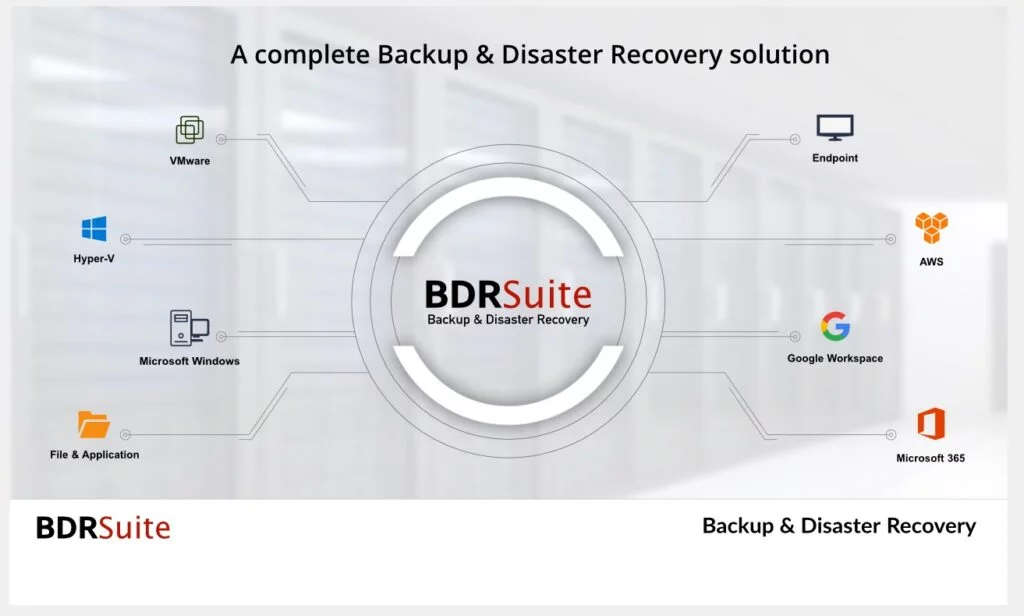
Vembu BDR Suite provides comprehensive backup across physical servers, virtual machines, applications, and endpoints through modular product offerings. The solution supports agentless VMware and Hyper-V backup, Windows/Linux physical server protection, and application-aware backups for SQL Server, Exchange, SharePoint, and MySQL. Quick VM Recovery enables instant boot from backups with automatic failback to production.
Key Features:
- Agentless VM backup for VMware and Hyper-V
- Quick VM Recovery with instant boot from backups
- Automated backup verification and integrity checks
- Cross-hypervisor migration capabilities
- Compression, encryption, and deduplication
9. Arcserve UDP

Arcserve UDP is a unified backup and disaster recovery solution for physical, virtual, and cloud environments. It supports image-based backups, deduplication, and fast recovery for Windows Server systems.
Key Features:
- Image-based backup with global deduplication
- Instant VM and bare-metal recovery
- Granular file and application restores
- Cloud backup support for AWS, Azure, and Arcserve Cloud
10. Datto BCDR
Datto BCDR combines purpose-built backup appliances with cloud-based disaster recovery services. The solution features instant virtualization, allowing protected systems to boot directly from the Datto appliance within minutes of failure. Screenshot backup verification automatically tests recoverability and provides visual confirmation. Inverse chain technology ensures the most recent backup is always a full backup for faster recovery.
Key Features:
- Instant virtualization from backup appliance
- Screenshot verification of backup integrity
- Ransomware detection using behavioral analysis
- Hybrid virtualization (local and cloud failover)
- Inverse chain technology for faster recovery
Making the Right Choice: Key Considerations
Selecting the right Windows Server backup software requires careful evaluation of multiple factors beyond just features and functionality.
1. Total Cost of Ownership (TCO)
The true cost of a Windows Server backup software solution extends far beyond the initial purchase price.
- Annual maintenance fees: Ongoing yearly costs for software updates, patches, and vendor support that typically range from 15-25% of the initial license cost
- Storage costs: Expenses for on-premises hardware, cloud storage subscriptions, or hybrid solutions including both primary and secondary backup locations
- Training requirements: Investment in staff education including vendor certifications, workshops, and time spent learning new systems
- Support fees: Costs for premium support tiers, after-hours assistance, and professional services for implementation or troubleshooting
- Hardware requirements: Infrastructure needs such as backup servers, network equipment, and storage arrays required to run the solution effectively
2. Recovery Time Objectives (RTO)
When disaster strikes, the time it takes your Windows Server backup software to get you back online, can make or break your business continuity plans.
Evaluate solutions based on:
- Instant recovery capabilities: Ability to mount and run VMs or applications directly from backup storage without waiting for full restoration
- Granular restore options: Flexibility to recover individual files, emails, database records, or application objects without restoring entire systems
- Recovery verification features: Automated testing that validates backup integrity and confirms data can be successfully restored before you need it
- Disaster recovery testing: Built-in tools for conducting failover drills and documenting recovery procedures without impacting production
3. Scalability and Growth
Your Windows Server backup software must evolve alongside your business without requiring complete replacement.
Consider:
- Licensing flexibility: Ability to add capacity through various models (per-socket, per-VM, per-TB) without replacing the entire solution
- Performance at scale: How well the solution maintains backup windows and recovery speeds as data volumes grow from terabytes to petabytes
- Multi-site support: Native capabilities for protecting branch offices, remote locations, and distributed infrastructure from a central console
- Cloud migration paths: Built-in features for moving workloads between on-premises and cloud environments as your infrastructure evolves
4. Security and Compliance
In a constantly evolving threat landscape, the security of Windows Server backup software is just as important as the data it protects.
Assess:
- Encryption standards: Implementation of AES-256 or stronger encryption for data at-rest and in-transit, with proper key management
- Immutability options: Write-once-read-many (WORM) storage or air-gapped backups that prevent modification or deletion by ransomware
- Compliance certifications: Vendor attestations for standards like SOC 2, ISO 27001, HIPAA, GDPR and industry-specific regulations
- Audit capabilities: Detailed logging of all backup operations, access attempts, and configuration changes with tamper-proof audit trails
Implementation Best Practices
Successfully deploying Windows Server backup software requires more than just installation; it demands strategic planning and execution.
- Start with a Pilot: Test with non-critical systems first to understand the solution’s behavior
- Document Everything: Create detailed recovery procedures that anyone can follow during emergencies
- Train Your Team: Ensure multiple staff members can manage the Windows Server backup software effectively
- Test Regularly: Schedule monthly recovery drills to verify backup integrity
- Monitor Continuously: Set up alerts for backup failures and storage capacity warnings
- Review and Adjust: Quarterly reviews of backup policies ensure they meet changing business needs
Common Pitfalls to Avoid
Even experienced IT professionals can fall into these traps when implementing Windows Server backup software strategies.
1. Focusing Only on Price: Cheapest Windows Server backup software isn’t always most cost-effective when factoring in management overhead, recovery speed, and potential downtime costs
2. Underestimating Storage Needs: Plan for 3x current data growth to accommodate retention policies, additional servers, and increasing data generation rates over the next 3-5 years
3. Ignoring Network Bandwidth: Consider backup window requirements by calculating how much data must move across networks within acceptable timeframes, especially for remote sites
4. Skipping Testing: Untested backups often fail when needed because corruption, configuration drift, or process changes go undetected until disaster strikes
5. Overlooking Security: Backups are prime ransomware targets as attackers know destroying backups prevents recovery, making immutable and air-gapped copies essential
Choosing the Right Windows Server Backup Solution for Your Organization
Selecting the right Windows Server backup software depends on your infrastructure size, recovery goals, and long-term IT strategy. From versatile platforms like Zmanda Pro that serve both small businesses and large enterprises, to enterprise-focused solutions like Veeam, Rubrik, and Veritas, each tool brings distinct capabilities to the table.
Whether your priorities include fast recovery, hybrid cloud integration, ransomware protection, or ease of management, this guide is designed to help you match the right solution to your operational needs.
Consider the following when making your decision:
- For large enterprises: Look for scalable platforms with centralized control and automation
- For small to mid-sized teams: Choose tools that combine strong protection with low management overhead
- For hybrid or multi-cloud environments: Focus on solutions with flexible deployment options
- For security-first organizations: Prioritize immutable backups, encryption, and air-gapped storage
- For storage optimization: Evaluate features like deduplication, delta compression, and incremental backup support
Remember, selecting backup software is just the first step. Ongoing testing, version control, and a clear recovery plan are essential to ensure your Windows Server data stays secure and quickly recoverable when it matters most.
FAQs