The right backup solution can transform your biggest IT headache into your most reliable business advantage.
Here’s what we’ve learned from working with hundreds of small businesses: the companies that nail their backup strategy don’t just sleep better at night—they actually gain competitive advantages. They recover from incidents faster, handle growth more smoothly, and free up their IT resources for strategic projects instead of constantly firefighting data issues.
If you’re an IT manager supporting 50-500 employees, you know the challenge intimately. Your CEO wants bulletproof data protection, your CFO wants minimal costs, and you need something that actually works without requiring a dedicated backup specialist on staff.
The solution isn’t choosing between cheap and expensive—it’s finding the sweet spot where comprehensive protection meets operational simplicity. Companies that get this balance right achieve 94% successful recovery rates and report significantly less time spent on backup and recovery issues.
This guide breaks down exactly how to evaluate backup solutions using a practical 10-step framework. No vendor sales pitches, no overwhelming technical specs—just the strategic thinking you need to protect your business without breaking your budget.
10-Step Framework: Choosing the Best Data Backup Solutions for Small Businesses
Navigate the complex world of data protection with confidence using our comprehensive approach. This 10-Step Framework simplifies the process of selecting the perfect backup solution that balances security, accessibility, and cost-effectiveness for your small business.
Step 1: Understand Your Business’s Data Needs
Before evaluating any backup solutions for small businesses, you need to know exactly what you’re protecting and why it matters. Start by conducting a thorough data inventory across your organization, identifying critical data like customer databases, accounting files, and operational documents. Assess how frequently this business-critical data changes and evaluate its operational importance by considering how long your business could function without access to it. Don’t forget to determine any industry-specific regulatory compliance requirements that might dictate minimum backup standards for your data backup solutions.
Example: A retail business might need to back up sales and customer data every hour so they can recover it instantly if something goes wrong. But things like marketing materials may only need to be backed up once a week, since they aren’t as critical and can wait longer to be restored. Consider implementing regular backups for all sensitive information to ensure regulatory requirements are met.
Step 2: Set a Realistic Budget
Data backup solutions for small businesses vary dramatically in cost based on multiple factors. Consider both initial investments(hardware, backup software licenses, implementation) and ongoing expenses (subscriptions, storage, maintenance). Watch out for hidden costs like recovery services fees, additional storage charges, or user license expansions that might surprise you later.
Remember that the cheapest backup solution for small business isn’t always the most economical when factoring in potential business losses from data unavailability. Most small businesses allocate 2-5% of their IT budget to backup and recovery, according to industry research, with the exact amount depending on critical data requirements and recovery speed requirements.
Ready to see how Zmanda Pro fits your budget? Visit our Pricing page to view current rates and get in touch with our team for personalized pricing based on your specific needs.
Tip: When comparing cloud backup solutions for small business, pay careful attention to how pricing scales with data growth. Some providers offer attractive rates for small data volumes but become prohibitively expensive as your business grows.
Comparing Popular Data Backup Solutions for Small Business
To help you understand the pricing landscape and make an informed budget decision, here’s how leading backup solutions compare:
| Solution | Price Range | Best For | Key Features | Limitations |
|---|---|---|---|---|
| Zmanda Pro | $5.99/device/month | SMBs to large enterprises | • Enterprise-grade security • Flexible deployment • Automated scheduling • 24/7 support • Automatic backups | • Initial setup can be complex |
| Acronis Cyber Backup | $10–20/device/month | SMBs to mid-sized businesses | • Anti-ransomware AI • Universal restore • Mobile backup | • Resource intensive • Complex pricing tiers |
| Veeam Essentials | $5–12/device/month | Mid-sized businesses | • Fast recovery • VMware/Hyper-V support • Replication features | • Steep learning curve • Limited native cloud options |
| Carbonite Safe | $2–8/device/month | Micro to small businesses | • Simple setup • Unlimited storage • Automatic backups | • Slower recovery • Basic feature set |
| Backblaze Business | $60/device/year | Small teams | • Affordable • Unlimited data • File version history | • Cloud-only • Limited business-grade capabilities |
Note: Prices are approximate and may vary based on data volume, contract length, and additional features. Always verify current pricing with vendors. For Zmanda Pro, view detailed pricing or request a quote here.
When evaluating the true cost of a backup solution, consider implementation effort, training needs, and recovery performance, not just the subscription price.
Step 3: Choose Between Cloud, On-Premises, or Hybrid Storage
When selecting backup solutions for a small business, understanding the different storage approaches is essential. Each option offers distinct advantages for protecting servers, workstations, and virtual machines.

Comparison of Cloud, On-Premises, and Hybrid Backup Storage Options
| Criteria | On-Premises Backup | Cloud Backup | Hybrid Backup |
|---|---|---|---|
| Initial Cost | Higher (hardware purchase) | Lower (subscription only) | Highest (combines both) |
| Ongoing Cost | Lower (occasional hardware replacement) | Higher (monthly/annual fees) | Highest (both hardware and subscription) |
| Recovery Speed | Fast for all data sizes | Depends on internet bandwidth | Fast for common scenarios |
| Protection from On-Site Disasters | Poor (vulnerable to fire/flood/theft) | Excellent (data stored off-site) | Excellent (includes off-site component) |
| Best For | Fast local recovery, limited internet | Protection against disasters, multiple locations | Businesses needing both speed and security |
For most businesses without dedicated IT staff, cloud backup solutions for small businesses often provide the best balance of simplicity, protection, and cost. However, businesses with large data volumes or specific compliance requirements may benefit from on-premises or hybrid backup solutions for small business.
The best solutions offer automated discovery of new devices and applications, ensuring nothing falls through the cracks as your infrastructure grows. This automation extends to incremental backups that capture only changed data, reducing both storage requirements and backup windows.
Step 4: Evaluate Ease of Use and Setup
For small businesses without dedicated IT departments, solution simplicity is crucial for success. Look for backup solutions for small businesses with intuitive interfaces that provide clear status information that non-technical staff can understand. Seek options with guided setup wizards, pre-configured settings for common business applications, and straightforward recovery processes that don’t require advanced technical knowledge. Centralized management is particularly valuable for businesses with multiple devices or locations, managing servers and workstations.


Step 5: Prioritize Security and Compliance
With ransomware attacks targeting businesses of all sizes, security must be a top consideration in data backup solutions for small businesses. Essential features include:
- End-to-end encryption for data both in transit and at rest
- Multi-factor authentication for administrative access
- Immutable backups that cannot be altered or deleted for a specified period
- Granular access controls for user permissions
- Compliance certifications relevant to your industry (HIPAA, PCI DSS, GDPR)
- Ransomware detection to identify suspicious activity before all data is compromised
Never sacrifice security for convenience or cost savings when choosing backup solutions for small business, as the average ransomware payment now exceeds $200,000. The true cost extends far beyond the ransom itself, with businesses suffering extended downtime, reputational damage, and potential legal consequences from data breaches.
Small businesses are particularly vulnerable as they’re often perceived as easier targets with fewer security resources, yet valuable data connections to larger partners and customers.
A robust security framework for your backup solution forms a crucial last line of defense, ensuring that even if primary systems are compromised, your business can recover without paying ransom or permanently losing critical information. When evaluating security features, look beyond marketing claims and request detailed documentation about encryption standards, security testing procedures, and the provider’s own data breach history.
Step 6: Look for Automation and Scheduling Features
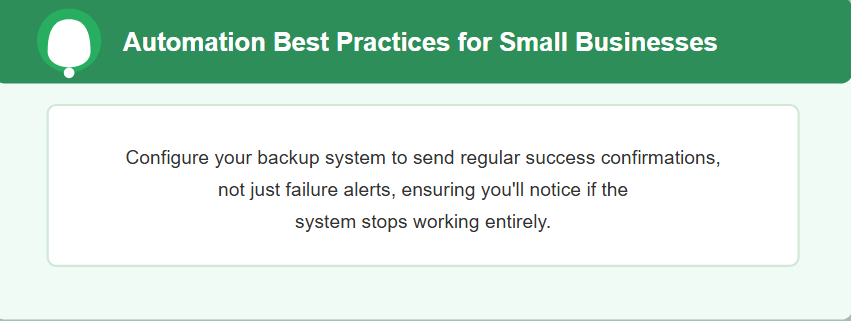
Manual backup processes inevitably fail due to human error or competing priorities. Seek data backup solutions for small businesses offering flexible scheduling, bandwidth throttling during business hours, unattended operation with exception handling, and automated integrity testing. Your backup solution for small businesses should proactively alert administrators to potential issues rather than requiring manual status checks. For businesses with custom applications, look for script integration capabilities that can automate application-specific preparations before backups. Continuous backup capabilities ensure that your most critical data is protected in real-time, minimizing potential data loss.
Step 7: Evaluate Recovery Speed and Options
The true measure of any backup solution for small business is how quickly it can restore your operations after a failure. Evaluate whether the solution can meet your recovery time objectives for different systems and data types. Look for:
- Granular restoration capabilities for individual files
- Point-in-time recovery options for multiple recovery points
- Direct recovery features that allow systems to run from backup storage
- Cross-platform restoration to different hardware if needed
- Bare-metal recovery to new hardware without reinstalling operating systems
- Ability to restore data to dissimilar hardware or virtual machines
Regularly test different recovery scenarios to verify both technical capabilities and staff familiarity with restoration procedures when implementing backup solutions for small businesses. Data recovery speed is critical for maintaining business continuity during unexpected disruptions.
Step 8: Check for Vendor Support and Reputation
When data disaster strikes, responsive support becomes invaluable. Evaluate whether the vendor offers 24/7 support through multiple channels, with clear service level agreements specifying maximum response times. Support staff should possess deep product knowledge and experience with recovery scenarios similar to your potential needs. Consider what implementation assistance and training resources are available to help your team maximize the capabilities of your backup solution for small business.
Research vendor reputation through independent reviews, industry forums, case studies, and if possible, references from current customers with businesses similar to yours. Look for vendors with proven track records in helping businesses recover lost data and restore operations quickly.
Step 9: Try Before You Buy
No amount of research substitutes for hands-on experience with backup solutions for small business in your environment. The trial period is your opportunity to verify that a solution truly meets your specific needs before making a financial commitment.
During trial periods:
- Test with representative samples of your actual business data – Don’t just back up a few test files. Include various file types that mirror your real operations: databases, media files, proprietary application data, and critical business documents. This reveals how the solution handles your unique data mix and volume.
- Deliberately create recovery scenarios to evaluate the restoration process – The true test of any backup solution isn’t how well it backs up, but how easily it restores. Simulate accidental deletions, hardware failures, and even ransomware attacks to time recovery processes and identify any complications. This helps you understand your data recovery capabilities before a real emergency.
- Involve multiple team members to gather diverse perspectives on usability – The most powerful backup solution becomes worthless if it’s too complex for your team to use properly. Have both technical and non-technical staff test the interface and recovery procedures to ensure it’s manageable for your organization.
- Stress-test the system during peak business operations – Schedule backups during your busiest periods to identify any performance impacts on critical systems. A solution that significantly slows customer-facing applications might require rethinking, regardless of its other capabilities.
- Evaluate reporting tools and monitoring capabilities – Backup solutions should provide clear visibility into success rates, storage usage, and potential issues. Test whether notifications arrive promptly and contain actionable information your team can understand.
- Use trial data to project actual costs based on your specific needs – Many solutions offer attractive initial pricing that increases substantially as data grows. Calculate 12-24 month costs based on your typical growth rate, including any additional charges for recovery events, bandwidth usage, or support.
Create a structured evaluation checklist before beginning any trial to ensure you systematically test all critical functionality of potential data backup solutions for small business. Document your findings thoroughly to support objective comparison between options and provide reference material for your final decision.
As you expand, you may need to protect additional servers, branch offices, or remote data center locations. Your chosen solution should scale effortlessly to accommodate these changes while maintaining consistent protection levels and management simplicity. Consider how the solution will handle future needs like protecting cloud services and SaaS applications as your business adopts more cloud-based tools.
Step 10: Plan for Future Growth
The right backup solution for a small business should accommodate your expansion without requiring disruptive changes. Consider how the solution handles increasing data volumes, the process for adding new systems or users, and what additional capabilities might become available as your business matures. Evaluate integration capabilities with business systems you might adopt later, and review the vendor’s history of keeping pace with technology changes and emerging threats. A scalable backup strategy ensures your data protection grows seamlessly with your business.

Making Your Final Decision
Selecting the right backup solution for small business is a critical decision with long-term implications for your data security and business continuity. By methodically evaluating options against the ten steps outlined in this guide, you can confidently choose a data backup solution for small business that protects your valuable information without overwhelming your budget or technical resources.
Remember that the true value of any backup solution for small business is measured not by its features or price, but by its ability to get your business running again quickly when disaster strikes. A well-implemented backup strategy provides the foundation for cyber resilience, ensuring compliance with industry regulations and maintaining customer trust. Invest the time now to make the right choice, and you’ll gain both protection for your data and peace of mind for yourself.
Exploring enterprise-grade data protection? Our Top 10 Enterprise Data Protection Solutions in 2025 blog provides a comparison of leading platforms suited for enterprise needs.
Ready to Protect Your Small Business Data?
If you’re considering a reliable backup solution for small business, explore Zmanda Pro’s comprehensive backup and recovery capabilities—with flexible deployment options, automated scheduling, and secure recovery features designed specifically for small businesses.
If you’re still unsure of which solution to choose for your organization, get a 30-minute free consultation with our data protection experts. They’ll help make your decision easier by analyzing your specific backup needs and recommending the perfect solution for your business.

FAQs


