Ubuntu 22.04 – Custom Compression backups fail to be restored
Backups created using Custom compression fail to be restored on Ubuntu 22.04 sources. Work Around: Avoid using custom compression on...
Purpose:
The Restore What page provides you with the flexibility to choose what you want to restore. This article provides a detailed explanation of the process involved in choosing different disk list entries (DLEs) for a specific hostname on the Restore What page.
Solution:
Follow the steps below to select different disk list entries (DLEs) on the Restore What page.
1. Select Hostname:
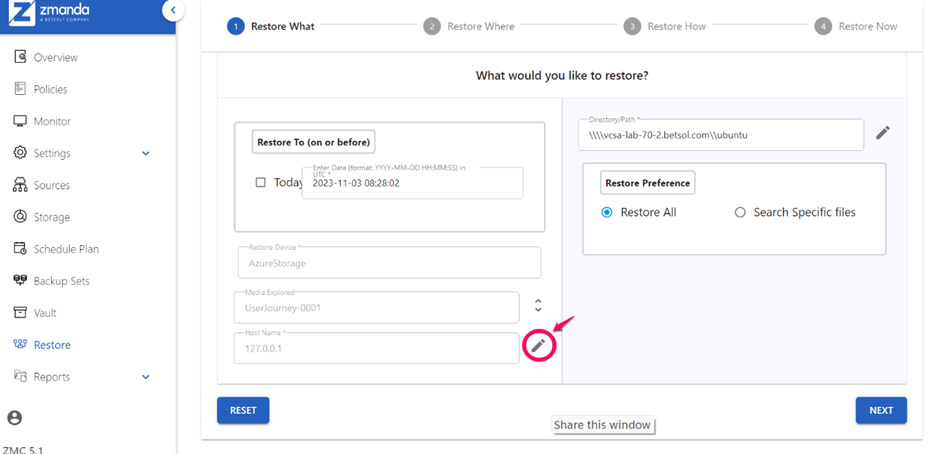
A list of host names associated with the sources linked to the backup set will appear.
Choose the appropriate host from this list to specify it for the restoration process.

2. Select Directory/Path:
Based on the selected hostname, a list of Directory/Path will be presented.
Select the specific directory you wish to restore.

Alternatively, you can click the edit button (pencil icon) next to Directory/Path to choose the directory.

By following these steps, you can efficiently navigate and select different DLEs for your restoration process on the Restore What page.

Contact us for a free 30-minute consultation and learn how our fully managed solution can protect your business and streamline your operations. Get started with Zmanda Pro today!
Book a meeting