FAILED [data timeout]
This article is for Amanda Enterprise (AE) Issue Symptoms: FAILURE SUMMARY section of the backup report either sent as an...
Monitor page shows backup status as “In Progress” even though the backup is either completed or failed.
This article is for Zmanda Enterprise version 4.x and 5.x
This issue can be verified in three steps:
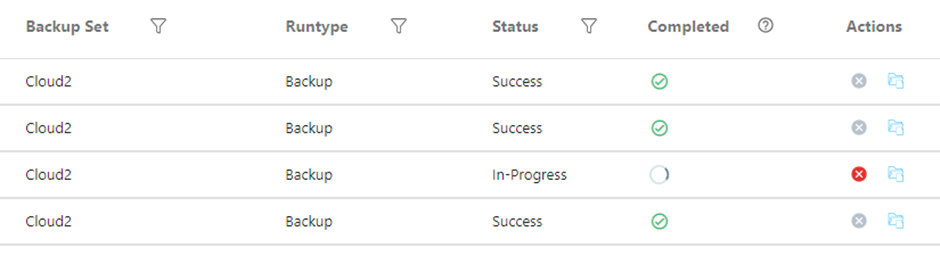
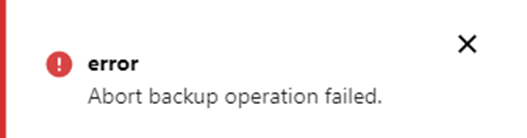
# ps -ef | grep "/usr/sbin/amdump --exact-match Cloud2"
The first step is to run the “amcleanup” command as the “amandabackup” user. This will remove any backup jobs which are in a hung state.
Note: Running this command will halt any ongoing backups for the target backupset. Ensure there are no active recent backups for the backupset you’re fixing before executing.
amcleanup -k Cloud2
Run this command a couple of times till you get this message
amcleanup: no unprocessed logfile to clean up
If the backup is still running, we need to update the database tables to reflect the correct status.
The backup status can be updated by modifying the monitor tables in the ZMC database:
# /opt/zmanda/amanda/bin/mysql ZMC
SELECT backupset_name,backuprun_id,runtype,datetime,status,completed FROM monitor_backuprunsummary INNER JOIN backupsets_backupset ON backupsets_backupset.backupset_id = monitor_backuprunsummary.backupset_id WHERE status='In-Progress';
A similar output will be displayed

UPDATE monitor_backuprunsummary SET status='Failed', completed=1 WHERE backuprun_id=28;
UPDATE monitor_backuprundlestate SET status='Completed' WHERE backuprun_id=28;

Contact us for a free 30-minute consultation and learn how our fully managed solution can protect your business and streamline your operations. Get started with Zmanda Pro today!
Book a meeting