Proxmox Backup Server is built for one environment: Proxmox VE. If your infrastructure runs exclusively on Proxmox, it’s a capable, cost-free starting point. But most IT teams don’t operate a single-hypervisor world. They have physical Windows servers, Linux boxes, SQL databases, a Microsoft 365 tenant, maybe VMware running alongside Proxmox. PBS covers none of that, and the moment your environment becomes mixed, it stops being a complete backup strategy.
The Proxmox Backup Server roadmap is community-driven and open-source. That’s a strength for Proxmox-native development, but it means enterprise capabilities, unified multi-workload management, compliance certifications, RBAC, and database-aware recovery aren’t on a guaranteed release timeline. Teams that need those capabilities today are looking elsewhere.
This post covers the top Proxmox backup server alternatives that IT teams are actively evaluating; what each solution covers, where each falls short, and which environments each is actually suited for. By the end, you’ll have a clear picture of your best Proxmox backup software options and a framework for choosing the right one.
See how Zmanda Pro handles Proxmox backup across mixed infrastructure
What Proxmox Backup Server Does and Where it Stops
PBS is an efficient, purpose-built backup solution for Proxmox VE VMs and LXC containers. It provides incremental snapshot backups with built-in deduplication, compression, integrity verification, and a clean web interface. For a pure Proxmox shop, it gets the job done at zero licensing cost.
The limitations surface quickly outside that scope. PBS has no agent-based backup for physical Windows or Linux servers. It has no application-aware or database-aware capabilities if you’re running SQL Server, MySQL, PostgreSQL, or Oracle; PBS doesn’t know those databases exist. Cloud storage integration requires manual S3 configuration rather than native cloud connectors. And PBS carries no compliance certifications of its own relevant to any team subject to HIPAA, SOC 2, or PCI DSS requirements.
| Requirement | PBS supports | Notes |
|---|---|---|
| Proxmox VE VM backup | Yes | Core use case — incremental, snapshot-based |
| LXC container backup | Yes | Supported natively |
| Physical server backup (agent) | No | Outside PBS scope entirely |
| Windows / Linux file-level backup | No | Requires a separate solution |
| Database-aware backup (SQL, MySQL, etc.) | No | No application-aware agents |
| Microsoft 365 backup | No | Not supported |
| Cloud storage (S3, Azure, GCS) | Partial | Manual S3 sync; not native cloud integration |
| Compliance certifications (SOC 2, ISO 27001, HIPAA) | No | Open-source; no vendor certifications |
| RBAC / multi-admin access control | Limited | Basic realm/user model |
| Unified multi-workload management | No | Proxmox VE only |
What IT Teams Need When they Outgrow PBS
Before evaluating proxmox backup solutions, it helps to pin down exactly which gap you’re filling. These are the most common triggers for teams that start looking beyond PBS:
- Mixed-hypervisor environments. Most production environments run some combination of Proxmox VE, VMware vSphere, and Hyper-V. Managing separate backup tools per hypervisor is operational overhead that doesn’t scale, and creates recovery blind spots at the boundaries between platforms.
- Physical server protection. Databases, domain controllers, and application servers running on bare metal need agent-based backup that PBS was never designed to provide. A single unprotected physical host is a material gap in your recovery posture.
- Compliance documentation. HIPAA, SOC 2, and PCI DSS requirements demand a backup vendor that can produce certified compliance documentation. PBS, as open-source software, provides no vendor certifications. That gap matters to auditors and to regulated industry IT teams.
- Ransomware-resistant storage. Immutable backups, object lock support, and zero-trust encryption are enterprise requirements that free tools don’t address by default. If a ransomware actor gains admin credentials, PBS snapshots can be deleted.
- Cloud-native recovery destinations. Teams building toward hybrid infrastructure need backup software with native connectors to AWS S3, Azure Blob, or Google Cloud, not just a manually configured sync job pointing at an S3 endpoint.
The Top Proxmox Backup Server Alternatives
1. Zmanda Pro
Zmanda Pro is an enterprise-grade backup and data resiliency platform built for mid-market IT teams managing mixed infrastructure. It covers Proxmox VE natively, agentless, snapshot-based VM backup with cross-hypervisor restore (Proxmox, Hyper-V, or VMware), alongside 30+ additional workload types from a single management console.
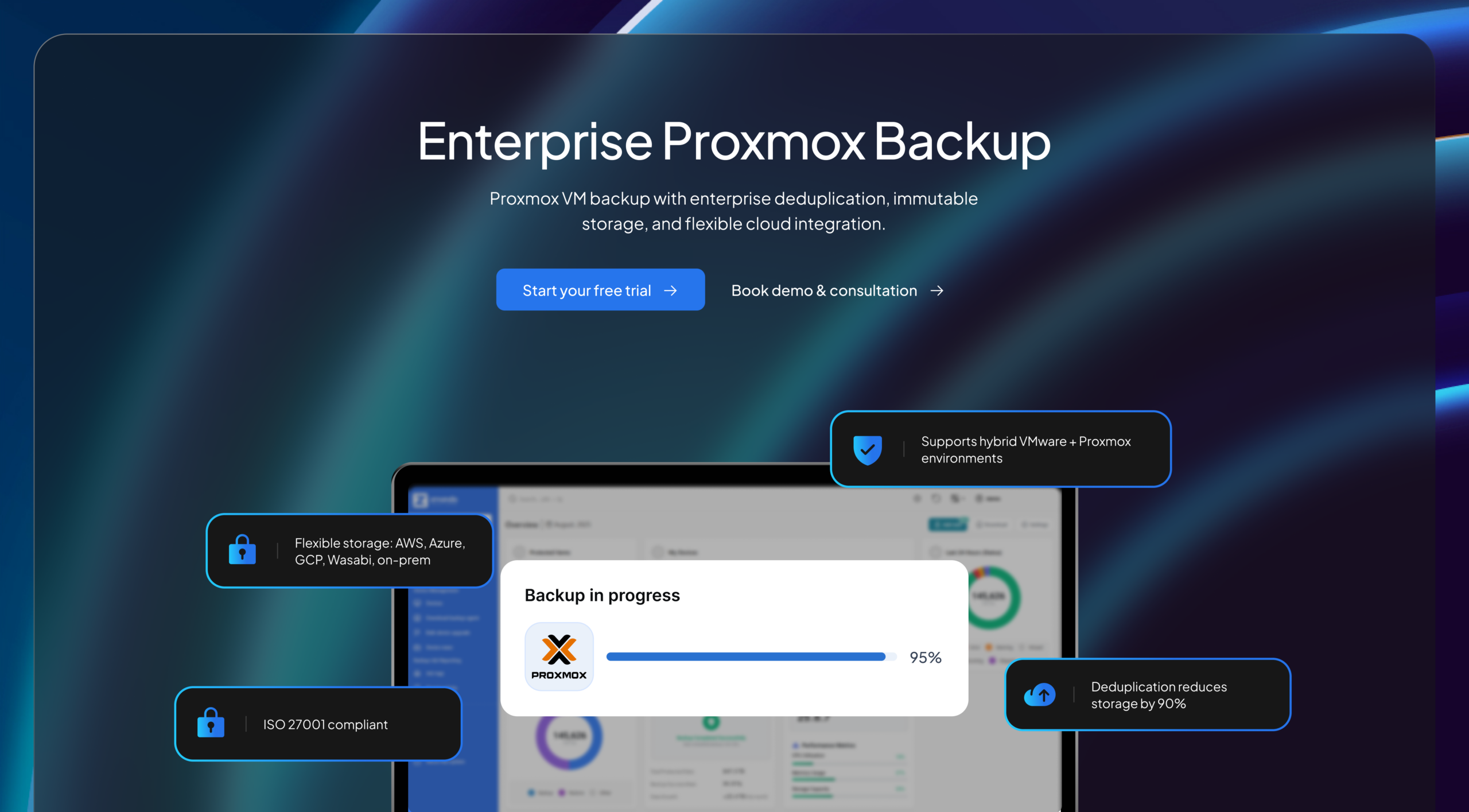
That breadth of coverage is the core differentiator for teams coming from PBS. You protect Proxmox VMs, SQL Server databases, Linux physical servers, a Microsoft 365 tenant, and Windows endpoints, all from one console, under one license, without stitching together multiple tools.
The architecture is designed around storage efficiency and security. Zmanda Pro uses forever-incremental backups with client-side deduplication (content-defined chunking before data leaves the source), reducing storage consumption by up to 90%. Encryption is AES-256-CTR with Poly1305 AEAD, applied client-side before transmission, Zmanda’s servers never see your data, a zero-knowledge model directly relevant for compliance requirements. Immutable backup support covers both object lock on AWS S3 and Wasabi as well as ZFS-level local immutability, so even a compromised admin account can’t delete your recovery points.
On pricing, Zmanda Pro uses a per-workload model, no per-GB charges, and no surprise renewal spikes. A large US franchisee operator running 2,600+ sites across 44 states achieved up to 90% storage reduction and 53% cost savings against their previous enterprise backup solution.
Read full case study.
Key specs:
- Proxmox VE: agentless snapshot backup, cross-hypervisor restore (Proxmox / Hyper-V / VMware)
- Workloads: VMware vSphere, Hyper-V, Proxmox VE, physical Windows/Linux, MySQL, MariaDB, PostgreSQL, SQL Server, MongoDB, Oracle RMAN, Microsoft 365
- Storage: any S3-compatible cloud + AWS S3, Azure Blob, GCS, Wasabi, Backblaze, local NAS/SFTP
- Encryption: AES-256-CTR client-side, zero-knowledge architecture
- Immutable backups: object lock (AWS S3, Wasabi), ZFS local immutability
- Compliance: SOC 2 Type II, ISO 27001, HIPAA, PCI DSS
- Deployment: SaaS (Azure-hosted), self-hosted online, air-gapped
- Setup: 15 minutes; no specialist certification required
- Support: 24/7 US-based, included, not a paid add-on
- Pricing: per-workload; 50%+ lower TCO vs. Veeam across 5-year horizon
Best for: IT teams managing Proxmox alongside other hypervisors and workloads. Organizations subject to compliance requirements. Teams that want enterprise backup capabilities without enterprise pricing complexity or certification requirements.
2. Veeam Backup & Replication
Veeam is the market leader in VM backup and has documented Proxmox VE support as part of its broader hypervisor coverage. Its feature depth is extensive: granular recovery, advanced replication, and a large ecosystem of integrations. For large enterprises with dedicated Veeam-trained staff and deep VMware environments, it’s a known quantity.

The practical challenges are cost and operational overhead. Veeam deployments typically run 4–8 hours and require multiple infrastructure components. Its VUL (Veeam Universal License) transition has generated 2.85x–3x renewal cost increases for some customers. 24/7 support adds approximately 27% to annual licensing cost; it’s not included by default. For teams coming from the PBS world, mandatory VMCE certification (a 3-day course at $3,000+) is a significant onboarding cost with no equivalent in the PBS workflow.
Best for: Large enterprises with existing Veeam infrastructure, VMCE-certified admins, and complex VMware environments where ecosystem depth justifies licensing cost.
3. Acronis Cyber Protect
Acronis covers physical and virtual workloads, including Proxmox environments, with combined backup and endpoint security in a single agent. It supports a wide range of workload types and has strong mid-market name recognition. For teams that want to consolidate backup and endpoint protection under one vendor, it’s a viable consideration.
The most commonly reported issues are reliability (overnight job instability documented in customer reviews) and support quality (1.6-star support reviews across multiple platforms). Acronis uses a dual pricing model, per-GB and per-workload options, that cannot be mixed per client and includes monthly minimums that add unpredictable cost at smaller deployment sizes.
Best for: Teams already invested in Acronis for endpoint security who want to consolidate backup and security under one product line.
4. NAKIVO Backup & Replication
NAKIVO is a mid-market backup solution with documented Proxmox VE support alongside VMware and Hyper-V coverage. It offers a web-based UI, is positioned below Veeam on price, and is a common consideration for teams looking for multi-hypervisor VM backup without Veeam’s licensing complexity.
Best for: SMBs running primarily virtualized workloads across 2–3 hypervisors who don’t need broad physical server or database backup coverage.
5. BDRSuite
BDRSuite is a backup platform targeting SMBs with coverage for virtual, physical, cloud, and SaaS workloads, including documented Proxmox VE backup. It’s positioned as a cost-accessible option for smaller IT environments that want multi-hypervisor coverage without enterprise pricing.
Best for: Small IT teams with constrained budgets evaluating multi-hypervisor coverage. Less suitable for environments with compliance requirements or complex database protection needs.
6. Restic
For infrastructure teams comfortable with CLI-driven administration and running Linux-centric environments, Restic is a capable open-source backup tool. It handles file and directory backups with deduplication, AES-256 encryption, and support for multiple storage backends, including local paths, SFTP, and S3. It’s not VM-native, Proxmox VMs would need to be handled via disk image exports or scripted snapshots externally.
The tradeoff is straightforward: no GUI, no compliance documentation, no SLA, no support contract. Restic is a powerful tool for teams that want to manage backup as infrastructure-as-code. It’s not a substitute for an enterprise backup platform in environments with compliance requirements or meaningful RTO/RPO commitments.
Best for: DevOps and infrastructure teams running automated Linux environments who need scriptable, cost-free backup integrated into existing IaC workflows.
Proxmox Backup Server Alternatives at a Glance
| Feature | PBS | Zmanda Pro | Veeam | Acronis | NAKIVO | BDRSuite |
|---|---|---|---|---|---|---|
| Proxmox VE VM backup | Yes | Yes | Yes | Yes | Yes | Yes |
| VMware / Hyper-V | No | Yes | Yes | Yes | Yes | Yes |
| Physical server (agent) | No | Yes | Yes | Yes | Limited | Yes |
| Database-aware backup | No | Yes (6+ databases) | Yes | Yes | Limited | Yes |
| Microsoft 365 backup | No | Yes | Yes (add-on) | Yes | Yes | Yes |
| Native cloud storage | Partial (manual S3) | Yes — any S3-compatible | Yes | Yes | Yes | Yes |
| Immutable backups | Limited | Yes (object lock + ZFS) | Yes | Yes | Yes | Yes |
| Compliance certifications | None | SOC 2, ISO 27001, HIPAA, PCI DSS | Verify | Verify | Limited | Limited |
| Client-side deduplication | Yes | Yes (up to 90% reduction) | Server-side only | Yes | Yes | Yes |
| 24/7 support included | Community only | Yes — US-based, included | No (+27% annual cost) | Paid tier | Paid tier | Paid tier |
| Pricing model | Free | Per-workload, predictable | Per-VM (complex) | Per-GB + per-workload | Per-socket | Per-socket |
| Deployment time | ~1 hour | 15 minutes | 4–8 hours | Varies | ~1 hour | ~1 hour |
Why Zmanda Pro Stands Out for Mixed-Infrastructure Teams
The case for Zmanda Pro as a Proxmox backup solution comes down to one argument: it’s the only option on this list that covers the full infrastructure stack: Proxmox VMs, physical servers, six-plus databases, and Microsoft 365 from a single console, under one pricing model, without requiring specialist training or multi-tool integration.
For IT teams managing hybrid environments, the alternative is backup tool sprawl. Veeam for VMs, Acronis for endpoints, something else for databases. Three consoles. Three renewal cycles. Three support contracts to juggle when something breaks at 2 AM. Zmanda Pro collapses that into one managed platform.
The financial case matters too. At 50%+ lower TCO than Veeam across a 5-year horizon, and 56% lower TCO than Druva in comparable scenarios, Zmanda Pro delivers enterprise-grade protection without enterprise-grade pricing. Per-workload pricing means your costs are predictable year over year, no 2.85x renewal surprises.
On the Proxmox-specific side: Zmanda Pro’s agentless snapshot-based backup doesn’t require installing agents inside each VM. Cross-hypervisor restore means you can restore a Proxmox VM directly to VMware or Hyper-V if needed, useful for teams testing a Proxmox migration or running both platforms in parallel. For disaster recovery planning, that flexibility matters.
Security posture is also worth noting. PBS uses AES-256 encryption, but Zmanda Pro adds a zero-knowledge architecture so that even Zmanda’s own servers cannot decrypt your backup data. Combined with immutable storage and air-gapped deployment support, Zmanda Pro clears the security bar for regulated industries that PBS simply wasn’t designed to meet. For teams subject to ransomware protection requirements, immutable backups that even admin credentials can’t override are a hard requirement, not a nice-to-have.
How to choose the right Proxmox backup solution
- Pure Proxmox VE environment, no compliance requirements: PBS is a viable free option if you accept the community support model and plan to manage a second tool for physical servers and databases. The operational overhead is real but manageable for small environments.
- Mixed hypervisors (Proxmox + VMware or Hyper-V): You need a solution with equal feature parity across all platforms. Zmanda Pro, Veeam, and NAKIVO all address this. The decision narrows to cost, support model, and whether you need database or SaaS coverage alongside VM backup.
- Compliance requirements (HIPAA, SOC 2, PCI DSS): PBS is not a credible option for regulated environments. You need a vendor with documented certifications. Zmanda Pro is certified across SOC 2 Type II, ISO 27001, HIPAA, and PCI DSS.
- Ransomware resilience as a priority: Look specifically for immutable backup support with object lock, zero-trust encryption, and ideally air-gapped deployment. Zmanda Pro’s architecture defaults to client-side encryption with optional zero-knowledge mode.
- SMB with a small IT team: Deployment time, support quality, and management overhead are the deciding factors. Zmanda Pro’s 15-minute setup and included 24/7 US-based support are directly relevant. Veeam’s 4–8 hour deployment and VMCE requirement are not.
The bottom line
Proxmox Backup Server is purpose-built for one thing and does it efficiently. If your infrastructure grows beyond pure Proxmox VE or if compliance, ransomware protection, or mixed-workload management are requirements, it isn’t a complete backup strategy on its own.
The strongest Proxmox backup server alternative for most IT teams is one that treats Proxmox VMs as one workload type among many: covered natively, managed centrally, and protected with the same security architecture as the rest of your environment. That’s the case Zmanda Pro makes: mixed infrastructure, single console, predictable cost, and enterprise security without the enterprise overhead. Start a 14-day free trial with your actual production workloads, or book a 30-minute technical assessment to see how the platform maps to your environment.
FAQs